Video email marketing is not a gimmick. It is one of the highest-leverage changes a marketer can make to an existing email program. When video marketing is used in an email, it leads to a 200 to 300% increase in click-through rates. It can also increase open rates by 19% and click rates by 65% while reducing unsubscribe rates by 26%. Those are meaningful numbers, not rounding errors.
The problem is that most marketers approach video email marketing reactively. They drop a video into a campaign, see mixed results, and conclude it does not work. Almost always, the failure comes down to technical missteps, poor thumbnail strategy, or video content that does not match the email's job to do.
This guide covers the best practices for video email marketing that consistently move metrics: from choosing the right format to writing the subject line, optimizing for mobile, matching video to funnel stage, and tracking what actually matters.
Key Takeaways
Emails with video thumbnails see a 34% higher click-through rate than those without.
Emails that include the word "video" in the subject line see a 19% boost in open rates.
Most popular email clients such as Gmail, Outlook, Yahoo Mail, and Samsung Mail do not reliably support playing actual videos in emails. Apple Mail supports embedded playable videos, but it is one of the few exceptions.
While the ideal video length depends on your audience and message, you should aim to keep your email videos under 60 seconds long.
Adding video content to emails can potentially reduce opt-outs by 75%.
1. Understand How Video Actually Works in Email
Before you optimize anything, understand the technical reality: most email clients do not play video inline.
Both Gmail and Outlook, which make up roughly 60% of the market, do not support embedded videos. The best support for video in email is on Apple Mail and Thunderbird.
This means the classic approach of embedding an MP4 and expecting it to play will fail for the majority of your list. You can add an embedded video that auto-plays within the email itself when opened, but not all email clients support this and will sometimes filter such emails as spam.
The practical solution: use a thumbnail image linked to a hosted video. Embedding a full video in your email can affect deliverability and load times. Instead, include a thumbnail with a play button and link it to your video on a landing page. This not only makes it easier to send your emails, but it also drives traffic to your site and gives you control over the viewing experience.
Video email marketing is not a gimmick. It is one of the highest-leverage changes a marketer can make to an existing email program. When video marketing is used in an email, it leads to a 200 to 300% increase in click-through rates. It can also increase open rates by 19% and click rates by 65% while reducing unsubscribe rates by 26%. Those are meaningful numbers, not rounding errors.
The problem is that most marketers approach video email marketing reactively. They drop a video into a campaign, see mixed results, and conclude it does not work. Almost always, the failure comes down to technical missteps, poor thumbnail strategy, or video content that does not match the email's job to do.
This guide covers the best practices for video email marketing that consistently move metrics: from choosing the right format to writing the subject line, optimizing for mobile, matching video to funnel stage, and tracking what actually matters.
Key Takeaways
Emails with video thumbnails see a 34% higher click-through rate than those without.
Emails that include the word "video" in the subject line see a 19% boost in open rates.
Most popular email clients such as Gmail, Outlook, Yahoo Mail, and Samsung Mail do not reliably support playing actual videos in emails. Apple Mail supports embedded playable videos, but it is one of the few exceptions.
While the ideal video length depends on your audience and message, you should aim to keep your email videos under 60 seconds long.
Adding video content to emails can potentially reduce opt-outs by 75%.
1. Understand How Video Actually Works in Email
Before you optimize anything, understand the technical reality: most email clients do not play video inline.
Both Gmail and Outlook, which make up roughly 60% of the market, do not support embedded videos. The best support for video in email is on Apple Mail and Thunderbird.
This means the classic approach of embedding an MP4 and expecting it to play will fail for the majority of your list. You can add an embedded video that auto-plays within the email itself when opened, but not all email clients support this and will sometimes filter such emails as spam.
The practical solution: use a thumbnail image linked to a hosted video. Embedding a full video in your email can affect deliverability and load times. Instead, include a thumbnail with a play button and link it to your video on a landing page. This not only makes it easier to send your emails, but it also drives traffic to your site and gives you control over the viewing experience.
For email clients that do support video, newer tools can deliver the right format automatically. Before the email reaches the inbox, the software identifies the subscriber's inbox provider and the device, then selects the most appropriate file to display. If the subscriber's inbox supports video files, such as Apple Mail, a video appropriate for the device displays when they open the email. If the provider does not support video, such as Gmail or Outlook, a GIF of the video is displayed instead.
2. Write a Subject Line That Sets Up the Video
Your subject line is the first conversion point in any video email campaign. Get it wrong and the video never gets seen.
Emails that include the word "video" in the subject line see a 19% boost in open rates. This is one of the simplest tests any team can run this week.
Beyond the word "video," apply the same fundamentals that drive opens in any campaign. For a full breakdown of what works at the subject line level, see our guide on email subject line best practices that boost open rates by 27%.
When sending a video email, your subject line should highlight the immediate benefit as well as the content of the video. For instance, if you are introducing a new product, your subject line should outline how recipients can quickly get to know the new offering.
Keep preview text aligned with the subject line. If your subject mentions a product demo video, the preview text should reinforce what they are about to watch and why it matters.
3. Create a Thumbnail That Gets Clicked
Your thumbnail is the first thing people see when they come across your video, so make it count. It needs to be eye-catching and relevant to the content. Choose an image with bright colors, smiling faces, or whatever else tells your story best and gets viewers to hit play.
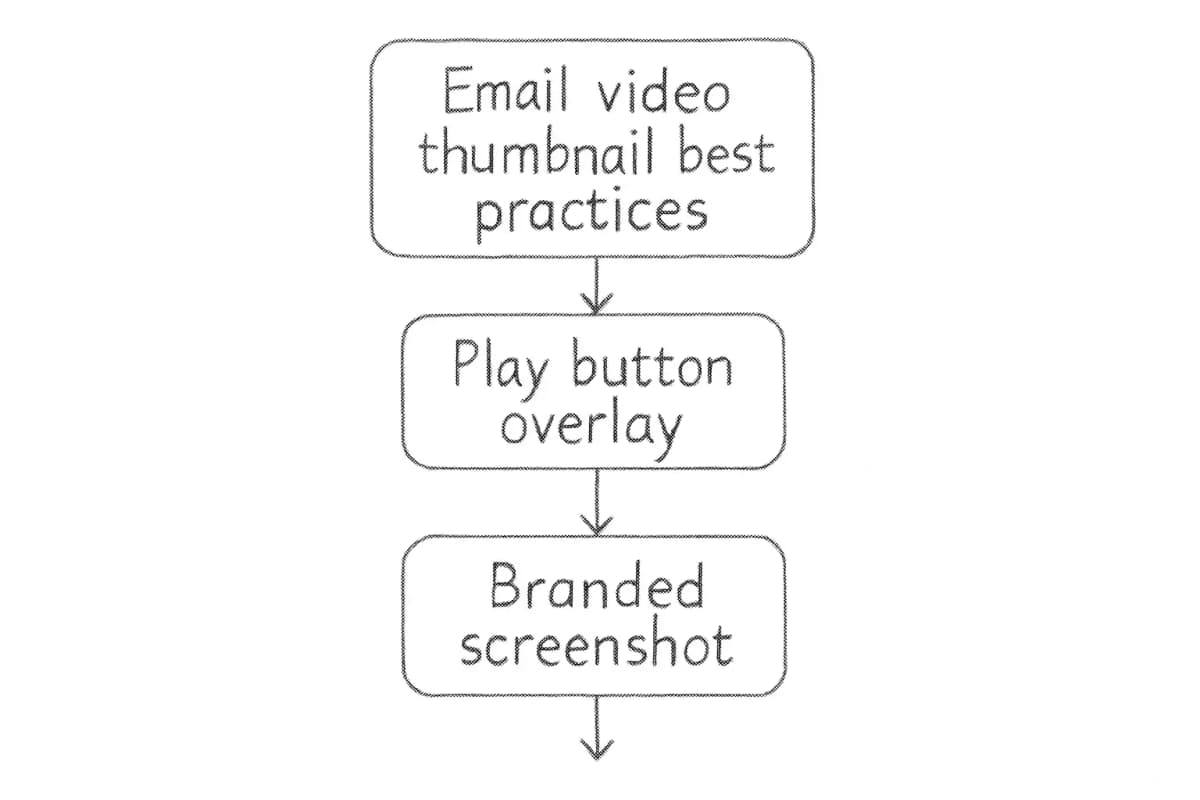
A play button overlay is not optional. A large or colorful play button on the thumbnail lets subscribers know it is a video and not a still shot.
Wistia ran a series of A/B tests and found that a thumbnail that resembles a video, including a play button, performs better than a pure video screenshot.
For GIF thumbnails specifically, keep file size under control. GIFs are supported by most email clients, making them a practical way to embed short, engaging animations. Keep GIF file sizes under 1 MB to ensure quick loading times. GIFs should be concise, typically a snippet of the video, and serve as compelling visual teasers encouraging viewers to click through to the complete video hosted externally.
A few thumbnail best practices at a glance:
Use a clear focal point: a person's face, a product, or an action shot
Add a high-contrast play button so the intent is obvious
Include a short text overlay to set viewer expectations
Keep animated GIFs under 1 MB for fast loading
Always link the thumbnail to the hosted video, never leave it as a static dead image
4. Keep Videos Short and Front-Load the Value
Video length is one of the most direct levers you have on engagement and completion rates.
For email clients that do support video, newer tools can deliver the right format automatically. Before the email reaches the inbox, the software identifies the subscriber's inbox provider and the device, then selects the most appropriate file to display. If the subscriber's inbox supports video files, such as Apple Mail, a video appropriate for the device displays when they open the email. If the provider does not support video, such as Gmail or Outlook, a GIF of the video is displayed instead.
2. Write a Subject Line That Sets Up the Video
Your subject line is the first conversion point in any video email campaign. Get it wrong and the video never gets seen.
Emails that include the word "video" in the subject line see a 19% boost in open rates. This is one of the simplest tests any team can run this week.
Beyond the word "video," apply the same fundamentals that drive opens in any campaign. For a full breakdown of what works at the subject line level, see our guide on email subject line best practices that boost open rates by 27%.
When sending a video email, your subject line should highlight the immediate benefit as well as the content of the video. For instance, if you are introducing a new product, your subject line should outline how recipients can quickly get to know the new offering.
Keep preview text aligned with the subject line. If your subject mentions a product demo video, the preview text should reinforce what they are about to watch and why it matters.
3. Create a Thumbnail That Gets Clicked
Your thumbnail is the first thing people see when they come across your video, so make it count. It needs to be eye-catching and relevant to the content. Choose an image with bright colors, smiling faces, or whatever else tells your story best and gets viewers to hit play.
A play button overlay is not optional. A large or colorful play button on the thumbnail lets subscribers know it is a video and not a still shot.
Wistia ran a series of A/B tests and found that a thumbnail that resembles a video, including a play button, performs better than a pure video screenshot.
For GIF thumbnails specifically, keep file size under control. GIFs are supported by most email clients, making them a practical way to embed short, engaging animations. Keep GIF file sizes under 1 MB to ensure quick loading times. GIFs should be concise, typically a snippet of the video, and serve as compelling visual teasers encouraging viewers to click through to the complete video hosted externally.
A few thumbnail best practices at a glance:
Use a clear focal point: a person's face, a product, or an action shot
Add a high-contrast play button so the intent is obvious
Include a short text overlay to set viewer expectations
Keep animated GIFs under 1 MB for fast loading
Always link the thumbnail to the hosted video, never leave it as a static dead image
4. Keep Videos Short and Front-Load the Value
Video length is one of the most direct levers you have on engagement and completion rates.
Video length is critical: 33% of customers will stop watching after 30 seconds, 45% by one minute, and 60% by two minutes.
There is no single optimal length for video marketing emails or sales video emails, but in most cases, keeping it to 45 seconds or under is recommended, unless you have a highly engaged audience.
A video that is less than two minutes long will generate the most engagement for longer-form use cases like explainers or customer testimonials. That said, shorter is almost always better for cold or top-of-funnel sends.
One rule applies regardless of length: get to your message quickly, ideally within the first quarter of the video. Do not save the key point for the end. If 45% of viewers have left by the one-minute mark, your conclusion is invisible to nearly half your audience.
Captions are also non-negotiable. Captions increase video views by up to 40% and improve the chances that viewers watch a video to the end by 80%. They also improve the accessibility of video content for those who are deaf or hard of hearing.
5. Match the Video Type to the Funnel Stage
Not all videos serve the same purpose. The type of video you use should reflect where the subscriber is in their relationship with your brand.
There are various stages in a customer's lifecycle where video can be highly effective. When a consumer first engages with your brand, incorporating a video into your welcome series provides an ideal platform to introduce them to your brand's foundations, such as the founder's story or brand mission.
Video can also be the final bridge in a customer's purchasing decision. Including an unboxing or product review video in an abandoned cart flow can be the gentle nudge a customer needs to purchase. Furthermore, videos play a vital role in post-purchase communication. They can provide essential guidance on caring for a new product or offer tips to maximize a subscription. This type of messaging transforms first-time customers into loyal brand advocates.
Here is a simple mapping by funnel stage:
Awareness / Welcome: Brand story, founder intro, mission video
Consideration: Product demo, explainer, how-to video
Re-engagement: Personalized check-in video, new product update
Emails featuring customer testimonial videos have a conversion rate of 8.7%, versus 5.2% for explainer videos. Choose the video type based on the action you want the subscriber to take, not based on what content is easiest to produce.
Video length is critical: 33% of customers will stop watching after 30 seconds, 45% by one minute, and 60% by two minutes.
There is no single optimal length for video marketing emails or sales video emails, but in most cases, keeping it to 45 seconds or under is recommended, unless you have a highly engaged audience.
A video that is less than two minutes long will generate the most engagement for longer-form use cases like explainers or customer testimonials. That said, shorter is almost always better for cold or top-of-funnel sends.
One rule applies regardless of length: get to your message quickly, ideally within the first quarter of the video. Do not save the key point for the end. If 45% of viewers have left by the one-minute mark, your conclusion is invisible to nearly half your audience.
Captions are also non-negotiable. Captions increase video views by up to 40% and improve the chances that viewers watch a video to the end by 80%. They also improve the accessibility of video content for those who are deaf or hard of hearing.
5. Match the Video Type to the Funnel Stage
Not all videos serve the same purpose. The type of video you use should reflect where the subscriber is in their relationship with your brand.
There are various stages in a customer's lifecycle where video can be highly effective. When a consumer first engages with your brand, incorporating a video into your welcome series provides an ideal platform to introduce them to your brand's foundations, such as the founder's story or brand mission.
Video can also be the final bridge in a customer's purchasing decision. Including an unboxing or product review video in an abandoned cart flow can be the gentle nudge a customer needs to purchase. Furthermore, videos play a vital role in post-purchase communication. They can provide essential guidance on caring for a new product or offer tips to maximize a subscription. This type of messaging transforms first-time customers into loyal brand advocates.
Here is a simple mapping by funnel stage:
Awareness / Welcome: Brand story, founder intro, mission video
Consideration: Product demo, explainer, how-to video
Re-engagement: Personalized check-in video, new product update
Emails featuring customer testimonial videos have a conversion rate of 8.7%, versus 5.2% for explainer videos. Choose the video type based on the action you want the subscriber to take, not based on what content is easiest to produce.
The video should not carry the entire email on its own. The copy, CTA, and design all need to support the click.
Effective email campaigns are not just about embedding videos. They also require concise, engaging written content. Your email subject line should clearly indicate the value the video offers. Keep email body copy short and actionable, guiding recipients naturally to click the video thumbnail or GIF.
Your CTA deserves specific attention. When embedding a video thumbnail that links to a video hosted elsewhere, use a CTA such as "Watch here" or "Learn more" to create urgency.
Mobile optimization is equally important. More than 40% of email views are via mobile devices, so ensure both your email and video are optimized for mobile. Be mindful of lags and load times so users do not lose interest.
One critical factor is to ensure that your email design and embedded video are responsive, meaning they are mobile-friendly and customized for different devices for an enhanced experience.
7. Segment Your List Before You Send
Sending the same video to your entire list is a missed opportunity. Video performs differently across segments, and the most effective campaigns treat it as targeted content, not broadcast media.
Marketers using video weekly in emails report a CTR of 11.2%, compared to 6.4% for those who use it monthly. Frequency matters, but relevance matters more.
You can boost the effects of your video messaging by creating personalized emails that are sent to specific recipient groups. A product demo video sent to subscribers who have already viewed your pricing page will convert at a different rate than the same video sent to a cold lead who signed up three days ago.
Pair video selection with behavioral data. If a subscriber clicked a link about a specific product category, send them a video about that product. If they watched 80% of a previous video, follow up with the next step in the series.
For a broader approach to personalization that extends beyond video, our guide on email personalization techniques that boost conversions 47% covers the tactics that consistently move the needle.
8. Track the Right Metrics
Metrics to track for video email campaigns include: click-through rate (how many viewers clicked through to follow your CTA), view count (the number of times your video has been viewed), play rate (how many viewers clicked "play" and started to watch), conversion rate (how many viewers acted on your CTA after a click-through), social sharing, and engagement (how much of the video viewers watched after clicking play).
Click-through rate and conversion rate are the metrics that connect most directly to revenue. Play rate tells you whether your thumbnail is working. Completion rate tells you whether your video content is working.
As with any marketing strategy, it is important to monitor the impact of a video on email performance and engagement. Analyze key email metrics such as open rates, click-throughs, forwards, shares, and unsubscribes before and after a campaign to understand what works and to help inform your marketing efforts in the future.
A/B test one variable at a time. Optimize your email campaigns by A/B testing different video embedding methods: GIF animations versus static images. Testing helps identify what resonates best with your email audience and improves click-through rates and conversions with video emails.
6. Optimize the Full Email Around the Video
The video should not carry the entire email on its own. The copy, CTA, and design all need to support the click.
Effective email campaigns are not just about embedding videos. They also require concise, engaging written content. Your email subject line should clearly indicate the value the video offers. Keep email body copy short and actionable, guiding recipients naturally to click the video thumbnail or GIF.
Your CTA deserves specific attention. When embedding a video thumbnail that links to a video hosted elsewhere, use a CTA such as "Watch here" or "Learn more" to create urgency.
Mobile optimization is equally important. More than 40% of email views are via mobile devices, so ensure both your email and video are optimized for mobile. Be mindful of lags and load times so users do not lose interest.
One critical factor is to ensure that your email design and embedded video are responsive, meaning they are mobile-friendly and customized for different devices for an enhanced experience.
7. Segment Your List Before You Send
Sending the same video to your entire list is a missed opportunity. Video performs differently across segments, and the most effective campaigns treat it as targeted content, not broadcast media.
Marketers using video weekly in emails report a CTR of 11.2%, compared to 6.4% for those who use it monthly. Frequency matters, but relevance matters more.
You can boost the effects of your video messaging by creating personalized emails that are sent to specific recipient groups. A product demo video sent to subscribers who have already viewed your pricing page will convert at a different rate than the same video sent to a cold lead who signed up three days ago.
Pair video selection with behavioral data. If a subscriber clicked a link about a specific product category, send them a video about that product. If they watched 80% of a previous video, follow up with the next step in the series.
For a broader approach to personalization that extends beyond video, our guide on email personalization techniques that boost conversions 47% covers the tactics that consistently move the needle.
8. Track the Right Metrics
Metrics to track for video email campaigns include: click-through rate (how many viewers clicked through to follow your CTA), view count (the number of times your video has been viewed), play rate (how many viewers clicked "play" and started to watch), conversion rate (how many viewers acted on your CTA after a click-through), social sharing, and engagement (how much of the video viewers watched after clicking play).
Click-through rate and conversion rate are the metrics that connect most directly to revenue. Play rate tells you whether your thumbnail is working. Completion rate tells you whether your video content is working.
As with any marketing strategy, it is important to monitor the impact of a video on email performance and engagement. Analyze key email metrics such as open rates, click-throughs, forwards, shares, and unsubscribes before and after a campaign to understand what works and to help inform your marketing efforts in the future.
A/B test one variable at a time. Optimize your email campaigns by A/B testing different video embedding methods: GIF animations versus static images. Testing helps identify what resonates best with your email audience and improves click-through rates and conversions with video emails.
Most popular email clients such as Gmail, Outlook, Yahoo Mail, and Samsung Mail do not reliably support playing actual videos in emails. While Apple Mail supports embedding playable videos, it is one of the few exceptions rather than the norm. To avoid a poor user experience and ensure compatibility, it is crucial to use alternative methods rather than embedding actual video files directly. The recommended approach is to use a linked thumbnail or animated GIF that drives clicks to a hosted video page.
What is the best video length for email marketing?
While the ideal video length depends on your audience and message, you should aim to keep your email videos under 60 seconds long. Piktochart recommends trimming an email video down to 30 or 45 seconds. If you cannot adequately share your message in 30 to 45 seconds, it may be worth taking a little extra time and bumping up to 60 seconds. Engagement plummets between 60 seconds and five minutes.
Does adding "video" to the subject line actually help?
Yes, and the data is consistent across multiple studies. Emails that include the word "video" in the subject line see a 19% boost in open rates. It works because it sets a clear expectation and signals a format that many subscribers prefer over blocks of text. It is one of the easiest single-word tests any email marketer can run.
What types of videos perform best in email campaigns?
It depends on the funnel stage, but the data points to testimonials as particularly effective. Emails featuring customer testimonial videos have a conversion rate of 8.7%, versus 5.2% for explainer videos. For onboarding and B2B use cases, among B2B marketers, 39% use video in onboarding emails, while 26% use it in cold outreach. Match the video type to the action you want the subscriber to take rather than defaulting to whichever format is easiest to produce.
Most popular email clients such as Gmail, Outlook, Yahoo Mail, and Samsung Mail do not reliably support playing actual videos in emails. While Apple Mail supports embedding playable videos, it is one of the few exceptions rather than the norm. To avoid a poor user experience and ensure compatibility, it is crucial to use alternative methods rather than embedding actual video files directly. The recommended approach is to use a linked thumbnail or animated GIF that drives clicks to a hosted video page.
What is the best video length for email marketing?
While the ideal video length depends on your audience and message, you should aim to keep your email videos under 60 seconds long. Piktochart recommends trimming an email video down to 30 or 45 seconds. If you cannot adequately share your message in 30 to 45 seconds, it may be worth taking a little extra time and bumping up to 60 seconds. Engagement plummets between 60 seconds and five minutes.
Does adding "video" to the subject line actually help?
Yes, and the data is consistent across multiple studies. Emails that include the word "video" in the subject line see a 19% boost in open rates. It works because it sets a clear expectation and signals a format that many subscribers prefer over blocks of text. It is one of the easiest single-word tests any email marketer can run.
What types of videos perform best in email campaigns?
It depends on the funnel stage, but the data points to testimonials as particularly effective. Emails featuring customer testimonial videos have a conversion rate of 8.7%, versus 5.2% for explainer videos. For onboarding and B2B use cases, among B2B marketers, 39% use video in onboarding emails, while 26% use it in cold outreach. Match the video type to the action you want the subscriber to take rather than defaulting to whichever format is easiest to produce.