Email marketing automation is one of the most direct paths to better ROI, yet most businesses only scratch the surface of what it can do. Automated emails drive 37% of all email-generated sales, despite making up only 2% of email volume. If your team is still sending every campaign manually, you are leaving a significant share of revenue on the table.
This email marketing automation guide covers everything from understanding what automation actually is, to choosing the right platform, building your first workflows, and measuring what matters.
Key Takeaways
Automated emails generate 320% more revenue than non-automated emails.
The average ROI for email marketing is $36 for every dollar spent, and automation is the primary driver that pushes brands beyond that average.
Marketing automation software users can benefit from a 451% increase in qualified leads.
Email marketing ranks as the most effective channel for 41% of marketing professionals, far outpacing social media and paid search, which tied for second place at just 16% each.
The core automation setup follows a simple pattern: define your goal, choose a trigger, build the sequence, and optimize based on data.
What Email Marketing Automation Actually Means
Email marketing automation is the process of using software to automate repetitive tasks in your email campaigns. This allows you to send messages to your subscribers based on their behavior and preferences, ultimately saving time and increasing efficiency.
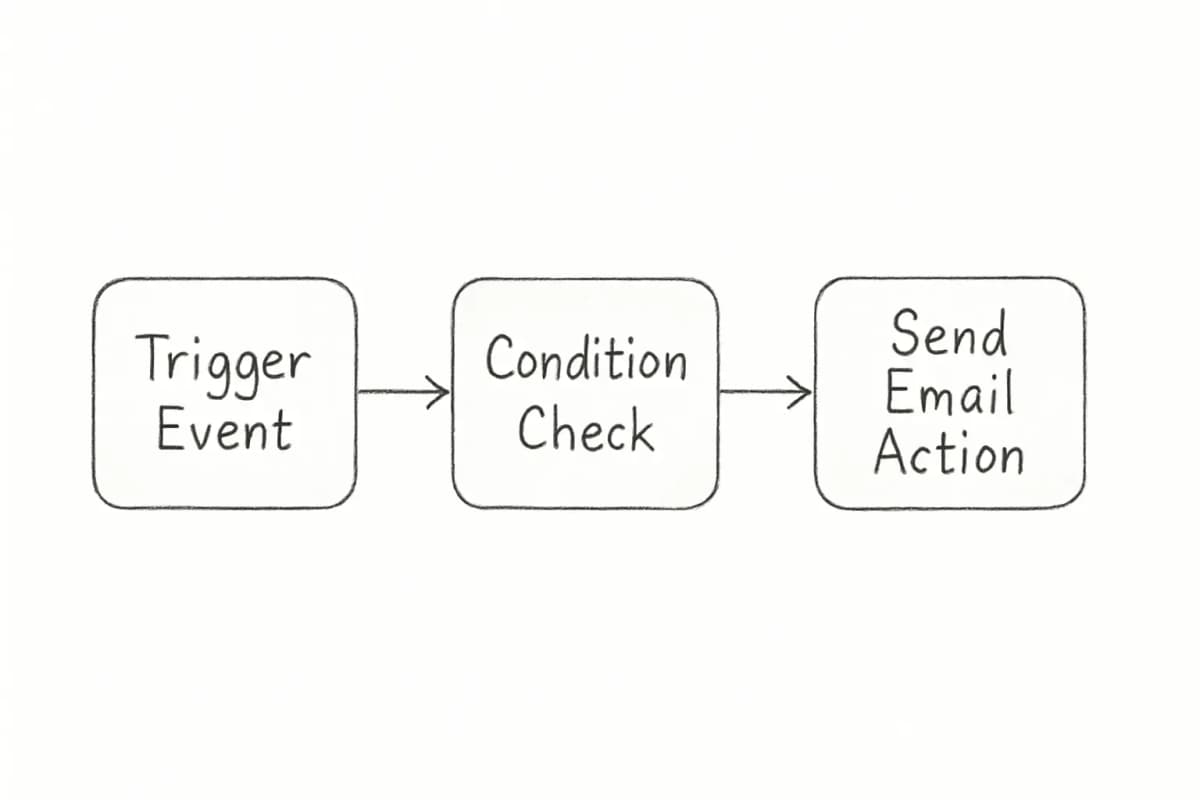
In practical terms, think of it as setting up a series of "if-this-then-that" rules for your email communications. These automated sequences run continuously once set up, handling everything from basic transactional emails to complex multi-step campaigns.
The result is that automation responds to customer actions in real-time. When someone abandons a cart, signs up for a service, or reaches a milestone, they receive relevant messages immediately. This timely communication is impossible to achieve manually when dealing with thousands of subscribers.
Essentially, email automation takes the tedious tasks off your email marketing to-do list, freeing up your time for higher-value strategic initiatives. In addition, combining email automation and customer analytics can empower you to refine your targeting strategy, enabling you to target users based on behaviors, preferences, and previous purchases. In doing so, you can personalize each customer's experience and amplify the relevancy of your email campaigns.
Email marketing automation is one of the most direct paths to better ROI, yet most businesses only scratch the surface of what it can do. Automated emails drive 37% of all email-generated sales, despite making up only 2% of email volume. If your team is still sending every campaign manually, you are leaving a significant share of revenue on the table.
This email marketing automation guide covers everything from understanding what automation actually is, to choosing the right platform, building your first workflows, and measuring what matters.
Key Takeaways
Automated emails generate 320% more revenue than non-automated emails.
The average ROI for email marketing is $36 for every dollar spent, and automation is the primary driver that pushes brands beyond that average.
Marketing automation software users can benefit from a 451% increase in qualified leads.
Email marketing ranks as the most effective channel for 41% of marketing professionals, far outpacing social media and paid search, which tied for second place at just 16% each.
The core automation setup follows a simple pattern: define your goal, choose a trigger, build the sequence, and optimize based on data.
What Email Marketing Automation Actually Means
Email marketing automation is the process of using software to automate repetitive tasks in your email campaigns. This allows you to send messages to your subscribers based on their behavior and preferences, ultimately saving time and increasing efficiency.
In practical terms, think of it as setting up a series of "if-this-then-that" rules for your email communications. These automated sequences run continuously once set up, handling everything from basic transactional emails to complex multi-step campaigns.
The result is that automation responds to customer actions in real-time. When someone abandons a cart, signs up for a service, or reaches a milestone, they receive relevant messages immediately. This timely communication is impossible to achieve manually when dealing with thousands of subscribers.
Essentially, email automation takes the tedious tasks off your email marketing to-do list, freeing up your time for higher-value strategic initiatives. In addition, combining email automation and customer analytics can empower you to refine your targeting strategy, enabling you to target users based on behaviors, preferences, and previous purchases. In doing so, you can personalize each customer's experience and amplify the relevancy of your email campaigns.
How to Choose the Right Email Marketing Platform
Before you build a single workflow, you need a platform that fits your actual use case. Email marketing automation platforms help businesses send targeted, personalized emails at scale by automating workflows, segmenting audiences, and integrating with CRM and ecommerce tools.
Today's marketing teams need platforms that offer predictive analytics, journey-based targeting, drag-and-drop journey builders and behavioral triggers, unified customer data for accurate segmentation, AI-powered content and optimization features, strong deliverability and compliance safeguards, and transparent pricing and easy migration support.
Here is how to match the platform to your business type:
How to Choose the Right Email Marketing Platform
Before you build a single workflow, you need a platform that fits your actual use case. Email marketing automation platforms help businesses send targeted, personalized emails at scale by automating workflows, segmenting audiences, and integrating with CRM and ecommerce tools.
Today's marketing teams need platforms that offer predictive analytics, journey-based targeting, drag-and-drop journey builders and behavioral triggers, unified customer data for accurate segmentation, AI-powered content and optimization features, strong deliverability and compliance safeguards, and transparent pricing and easy migration support.
Here is how to match the platform to your business type:
Ecommerce brands: E-commerce brands typically thrive with Klaviyo. Its shopping behavior triggers, abandoned cart flows, and Shopify integration are purpose-built for retail.
B2B companies and SaaS: B2B companies often prefer HubSpot or ActiveCampaign. Both offer robust CRM integration and multi-step nurture sequences. Check out our SaaS email marketing strategy guide for platform-specific workflow advice.
Small businesses on a budget: Small businesses do well with Mailchimp or Brevo.
Complex automation needs: ActiveCampaign is ideal for sales-focused businesses and experienced marketers who need complex automation workflows.
Ecommerce brands: E-commerce brands typically thrive with Klaviyo. Its shopping behavior triggers, abandoned cart flows, and Shopify integration are purpose-built for retail.
B2B companies and SaaS: B2B companies often prefer HubSpot or ActiveCampaign. Both offer robust CRM integration and multi-step nurture sequences. Check out our SaaS email marketing strategy guide for platform-specific workflow advice.
Small businesses on a budget: Small businesses do well with Mailchimp or Brevo.
Complex automation needs: ActiveCampaign is ideal for sales-focused businesses and experienced marketers who need complex automation workflows.
One critical criterion that often gets overlooked: if an email lands in the spam box, the chances that the recipient reads it dramatically decrease. Deliverability is a deal-breaker, and the right email marketing automation tool can get an email through spam filters. Prioritize platforms with built-in DKIM/SPF/DMARC support and bounce handling from day one.
The Core Automation Workflows Every Business Needs
Automation is the backbone of modern email marketing. Email automation workflows help marketers send the right message at the right time to each subscriber without manually triggering each send.
Top automation triggers include welcome sequences after signup, abandoned cart reminders, post-purchase follow-ups, re-engagement campaigns for inactive users, and birthday or anniversary emails.
Here are the five workflows that produce the most measurable impact:
1. Welcome Sequence
The welcome sequence is the most important automation you will ever build. It sets the tone for your entire relationship with new subscribers. Welcome emails achieve an average open rate of 83.6%, making them one of the highest-performing automated email types.
The first welcome email should trigger within minutes of subscription, ideally instantly. At the moment someone subscribes, their interest in your brand is at its peak. A 3 to 5 email sequence allows you to gradually introduce your brand, build trust, and guide subscribers toward their first purchase.
For detailed welcome sequence tactics, see our welcome email sequence best practices guide.
2. Abandoned Cart
Abandoned cart email automation targets customers who leave items in their shopping cart. Configure triggers for 1 hour, 24 hours, and 1 week after abandonment. Include product images, customer reviews, and time-sensitive incentives to drive completion.
Abandoned cart emails recover 3 to 5% of lost sales on average. They achieve an average open rate of 50.5%, a click rate of 6.25%, and a conversion rate of 3.33%, with top-performing brands reaching conversion rates of 7.69%.
3. Post-Purchase Flow
Transactional emails are automated emails sent to website visitors after performing specific actions such as purchasing an item or resetting their password. Email automation enables marketers to leverage transactional emails to help reach broader sales goals. For example, marketers can include product recommendations when sending order confirmation emails to customers.
4. Re-Engagement Campaign
Even inaction works as a trigger. If someone does not open your emails for 60 days, that lack of engagement can trigger a re-engagement campaign. Left unmanaged, inactive subscribers hurt your sender reputation and waste budget. A 90-day inactivity trigger, defined as the absence of email interactions such as no opens or clicks, is a practical starting point.
5. Lead Nurture Sequence
A 2025 B2B industry report shows that 72% of B2B organizations are already using email marketing automation to nurture leads, support sales follow-ups, and keep customers engaged. A lead nurture sequence delivers educational content over time, progressively qualifying leads before passing them to sales.
How to Build Your First Automation Workflow
Setting up automation for the first time does not have to be complicated. Follow this sequence:
One critical criterion that often gets overlooked: if an email lands in the spam box, the chances that the recipient reads it dramatically decrease. Deliverability is a deal-breaker, and the right email marketing automation tool can get an email through spam filters. Prioritize platforms with built-in DKIM/SPF/DMARC support and bounce handling from day one.
The Core Automation Workflows Every Business Needs
Automation is the backbone of modern email marketing. Email automation workflows help marketers send the right message at the right time to each subscriber without manually triggering each send.
Top automation triggers include welcome sequences after signup, abandoned cart reminders, post-purchase follow-ups, re-engagement campaigns for inactive users, and birthday or anniversary emails.
Here are the five workflows that produce the most measurable impact:
1. Welcome Sequence
The welcome sequence is the most important automation you will ever build. It sets the tone for your entire relationship with new subscribers. Welcome emails achieve an average open rate of 83.6%, making them one of the highest-performing automated email types.
The first welcome email should trigger within minutes of subscription, ideally instantly. At the moment someone subscribes, their interest in your brand is at its peak. A 3 to 5 email sequence allows you to gradually introduce your brand, build trust, and guide subscribers toward their first purchase.
For detailed welcome sequence tactics, see our welcome email sequence best practices guide.
2. Abandoned Cart
Abandoned cart email automation targets customers who leave items in their shopping cart. Configure triggers for 1 hour, 24 hours, and 1 week after abandonment. Include product images, customer reviews, and time-sensitive incentives to drive completion.
Abandoned cart emails recover 3 to 5% of lost sales on average. They achieve an average open rate of 50.5%, a click rate of 6.25%, and a conversion rate of 3.33%, with top-performing brands reaching conversion rates of 7.69%.
3. Post-Purchase Flow
Transactional emails are automated emails sent to website visitors after performing specific actions such as purchasing an item or resetting their password. Email automation enables marketers to leverage transactional emails to help reach broader sales goals. For example, marketers can include product recommendations when sending order confirmation emails to customers.
4. Re-Engagement Campaign
Even inaction works as a trigger. If someone does not open your emails for 60 days, that lack of engagement can trigger a re-engagement campaign. Left unmanaged, inactive subscribers hurt your sender reputation and waste budget. A 90-day inactivity trigger, defined as the absence of email interactions such as no opens or clicks, is a practical starting point.
5. Lead Nurture Sequence
A 2025 B2B industry report shows that 72% of B2B organizations are already using email marketing automation to nurture leads, support sales follow-ups, and keep customers engaged. A lead nurture sequence delivers educational content over time, progressively qualifying leads before passing them to sales.
How to Build Your First Automation Workflow
Setting up automation for the first time does not have to be complicated. Follow this sequence:
Define your goal. Begin by determining what you want to achieve with the workflow, such as increasing trial-to-paid conversions, reducing churn rate, or boosting event registrations. Every workflow should have a clear purpose and measurable outcome.
Map the customer journey. Outline the stages a customer or lead goes through. Identify key touchpoints where emails can help, such as signup, post-purchase, or inactivity. Understanding the customer journey enables you to decide where automation fits best.
Select your triggers. Determine which actions or dates will start the workflow. Common triggers include form submissions such as newsletter signups or eBook downloads, e-commerce events like order placements or cart abandonments, or time-based events like birthdays, anniversaries, or inactivity periods.
Create the email content. Write each email in the sequence, give each one a single purpose, and ensure it leads naturally to the next step. For subject line guidance, see our article on email subject line best practices that boost open rates.
Test before going live. Before going live, always test your workflow. This can help you identify mistakes or inconsistencies that may impact the campaign's success. Test everything, from the content and links to the sequence of emails and triggers, to ensure it works as expected.
Monitor and optimize continuously. Email automation is not a one-time setup. It requires continuous optimization based on performance data.
Define your goal. Begin by determining what you want to achieve with the workflow, such as increasing trial-to-paid conversions, reducing churn rate, or boosting event registrations. Every workflow should have a clear purpose and measurable outcome.
Map the customer journey. Outline the stages a customer or lead goes through. Identify key touchpoints where emails can help, such as signup, post-purchase, or inactivity. Understanding the customer journey enables you to decide where automation fits best.
Select your triggers. Determine which actions or dates will start the workflow. Common triggers include form submissions such as newsletter signups or eBook downloads, e-commerce events like order placements or cart abandonments, or time-based events like birthdays, anniversaries, or inactivity periods.
Create the email content. Write each email in the sequence, give each one a single purpose, and ensure it leads naturally to the next step. For subject line guidance, see our article on email subject line best practices that boost open rates.
Test before going live. Before going live, always test your workflow. This can help you identify mistakes or inconsistencies that may impact the campaign's success. Test everything, from the content and links to the sequence of emails and triggers, to ensure it works as expected.
Monitor and optimize continuously. Email automation is not a one-time setup. It requires continuous optimization based on performance data.
Although it may sound counterintuitive, automating every piece of your email program at once will not solve all your problems. Start by automating one portion of your program. You can always add more automated workflows as you gain more experience and feel more comfortable.
Personalization and Segmentation: The Force Multipliers
Automation without personalization produces mediocre results. 80% of consumers are more likely to purchase from a brand that provides personalized customer experiences. For that reason, it is important to leverage email personalization to move toward one-to-one customer experiences that exceed customer demands.
Personalization goes beyond using the name tag at the start of emails. It means customizing CTAs based on past behavior, adding the sender's name to CTAs, and sending relevant content to each user.
Segmentation is the structural backbone that makes personalization possible at scale. Segmenting email lists can lead to up to a 760% increase in email revenue in one case. The more precisely you segment, the more relevant each automated email becomes. For a full breakdown of how to approach this, our guide on email list segmentation strategies covers the proven tactics in detail.
The best workflows also have branches. If a customer clicks a link about product A, they skip product B emails and go deeper on product A. This conditional logic turns a simple sequence into a true customer journey.
Measuring Automation ROI: The Metrics That Matter
Tracking the right numbers is what separates businesses that improve their automation from those that set it up and forget it.
Engagement KPIs include open rate, click-through rate, unsubscribe rate, and bounce rate. Each offers insight into how well your messages resonate and reach your intended audience.
Customer-level KPIs include customer acquisition cost (CAC), customer lifetime value (CLV), repeat purchase rate, churn rate, and campaign ROI, which measures revenue generated compared to the cost of running the campaign.
Although it may sound counterintuitive, automating every piece of your email program at once will not solve all your problems. Start by automating one portion of your program. You can always add more automated workflows as you gain more experience and feel more comfortable.
Personalization and Segmentation: The Force Multipliers
Automation without personalization produces mediocre results. 80% of consumers are more likely to purchase from a brand that provides personalized customer experiences. For that reason, it is important to leverage email personalization to move toward one-to-one customer experiences that exceed customer demands.
Personalization goes beyond using the name tag at the start of emails. It means customizing CTAs based on past behavior, adding the sender's name to CTAs, and sending relevant content to each user.
Segmentation is the structural backbone that makes personalization possible at scale. Segmenting email lists can lead to up to a 760% increase in email revenue in one case. The more precisely you segment, the more relevant each automated email becomes. For a full breakdown of how to approach this, our guide on email list segmentation strategies covers the proven tactics in detail.
The best workflows also have branches. If a customer clicks a link about product A, they skip product B emails and go deeper on product A. This conditional logic turns a simple sequence into a true customer journey.
Measuring Automation ROI: The Metrics That Matter
Tracking the right numbers is what separates businesses that improve their automation from those that set it up and forget it.
Engagement KPIs include open rate, click-through rate, unsubscribe rate, and bounce rate. Each offers insight into how well your messages resonate and reach your intended audience.
Customer-level KPIs include customer acquisition cost (CAC), customer lifetime value (CLV), repeat purchase rate, churn rate, and campaign ROI, which measures revenue generated compared to the cost of running the campaign.
Workflow-level metrics include journey or workflow completion rate, which tracks how many people finish a full automation; drop-off points within flows, which highlights where users exit before reaching a goal; and step-level performance covering opens, clicks, and exits, which helps identify weak spots within a journey.
Automation benchmarks for mature brands: 30 to 50 percent of total email revenue should come from automated flows. Abandoned cart and browse flows should consistently outperform broadcast campaigns.
To calculate email ROI, track email-attributed revenue or pipeline value against total email program costs, including platform fees, content creation, and staff time.
Even experienced marketers trip over the same issues:
Workflow-level metrics include journey or workflow completion rate, which tracks how many people finish a full automation; drop-off points within flows, which highlights where users exit before reaching a goal; and step-level performance covering opens, clicks, and exits, which helps identify weak spots within a journey.
Automation benchmarks for mature brands: 30 to 50 percent of total email revenue should come from automated flows. Abandoned cart and browse flows should consistently outperform broadcast campaigns.
To calculate email ROI, track email-attributed revenue or pipeline value against total email program costs, including platform fees, content creation, and staff time.
Even experienced marketers trip over the same issues:
Sending too much, too fast. The important thing is not to overwhelm someone with five emails in two days. Smart spacing keeps your brand top of mind without feeling pushy.
Sounding robotic. Automated emails should not sound automated. Write in a conversational tone. Use natural language. Avoid corporate jargon and robotic phrasing.
Ignoring list hygiene. Email marketing automation tools are only effective if your emails reach your customers' inboxes. Maintaining a clean email list is crucial for deliverability and engagement. Research shows email lists naturally decay at approximately 22.71% annually. Regular scrubbing is not optional.
Skipping preference management. There is a good chance that most of your recipients will receive more emails once you start automating. If you do not update your preference center to reflect the new campaigns, there will be a disconnect between your audience and your content. Make sure your preference center is crystal clear and does not require extra steps.
Measuring only vanity metrics. Prioritizing open rates over conversion rates and revenue can lead to strategies that generate engagement without business impact.
Sending too much, too fast. The important thing is not to overwhelm someone with five emails in two days. Smart spacing keeps your brand top of mind without feeling pushy.
Sounding robotic. Automated emails should not sound automated. Write in a conversational tone. Use natural language. Avoid corporate jargon and robotic phrasing.
Ignoring list hygiene. Email marketing automation tools are only effective if your emails reach your customers' inboxes. Maintaining a clean email list is crucial for deliverability and engagement. Research shows email lists naturally decay at approximately 22.71% annually. Regular scrubbing is not optional.
Skipping preference management. There is a good chance that most of your recipients will receive more emails once you start automating. If you do not update your preference center to reflect the new campaigns, there will be a disconnect between your audience and your content. Make sure your preference center is crystal clear and does not require extra steps.
Measuring only vanity metrics. Prioritizing open rates over conversion rates and revenue can lead to strategies that generate engagement without business impact.
Frequently Asked Questions
What is email marketing automation?
Email marketing automation refers to automated workflows and triggers to send targeted and personalized emails to subscribers based on specific actions or events. It allows businesses to streamline email campaigns, save time, and deliver timely and relevant content to their audience.
How much does email marketing automation improve ROI?
Automated emails generate approximately 320% more revenue than non-automated ones. In 2024, automated emails drove 37% of all email-generated sales, despite accounting for just 2% of email volume. The performance gap between automated and manual sends is significant at every business size.
Which automation workflow should I set up first?
Start with your welcome sequence. Welcome emails achieve an average open rate of 83.6%, making them one of the highest-performing automated email types. It is the highest-impact, lowest-complexity workflow to begin with, and it immediately improves the experience for every new subscriber.
How do I measure whether my email automation is working?
Success in marketing automation comes down to metrics that reflect engagement, lead movement, and value: open rate, CTR, MQL-to-SQL progression, time-to-conversion, customer lifetime value, and overall campaign ROI. At a program level, track what percentage of your total email revenue comes from automated flows. The industry average email marketing ROI sits at $36 to $42 for every dollar spent. If your flows are underperforming that benchmark, start by auditing your segmentation and trigger timing before rewriting copy.
No comments yet. Be the first!
Frequently Asked Questions
What is email marketing automation?
Email marketing automation refers to automated workflows and triggers to send targeted and personalized emails to subscribers based on specific actions or events. It allows businesses to streamline email campaigns, save time, and deliver timely and relevant content to their audience.
How much does email marketing automation improve ROI?
Automated emails generate approximately 320% more revenue than non-automated ones. In 2024, automated emails drove 37% of all email-generated sales, despite accounting for just 2% of email volume. The performance gap between automated and manual sends is significant at every business size.
Which automation workflow should I set up first?
Start with your welcome sequence. Welcome emails achieve an average open rate of 83.6%, making them one of the highest-performing automated email types. It is the highest-impact, lowest-complexity workflow to begin with, and it immediately improves the experience for every new subscriber.
How do I measure whether my email automation is working?
Success in marketing automation comes down to metrics that reflect engagement, lead movement, and value: open rate, CTR, MQL-to-SQL progression, time-to-conversion, customer lifetime value, and overall campaign ROI. At a program level, track what percentage of your total email revenue comes from automated flows. The industry average email marketing ROI sits at $36 to $42 for every dollar spent. If your flows are underperforming that benchmark, start by auditing your segmentation and trigger timing before rewriting copy.