Combining email marketing with video marketing is one of the most measurable ways to lift campaign performance across every key metric. When video marketing is used in an email, it leads to a 200 to 300% increase in click-through rates. If you have been looking at how to use email marketing with video marketing, the evidence is clear: the two channels reinforce each other in ways that neither can achieve alone.
This guide covers the mechanics, formats, best practices, and measurement frameworks you need to build a working video email strategy, whether you are starting from scratch or refining a campaign already in motion.
Key Takeaways
Adding video to emails can increase open rates by 19% and click rates by 65%.
Emails with the word "video" in the subject line are opened 7% more than emails without it.
Both Gmail and Outlook, which make up roughly 60% of the market, do not support embedded videos, so a thumbnail-plus-link approach is the most reliable delivery method.
Marketers using video weekly in emails report a CTR of 11.2% versus 6.4% for those who use it monthly, and emails featuring customer testimonial videos have a conversion rate of 8.7%.
Email campaigns with video outperform those without it by 38% in overall engagement, and emails with video average an ROI of $41 for every $1 spent, while image-only emails earn $28.
Why Video and Email Are a Natural Pairing
Email gives you a direct, permission-based channel to an audience that already knows your brand. Video gives you the most persuasive content format available. Put them together and you get higher engagement from people who are already warm to your message.
91% of businesses use video as a marketing tool, back to joint all-time highs. At the same time, email consistently outperforms other channels in ROI. Email marketing delivers a 2.8% conversion rate for B2C brands and a 2.4% conversion rate for B2B.
The combination works because video communicates what text cannot. Viewers retain 95% of a message when it is presented in a video versus just 10% in text. For complex products, emotional storytelling, and social proof, that retention gap is significant.
When asked how they would like to learn about a product or service, 63% say they would most like to watch a short video, comfortably ahead of text-based articles at 12%, ebooks at 4%, and infographics at 7%.
Combining email marketing with video marketing is one of the most measurable ways to lift campaign performance across every key metric. When video marketing is used in an email, it leads to a 200 to 300% increase in click-through rates. If you have been looking at how to use email marketing with video marketing, the evidence is clear: the two channels reinforce each other in ways that neither can achieve alone.
This guide covers the mechanics, formats, best practices, and measurement frameworks you need to build a working video email strategy, whether you are starting from scratch or refining a campaign already in motion.
Key Takeaways
Adding video to emails can increase open rates by 19% and click rates by 65%.
Emails with the word "video" in the subject line are opened 7% more than emails without it.
Both Gmail and Outlook, which make up roughly 60% of the market, do not support embedded videos, so a thumbnail-plus-link approach is the most reliable delivery method.
Marketers using video weekly in emails report a CTR of 11.2% versus 6.4% for those who use it monthly, and emails featuring customer testimonial videos have a conversion rate of 8.7%.
Email campaigns with video outperform those without it by 38% in overall engagement, and emails with video average an ROI of $41 for every $1 spent, while image-only emails earn $28.
Why Video and Email Are a Natural Pairing
Email gives you a direct, permission-based channel to an audience that already knows your brand. Video gives you the most persuasive content format available. Put them together and you get higher engagement from people who are already warm to your message.
91% of businesses use video as a marketing tool, back to joint all-time highs. At the same time, email consistently outperforms other channels in ROI. Email marketing delivers a 2.8% conversion rate for B2C brands and a 2.4% conversion rate for B2B.
The combination works because video communicates what text cannot. Viewers retain 95% of a message when it is presented in a video versus just 10% in text. For complex products, emotional storytelling, and social proof, that retention gap is significant.
When asked how they would like to learn about a product or service, 63% say they would most like to watch a short video, comfortably ahead of text-based articles at 12%, ebooks at 4%, and infographics at 7%.
How to Technically Include Video in Email
This is the question most marketers get stuck on. The answer depends on understanding what email clients actually support.
The Thumbnail-Plus-Link Method (Recommended)
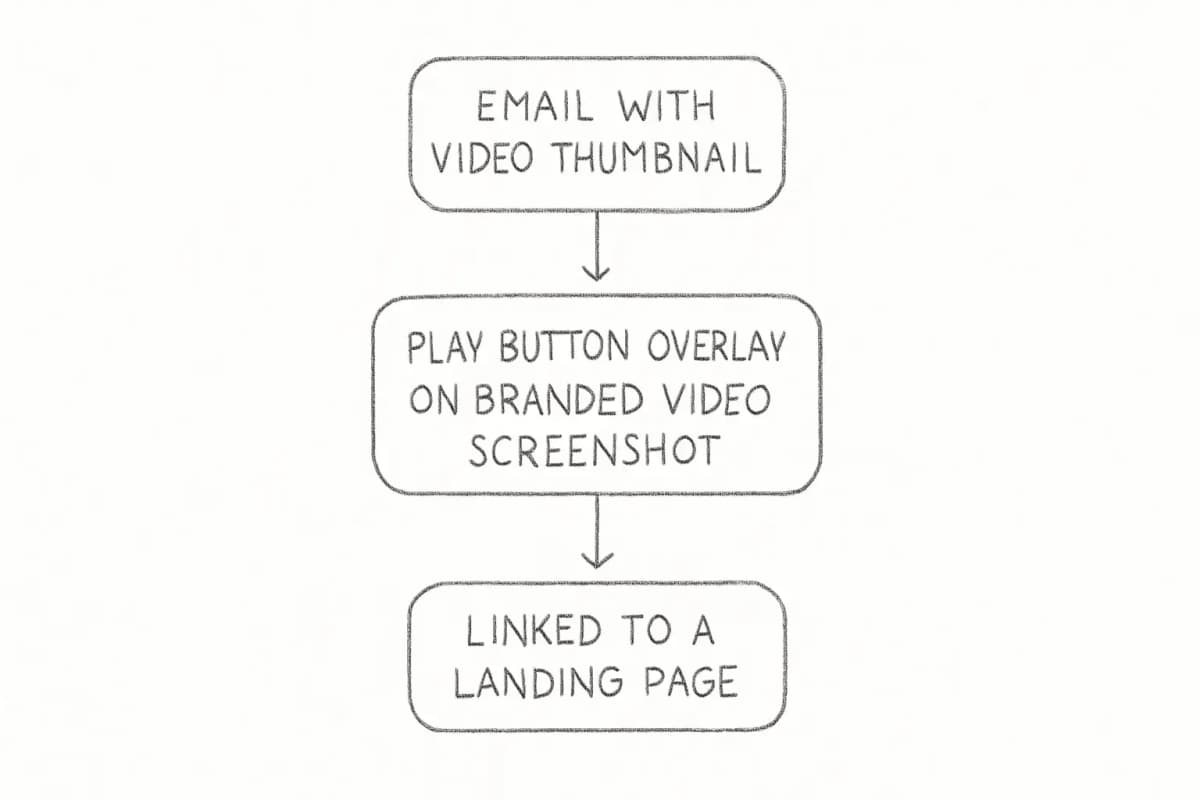
One way to include video is by adding an eye-catching thumbnail image that links to a landing page or video URL, often with a call-to-action button or play button graphic inviting the user to click through and watch.
This approach works across every email client, avoids spam filter triggers, and keeps your email file size small. Using a clickable thumbnail that links out to a hosted video keeps your email file size tiny and your sender reputation clean.
Steps to execute this method:
Record or source your video and host it on YouTube, Vimeo, Wistia, or your own CDN.
Take a screenshot from the most compelling frame.
Overlay a play button graphic using a design tool like Canva.
Upload the thumbnail to your email builder and link the image to the video URL.
Add supporting copy and a clear text CTA below the thumbnail.
The Wistia team ran a series of A/B tests and found that a thumbnail that resembles a video, including the play button, performs better than a pure video screenshot.
Animated GIFs as Video Teasers
Unlike video, GIFs in email are supported almost everywhere. A short looping GIF pulls a few seconds from your video to create motion and curiosity without requiring a full embed.
Brands that use animated GIFs in email often see a higher return on investment, jumping from $18 to $37 for every dollar spent, and GIFs are supported across email clients (except for Outlook 2007 to 2019), making them a highly engaging way to catch viewer attention.
Keep GIF files under 1 MB for fast loading. Link the GIF to your full video landing page, and always include a play button in the first frame so Outlook users see a static but still actionable image.
HTML5 Embedded Video
HTML5 embedded video works in Apple Mail but is not supported in major players like Gmail and most versions of Outlook. You need a fallback for this to be viable.
For most email marketers, HTML5 embedding is not worth the risk unless the majority of your list opens on Apple Mail. Most inbox providers strip out embedded video code as a security risk, which leaves the recipient unable to see the video and increases the risk of the email ending up in the spam folder.
The practical recommendation: use the thumbnail-plus-link method as your primary approach, with an animated GIF as a secondary option for audiences that respond well to motion.
The Best Types of Video to Use in Email Campaigns
How to Technically Include Video in Email
This is the question most marketers get stuck on. The answer depends on understanding what email clients actually support.
The Thumbnail-Plus-Link Method (Recommended)
One way to include video is by adding an eye-catching thumbnail image that links to a landing page or video URL, often with a call-to-action button or play button graphic inviting the user to click through and watch.
This approach works across every email client, avoids spam filter triggers, and keeps your email file size small. Using a clickable thumbnail that links out to a hosted video keeps your email file size tiny and your sender reputation clean.
Steps to execute this method:
Record or source your video and host it on YouTube, Vimeo, Wistia, or your own CDN.
Take a screenshot from the most compelling frame.
Overlay a play button graphic using a design tool like Canva.
Upload the thumbnail to your email builder and link the image to the video URL.
Add supporting copy and a clear text CTA below the thumbnail.
The Wistia team ran a series of A/B tests and found that a thumbnail that resembles a video, including the play button, performs better than a pure video screenshot.
Animated GIFs as Video Teasers
Unlike video, GIFs in email are supported almost everywhere. A short looping GIF pulls a few seconds from your video to create motion and curiosity without requiring a full embed.
Brands that use animated GIFs in email often see a higher return on investment, jumping from $18 to $37 for every dollar spent, and GIFs are supported across email clients (except for Outlook 2007 to 2019), making them a highly engaging way to catch viewer attention.
Keep GIF files under 1 MB for fast loading. Link the GIF to your full video landing page, and always include a play button in the first frame so Outlook users see a static but still actionable image.
HTML5 Embedded Video
HTML5 embedded video works in Apple Mail but is not supported in major players like Gmail and most versions of Outlook. You need a fallback for this to be viable.
For most email marketers, HTML5 embedding is not worth the risk unless the majority of your list opens on Apple Mail. Most inbox providers strip out embedded video code as a security risk, which leaves the recipient unable to see the video and increases the risk of the email ending up in the spam folder.
The practical recommendation: use the thumbnail-plus-link method as your primary approach, with an animated GIF as a secondary option for audiences that respond well to motion.
The Best Types of Video to Use in Email Campaigns
Knowing how to use email marketing with video marketing also means choosing the right video content for each moment in the customer journey. Not every video serves every campaign.
According to the 2025 State of Video Report from Wistia, how-to videos had the highest average engagement rate of any video category, with webinars, educational videos, and product videos also performing well. This data suggests that customer education topics are smart choices for early video campaigns.
Here are the highest-performing video types for email:
Product demos: Brands that embed product demo videos in emails see an average 35% lift in engagement.
Customer testimonials: Emails featuring customer testimonial videos have a conversion rate of 8.7%, compared to 5.2% for explainer videos.
Welcome and onboarding videos: Including a video in your initial email campaign can boost click rates by 96%, and welcome emails with video see a significant open rate lift.
How-to and educational content: These reduce support queries while building authority. 57% of video marketers say video has helped them reduce support queries.
Personalized video messages: Companies find a 36.9% higher close rate when using personalized videos with email.
For B2B teams, 39% of B2B marketers use video in onboarding emails, while 26% use it in cold outreach.
Subject Lines and Copy That Complement Video
The work on a video email starts before anyone sees the video itself. Your subject line, preheader, and surrounding copy determine whether the email even gets opened.
Emails with the word "video" in the subject line are opened 7% more than emails without it. This is one of the simplest, most evidence-backed improvements you can make today. The word "video" sets an expectation that the email contains something worth stopping for.
For the email body, keep your written copy minimal. Your video thumbnail is doing the visual lifting, so the text around it should answer one question: why should this person click and watch right now? A clear, single CTA is more effective than multiple links competing for attention.
For more tactics on crafting high-performing subject lines, see our guide on email subject line best practices that boost open rates.
Segmentation and Personalization for Video Emails
Sending the same video to your entire list is a wasted opportunity. Not all video content will be relevant to all subscribers. Use email list segmentation to deliver the right video to the right audience based on their interests, behavior, and stage in the customer journey.
For example:
Send product demo videos to leads who visited your pricing page.
Send tutorial videos to new customers after purchase.
Send testimonial videos to prospects who opened multiple emails but have not converted.
Personalized video marketing achieves 68% higher engagement rates, and 72% of consumers say they are more likely to buy after watching personalized videos.
Knowing how to use email marketing with video marketing also means choosing the right video content for each moment in the customer journey. Not every video serves every campaign.
According to the 2025 State of Video Report from Wistia, how-to videos had the highest average engagement rate of any video category, with webinars, educational videos, and product videos also performing well. This data suggests that customer education topics are smart choices for early video campaigns.
Here are the highest-performing video types for email:
Product demos: Brands that embed product demo videos in emails see an average 35% lift in engagement.
Customer testimonials: Emails featuring customer testimonial videos have a conversion rate of 8.7%, compared to 5.2% for explainer videos.
Welcome and onboarding videos: Including a video in your initial email campaign can boost click rates by 96%, and welcome emails with video see a significant open rate lift.
How-to and educational content: These reduce support queries while building authority. 57% of video marketers say video has helped them reduce support queries.
Personalized video messages: Companies find a 36.9% higher close rate when using personalized videos with email.
For B2B teams, 39% of B2B marketers use video in onboarding emails, while 26% use it in cold outreach.
Subject Lines and Copy That Complement Video
The work on a video email starts before anyone sees the video itself. Your subject line, preheader, and surrounding copy determine whether the email even gets opened.
Emails with the word "video" in the subject line are opened 7% more than emails without it. This is one of the simplest, most evidence-backed improvements you can make today. The word "video" sets an expectation that the email contains something worth stopping for.
For the email body, keep your written copy minimal. Your video thumbnail is doing the visual lifting, so the text around it should answer one question: why should this person click and watch right now? A clear, single CTA is more effective than multiple links competing for attention.
For more tactics on crafting high-performing subject lines, see our guide on email subject line best practices that boost open rates.
Segmentation and Personalization for Video Emails
Sending the same video to your entire list is a wasted opportunity. Not all video content will be relevant to all subscribers. Use email list segmentation to deliver the right video to the right audience based on their interests, behavior, and stage in the customer journey.
For example:
Send product demo videos to leads who visited your pricing page.
Send tutorial videos to new customers after purchase.
Send testimonial videos to prospects who opened multiple emails but have not converted.
Personalized video marketing achieves 68% higher engagement rates, and 72% of consumers say they are more likely to buy after watching personalized videos.
If you want to build an effective segmentation framework before layering in video, our article on email list segmentation strategies that boost ROI covers the approaches that consistently deliver results.
Video Length and Production Standards
Length directly affects completion rates, which affect how much of your message actually lands.
For most email marketing videos, the sweet spot is between 30 and 90 seconds. That is just enough time to grab attention with a strong hook, get your main point across, and finish with a clear call-to-action before they get distracted.
Save longer-form content for your website or video hosting platforms, and use email videos as "teasers" to drive clicks.
On production quality: 89% of consumers say video quality impacts their trust in a brand. That does not mean you need a production studio. A well-lit smartphone video with clear audio and a strong opening 5 seconds will outperform a polished video with a weak hook every time.
Accessibility is also non-negotiable. Include captions in your videos for viewers who are deaf or hard of hearing or who might be watching with the sound off. Most email is opened in environments where auto-play audio would be unwelcome, so assume your video will be watched on mute.
Measuring the Performance of Your Video Email Campaigns
When combining video and email, you are tracking two layers of data: email performance and video engagement performance.
Email-level metrics to track:
Open rate (especially when testing subject lines with and without "video")
Click-through rate on the thumbnail
Conversion rate on the video landing page
Unsubscribe rate (video emails consistently reduce this; email campaigns that incorporate videos reduce the unsubscribe rate by 26%.)
Video-level metrics to track:
Track both video and email metrics for every campaign. For video, you want watch time and video completion rate. You can use this information to understand whether the video topic was relevant to your audience and whether there is a particular point in the video when engagement drops off.
Marketers who use video weekly in emails report a CTR of 11.2%, compared to 6.4% for those who use it monthly, which suggests frequency and consistency in testing matters as much as any single campaign.
For a deeper look at interpreting your email campaign data, our email marketing analytics best practices guide covers the metrics that actually connect to revenue outcomes.
Frequently Asked Questions
If you want to build an effective segmentation framework before layering in video, our article on email list segmentation strategies that boost ROI covers the approaches that consistently deliver results.
Video Length and Production Standards
Length directly affects completion rates, which affect how much of your message actually lands.
For most email marketing videos, the sweet spot is between 30 and 90 seconds. That is just enough time to grab attention with a strong hook, get your main point across, and finish with a clear call-to-action before they get distracted.
Save longer-form content for your website or video hosting platforms, and use email videos as "teasers" to drive clicks.
On production quality: 89% of consumers say video quality impacts their trust in a brand. That does not mean you need a production studio. A well-lit smartphone video with clear audio and a strong opening 5 seconds will outperform a polished video with a weak hook every time.
Accessibility is also non-negotiable. Include captions in your videos for viewers who are deaf or hard of hearing or who might be watching with the sound off. Most email is opened in environments where auto-play audio would be unwelcome, so assume your video will be watched on mute.
Measuring the Performance of Your Video Email Campaigns
When combining video and email, you are tracking two layers of data: email performance and video engagement performance.
Email-level metrics to track:
Open rate (especially when testing subject lines with and without "video")
Click-through rate on the thumbnail
Conversion rate on the video landing page
Unsubscribe rate (video emails consistently reduce this; email campaigns that incorporate videos reduce the unsubscribe rate by 26%.)
Video-level metrics to track:
Track both video and email metrics for every campaign. For video, you want watch time and video completion rate. You can use this information to understand whether the video topic was relevant to your audience and whether there is a particular point in the video when engagement drops off.
Marketers who use video weekly in emails report a CTR of 11.2%, compared to 6.4% for those who use it monthly, which suggests frequency and consistency in testing matters as much as any single campaign.
For a deeper look at interpreting your email campaign data, our email marketing analytics best practices guide covers the metrics that actually connect to revenue outcomes.
Frequently Asked Questions
Does putting video in an email hurt deliverability?
Directly embedding a video file can trigger spam filters in certain email clients. Adding an embedded video that auto-plays within the email itself is risky because not all email clients support this and it can sometimes filter such emails as spam. The safe approach is to use a thumbnail image linked to a hosted video page. This method has no deliverability risk and works across all clients.
Can you embed a YouTube video directly in an email?
No. Embedding YouTube videos requires JavaScript, which does not work in email. If the video is from YouTube, create a clickable graphic or call-to-action that takes subscribers directly to the content on YouTube or to a landing page where you have embedded the video.
What is the best video format for email marketing?
MP4s are widely regarded as the best video format for email, as they retain high quality and play smoothly across most browsers and devices. However, not all email clients support playable video embedded in the body of an email, and embedding any type of video format may cause your email to be identified as spam. Host your video on YouTube, Vimeo, or Wistia, and use a linked thumbnail in the email itself.
How often should I include video in email campaigns?
Marketers using video weekly in emails report a CTR of 11.2% compared to 6.4% for those who use it monthly, which points toward consistency over occasional use. Start by adding video to your highest-traffic email types, such as welcome sequences, product launches, and nurture campaigns, then test frequency based on your own list's engagement patterns. Not every email needs a video; relevance always beats volume.
What video length performs best in email marketing?
For most email marketing videos, the sweet spot is between 30 and 90 seconds. Anything longer belongs on a dedicated landing page or content hub, not inside an email where the subscriber's attention window is short. Use the email video as a hook that earns the click, then let a longer video on the landing page do the deeper persuasion work.
No comments yet. Be the first!
Does putting video in an email hurt deliverability?
Directly embedding a video file can trigger spam filters in certain email clients. Adding an embedded video that auto-plays within the email itself is risky because not all email clients support this and it can sometimes filter such emails as spam. The safe approach is to use a thumbnail image linked to a hosted video page. This method has no deliverability risk and works across all clients.
Can you embed a YouTube video directly in an email?
No. Embedding YouTube videos requires JavaScript, which does not work in email. If the video is from YouTube, create a clickable graphic or call-to-action that takes subscribers directly to the content on YouTube or to a landing page where you have embedded the video.
What is the best video format for email marketing?
MP4s are widely regarded as the best video format for email, as they retain high quality and play smoothly across most browsers and devices. However, not all email clients support playable video embedded in the body of an email, and embedding any type of video format may cause your email to be identified as spam. Host your video on YouTube, Vimeo, or Wistia, and use a linked thumbnail in the email itself.
How often should I include video in email campaigns?
Marketers using video weekly in emails report a CTR of 11.2% compared to 6.4% for those who use it monthly, which points toward consistency over occasional use. Start by adding video to your highest-traffic email types, such as welcome sequences, product launches, and nurture campaigns, then test frequency based on your own list's engagement patterns. Not every email needs a video; relevance always beats volume.
What video length performs best in email marketing?
For most email marketing videos, the sweet spot is between 30 and 90 seconds. Anything longer belongs on a dedicated landing page or content hub, not inside an email where the subscriber's attention window is short. Use the email video as a hook that earns the click, then let a longer video on the landing page do the deeper persuasion work.