Shopify gives you a direct path from your customer list to their inbox, and most store owners underuse it. According to a 2025 report from HubSpot, the average return on investment for email marketing is $36 for every dollar spent. For Shopify merchants specifically, that number is achievable because your store already holds the customer data needed to make campaigns relevant and timely. This guide covers exactly how to create email marketing on Shopify, from your first campaign to advanced automation, so you can start turning subscribers into repeat buyers.
Key Takeaways
Shopify Messaging is available on the Basic, Grow, Advanced, and Plus plans, with 10,000 free emails included at the start of every month.
You can launch a campaign by going to Marketing in your admin dashboard, selecting Create Campaign, and choosing Shopify Email. From there, design your message, select recipients from your customer list, and send or schedule.
Segmented emails drive 760% more revenue than generic ones.
Abandoned cart emails have an open rate of 45%, more than any typical marketing email, and 11% of those result in cart recovery.
The top tools for Shopify email marketing in 2025 are Omnisend, Klaviyo, ActiveCampaign, Mailchimp, and Shopify's own Shopify Email. Omnisend and Klaviyo stand out for ecommerce-focused automations, segmentation, and revenue tracking, while Shopify Email offers simplicity and tight integration.
Why Email Marketing Works for Shopify Stores
Before diving into setup, it helps to understand the channel's actual weight. Despite the misconception that email is dead, the number of email users keeps growing. As of 2024, there are 4.5 billion estimated email users worldwide, with that number forecast to reach 4.8 billion by 2027.
For ecommerce specifically, the behavior is even more compelling. Ecommerce buyers prefer email to connect with brands (up to 60%), and among all email users, 88% check their email daily. That kind of consistent access is something paid social and organic search cannot match.
Shopify merchants can leverage email marketing to distribute newsletters, receipts, promotions, and transactional emails such as abandoned cart recovery or welcome messages. Each of those touches serves a different stage of the customer journey, giving you multiple opportunities to drive revenue from a single subscriber.
Shopify gives you a direct path from your customer list to their inbox, and most store owners underuse it. According to a 2025 report from HubSpot, the average return on investment for email marketing is $36 for every dollar spent. For Shopify merchants specifically, that number is achievable because your store already holds the customer data needed to make campaigns relevant and timely. This guide covers exactly how to create email marketing on Shopify, from your first campaign to advanced automation, so you can start turning subscribers into repeat buyers.
Key Takeaways
Shopify Messaging is available on the Basic, Grow, Advanced, and Plus plans, with 10,000 free emails included at the start of every month.
You can launch a campaign by going to Marketing in your admin dashboard, selecting Create Campaign, and choosing Shopify Email. From there, design your message, select recipients from your customer list, and send or schedule.
Segmented emails drive 760% more revenue than generic ones.
Abandoned cart emails have an open rate of 45%, more than any typical marketing email, and 11% of those result in cart recovery.
The top tools for Shopify email marketing in 2025 are Omnisend, Klaviyo, ActiveCampaign, Mailchimp, and Shopify's own Shopify Email. Omnisend and Klaviyo stand out for ecommerce-focused automations, segmentation, and revenue tracking, while Shopify Email offers simplicity and tight integration.
Why Email Marketing Works for Shopify Stores
Before diving into setup, it helps to understand the channel's actual weight. Despite the misconception that email is dead, the number of email users keeps growing. As of 2024, there are 4.5 billion estimated email users worldwide, with that number forecast to reach 4.8 billion by 2027.
For ecommerce specifically, the behavior is even more compelling. Ecommerce buyers prefer email to connect with brands (up to 60%), and among all email users, 88% check their email daily. That kind of consistent access is something paid social and organic search cannot match.
Shopify merchants can leverage email marketing to distribute newsletters, receipts, promotions, and transactional emails such as abandoned cart recovery or welcome messages. Each of those touches serves a different stage of the customer journey, giving you multiple opportunities to drive revenue from a single subscriber.
Choosing Your Email Marketing Tool
Shopify gives you two broad paths: the built-in Shopify Messaging app or a third-party integration.
Shopify Messaging (Built-In)
Shopify has a built-in email marketing solution called Shopify Messaging. It allows you to create, send, and track email campaigns directly from your Shopify admin panel. While convenient and reasonably priced (including 10,000 free emails per month), it offers more basic functionality compared to dedicated email marketing apps.
The app's modern, customizable templates and features like automation and segmentation enhance marketing efficiency. It is praised for reliability, strong deliverability, and a user-friendly interface, with quick setup and helpful support for resolving issues and setting up automations.
Pricing is simple: you can send additional emails beyond the 10,000 free emails at a cost of $1 USD per 1,000 additional emails up to 300,000 emails. After 300,000, your pricing is $0.65 USD per 1,000 additional emails. After 750,000, it drops to $0.55 USD per 1,000.
Third-Party Apps
Shopify Messaging is excellent when you're just starting out. You will want to upgrade to a dedicated platform when you start needing advanced automation workflows, multi-channel marketing, deeper customer segmentation, and better revenue reporting.
Popular options and their starting prices include:
Klaviyo: Free for up to 250 contacts, then from $20/month. Klaviyo syncs Shopify data in milliseconds and unifies data from 350+ integrations to boost marketing performance with campaigns, smart segmentation, and automated workflows.
Omnisend: Free plan available; paid plans from $16/month. Strong for ecommerce-focused automations and multi-channel campaigns.
Mailchimp: Paid plans from $20/month. A good option for those with fewer than 2,000 subscribers or for those who would benefit from landing pages, automations, and advanced analytics.
Brevo: Free plan available; Shopify-integrated plans start at $5/month.
For most early-stage Shopify stores, Shopify Messaging covers the essentials. Once your list exceeds several thousand contacts and you need behavior-triggered automations, Klaviyo or Omnisend are the two most purpose-built options.
How to Create Your First Email Campaign on Shopify
Here is a step-by-step process for setting up a campaign using the native Shopify Messaging app.
Choosing Your Email Marketing Tool
Shopify gives you two broad paths: the built-in Shopify Messaging app or a third-party integration.
Shopify Messaging (Built-In)
Shopify has a built-in email marketing solution called Shopify Messaging. It allows you to create, send, and track email campaigns directly from your Shopify admin panel. While convenient and reasonably priced (including 10,000 free emails per month), it offers more basic functionality compared to dedicated email marketing apps.
The app's modern, customizable templates and features like automation and segmentation enhance marketing efficiency. It is praised for reliability, strong deliverability, and a user-friendly interface, with quick setup and helpful support for resolving issues and setting up automations.
Pricing is simple: you can send additional emails beyond the 10,000 free emails at a cost of $1 USD per 1,000 additional emails up to 300,000 emails. After 300,000, your pricing is $0.65 USD per 1,000 additional emails. After 750,000, it drops to $0.55 USD per 1,000.
Third-Party Apps
Shopify Messaging is excellent when you're just starting out. You will want to upgrade to a dedicated platform when you start needing advanced automation workflows, multi-channel marketing, deeper customer segmentation, and better revenue reporting.
Popular options and their starting prices include:
Klaviyo: Free for up to 250 contacts, then from $20/month. Klaviyo syncs Shopify data in milliseconds and unifies data from 350+ integrations to boost marketing performance with campaigns, smart segmentation, and automated workflows.
Omnisend: Free plan available; paid plans from $16/month. Strong for ecommerce-focused automations and multi-channel campaigns.
Mailchimp: Paid plans from $20/month. A good option for those with fewer than 2,000 subscribers or for those who would benefit from landing pages, automations, and advanced analytics.
Brevo: Free plan available; Shopify-integrated plans start at $5/month.
For most early-stage Shopify stores, Shopify Messaging covers the essentials. Once your list exceeds several thousand contacts and you need behavior-triggered automations, Klaviyo or Omnisend are the two most purpose-built options.
How to Create Your First Email Campaign on Shopify
Here is a step-by-step process for setting up a campaign using the native Shopify Messaging app.
Go to your Shopify admin and navigate to Marketing in the left sidebar.
Click "Create campaign" and select Shopify Email from the options.
Choose a template. Shopify provides pre-built templates for promotions, product launches, newsletters, and more. Select one that fits your goal.
Customize the design. Add your logo, brand colors, and product blocks. You can use branded templates, add products directly from your store, and track performance easily.
Write your email content. Set a subject line, preview text, and body copy. Keep your subject line specific and action-oriented. For guidance, see our email subject line best practices that boost open rates by 27%.
Select your audience. Choose from your full subscriber list or a specific customer segment.
Set a send time. You can send immediately or schedule for a specific date and time.
Review and send. Check your preview on both desktop and mobile before confirming.
Go to your Shopify admin and navigate to Marketing in the left sidebar.
Click "Create campaign" and select Shopify Email from the options.
Choose a template. Shopify provides pre-built templates for promotions, product launches, newsletters, and more. Select one that fits your goal.
Customize the design. Add your logo, brand colors, and product blocks. You can use branded templates, add products directly from your store, and track performance easily.
Write your email content. Set a subject line, preview text, and body copy. Keep your subject line specific and action-oriented. For guidance, see our email subject line best practices that boost open rates by 27%.
Select your audience. Choose from your full subscriber list or a specific customer segment.
Set a send time. You can send immediately or schedule for a specific date and time.
Review and send. Check your preview on both desktop and mobile before confirming.
Tracking tools show opens, clicks, and conversions, which you can review in the Marketing section of your Shopify admin after the campaign goes out.
Building and Growing Your Email List
A campaign is only as good as the list it reaches. Shopify gives you several native and third-party options for capturing subscribers.
Checkout opt-in: Shopify includes a marketing consent checkbox at checkout. Enable it in Settings > Checkout to collect subscribers at the point of purchase.
Shopify Forms app: While Shopify does not directly feature built-in tools for email list building, you can easily tie in the Shopify Forms app to assist with list-making needs. Use it to create pop-ups, embedded forms, and flyouts.
Lead magnets: Offer something in exchange for an email address, such as a discount code, a downloadable guide, or a first-order offer. These work particularly well as pop-ups triggered by exit intent or time on page.
Double opt-in: Use double opt-in to filter out fake emails and keep deliverability high. It is built into Shopify Email.
List quality matters as much as list size. Sending to a large uncleaned list can harm your domain reputation, especially if you have been collecting contacts for a long time without cleaning up, since you may have invalid or inactive email addresses that have become spam traps or cause hard bounces. Run a list audit before any major send, and suppress contacts who have not engaged in the past 12 months.
Segmenting Your Shopify Email List
Segmentation is where Shopify email marketing goes from functional to high-performing. Segmented emails drive 30% more opens and 50% higher click-through rates. The revenue impact is even sharper at scale.
Shopify's built-in customer segments let you filter by:
Purchase history: First-time buyers, repeat purchasers, and high-value customers each need different messaging.
Predicted spend: Shopify has a "predicted spend" segmentation tool that separates subscribers into high, medium, and low tiers.
Location: The segment builder in Shopify allows you to create groups based on a customer's country of residence, state, or province, and even by city.
Engagement level: Separate active subscribers from dormant ones so you can run re-engagement campaigns before removing cold contacts.
Email segmentation means dividing your subscribers into smaller, more specific groups based on their behavior or traits, like what they bought, how often they shop, or where they live. Instead of sending one message to everyone, segmentation lets you say the right thing to the right person at the right time.
Tracking tools show opens, clicks, and conversions, which you can review in the Marketing section of your Shopify admin after the campaign goes out.
Building and Growing Your Email List
A campaign is only as good as the list it reaches. Shopify gives you several native and third-party options for capturing subscribers.
Checkout opt-in: Shopify includes a marketing consent checkbox at checkout. Enable it in Settings > Checkout to collect subscribers at the point of purchase.
Shopify Forms app: While Shopify does not directly feature built-in tools for email list building, you can easily tie in the Shopify Forms app to assist with list-making needs. Use it to create pop-ups, embedded forms, and flyouts.
Lead magnets: Offer something in exchange for an email address, such as a discount code, a downloadable guide, or a first-order offer. These work particularly well as pop-ups triggered by exit intent or time on page.
Double opt-in: Use double opt-in to filter out fake emails and keep deliverability high. It is built into Shopify Email.
List quality matters as much as list size. Sending to a large uncleaned list can harm your domain reputation, especially if you have been collecting contacts for a long time without cleaning up, since you may have invalid or inactive email addresses that have become spam traps or cause hard bounces. Run a list audit before any major send, and suppress contacts who have not engaged in the past 12 months.
Segmenting Your Shopify Email List
Segmentation is where Shopify email marketing goes from functional to high-performing. Segmented emails drive 30% more opens and 50% higher click-through rates. The revenue impact is even sharper at scale.
Shopify's built-in customer segments let you filter by:
Purchase history: First-time buyers, repeat purchasers, and high-value customers each need different messaging.
Predicted spend: Shopify has a "predicted spend" segmentation tool that separates subscribers into high, medium, and low tiers.
Location: The segment builder in Shopify allows you to create groups based on a customer's country of residence, state, or province, and even by city.
Engagement level: Separate active subscribers from dormant ones so you can run re-engagement campaigns before removing cold contacts.
Email segmentation means dividing your subscribers into smaller, more specific groups based on their behavior or traits, like what they bought, how often they shop, or where they live. Instead of sending one message to everyone, segmentation lets you say the right thing to the right person at the right time.
Automated emails do the consistent work that manual campaigns cannot. These are the core sequences every Shopify store should have active.
Welcome Series
Studies show that subscribers who receive a welcome series show 33% more engagement with future emails. Set this up to trigger immediately after someone subscribes, then follow up with 1 to 2 additional emails over the next few days.
For best practices on structuring this sequence, see our article on welcome email sequence best practices.
Abandoned Cart Recovery
The average cart abandonment rate for Shopify stores is just above 70%, virtually identical to the broader ecommerce benchmark of 70.19% reported by Baymard Institute in 2025.
The abandoned checkout re-engagement automation allows you to send automated emails to customers who added a product to their cart and started checking out but left before completing their purchase. The abandoned checkout automation is created and managed in the Shopify Messaging app.
Automated email sequences recover 10 to 20% of abandoned carts. A three-email sequence works well: the first sent one hour after abandonment, the second 24 hours later, and the third 48 to 72 hours later with an optional discount.
Post-Purchase Follow-Up
Send a thank-you email after every order, then follow up with product usage tips or a review request. This builds loyalty and generates social proof that improves future campaign performance.
Win-Back Campaigns
Target customers who have not purchased in 60 to 90 days. A personalized offer or a simple "we miss you" message can reactivate a significant portion of your lapsed customers.
Designing Emails That Convert
Design decisions affect whether subscribers read or delete your email. Keep these principles in place for every send:
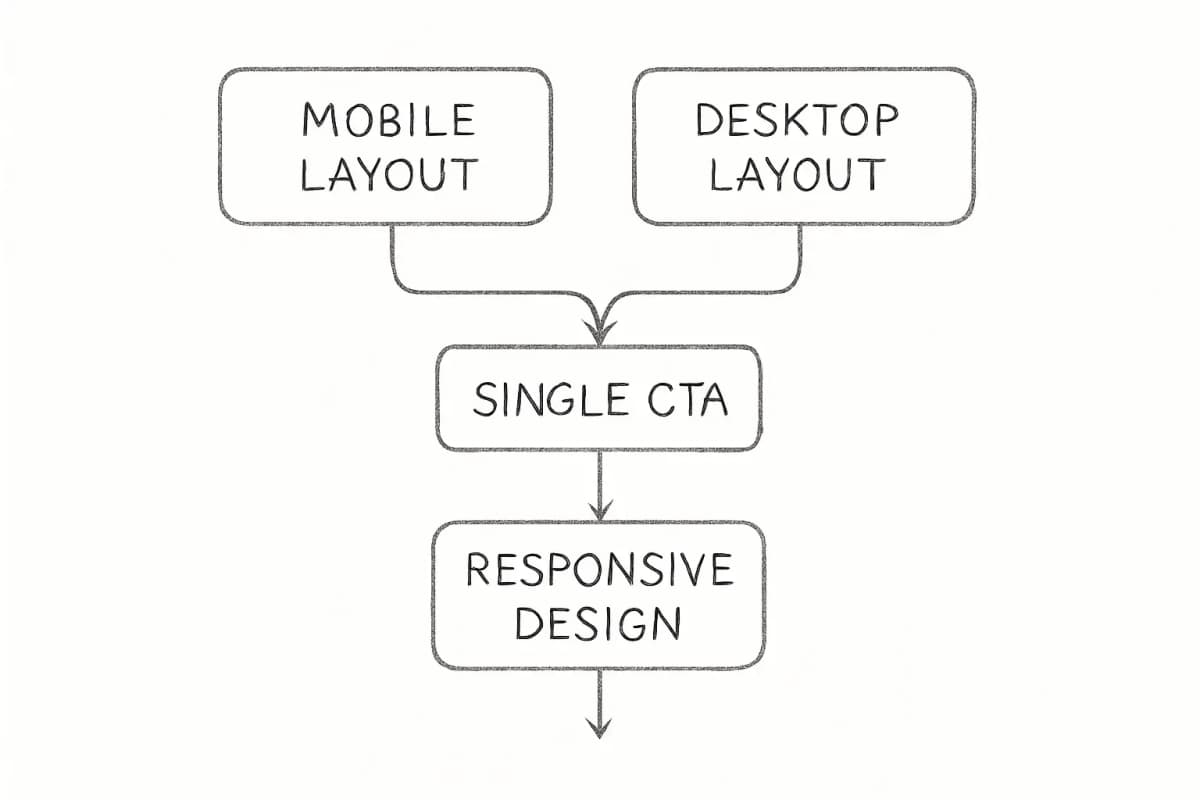
Mobile-first layout: Over 60% of emails are opened on mobile. Your design needs to render clearly at small screen sizes before anything else.
Single, clear CTA: One focused call to action performs better than multiple competing buttons. Decide what action you want the reader to take and make that the only option.
Personalization at the product level: Pull customer data from Shopify to show product recommendations based on past purchases. Personalization in email marketing offers many benefits, such as offering personalized discounts and recommending products based on the customer's purchase history.
Social proof: Emails with social proof like reviews can boost click-through rates by up to 35%.
Automated emails do the consistent work that manual campaigns cannot. These are the core sequences every Shopify store should have active.
Welcome Series
Studies show that subscribers who receive a welcome series show 33% more engagement with future emails. Set this up to trigger immediately after someone subscribes, then follow up with 1 to 2 additional emails over the next few days.
For best practices on structuring this sequence, see our article on welcome email sequence best practices.
Abandoned Cart Recovery
The average cart abandonment rate for Shopify stores is just above 70%, virtually identical to the broader ecommerce benchmark of 70.19% reported by Baymard Institute in 2025.
The abandoned checkout re-engagement automation allows you to send automated emails to customers who added a product to their cart and started checking out but left before completing their purchase. The abandoned checkout automation is created and managed in the Shopify Messaging app.
Automated email sequences recover 10 to 20% of abandoned carts. A three-email sequence works well: the first sent one hour after abandonment, the second 24 hours later, and the third 48 to 72 hours later with an optional discount.
Post-Purchase Follow-Up
Send a thank-you email after every order, then follow up with product usage tips or a review request. This builds loyalty and generates social proof that improves future campaign performance.
Win-Back Campaigns
Target customers who have not purchased in 60 to 90 days. A personalized offer or a simple "we miss you" message can reactivate a significant portion of your lapsed customers.
Designing Emails That Convert
Design decisions affect whether subscribers read or delete your email. Keep these principles in place for every send:
Mobile-first layout: Over 60% of emails are opened on mobile. Your design needs to render clearly at small screen sizes before anything else.
Single, clear CTA: One focused call to action performs better than multiple competing buttons. Decide what action you want the reader to take and make that the only option.
Personalization at the product level: Pull customer data from Shopify to show product recommendations based on past purchases. Personalization in email marketing offers many benefits, such as offering personalized discounts and recommending products based on the customer's purchase history.
Social proof: Emails with social proof like reviews can boost click-through rates by up to 35%.
Tracking Performance and Improving Results
Shopify's analytics and reporting features allow you to track the performance of your email campaigns. This data-driven approach helps you understand what works and what doesn't, enabling continuous improvement.
The key metrics to watch after every campaign:
Open rate: Reflects subject line and sender reputation quality.
Click-through rate (CTR): Measures how compelling your content and CTA are.
Conversion rate: Tracks how many email clicks led to purchases.
Revenue per email: Calculated by dividing campaign revenue by total emails sent.
Unsubscribe rate: A rising unsubscribe rate signals misalignment between content and audience expectations.
Run A/B tests on subject lines, send times, and CTAs to improve these numbers over time. Even small gains compound across a full subscriber list.
How do I start email marketing on Shopify for free?
Shopify Messaging is available on the Basic, Grow, Advanced, and Plus plans, with 10,000 free emails included at the start of every month. Install the Shopify Messaging app from the Shopify App Store, then go to Marketing in your admin to create your first campaign. You pay nothing until you exceed 10,000 emails in a calendar month.
Is Shopify Email good enough, or do I need a third-party app?
Shopify Messaging is excellent when you're just starting out. You will want to upgrade to a dedicated platform when you start needing advanced automation workflows, multi-channel marketing, deeper customer segmentation, and better revenue reporting. Klaviyo and Omnisend are the two most common upgrades for growing stores.
How often should I email my Shopify customers?
Tracking Performance and Improving Results
Shopify's analytics and reporting features allow you to track the performance of your email campaigns. This data-driven approach helps you understand what works and what doesn't, enabling continuous improvement.
The key metrics to watch after every campaign:
Open rate: Reflects subject line and sender reputation quality.
Click-through rate (CTR): Measures how compelling your content and CTA are.
Conversion rate: Tracks how many email clicks led to purchases.
Revenue per email: Calculated by dividing campaign revenue by total emails sent.
Unsubscribe rate: A rising unsubscribe rate signals misalignment between content and audience expectations.
Run A/B tests on subject lines, send times, and CTAs to improve these numbers over time. Even small gains compound across a full subscriber list.
How do I start email marketing on Shopify for free?
Shopify Messaging is available on the Basic, Grow, Advanced, and Plus plans, with 10,000 free emails included at the start of every month. Install the Shopify Messaging app from the Shopify App Store, then go to Marketing in your admin to create your first campaign. You pay nothing until you exceed 10,000 emails in a calendar month.
Is Shopify Email good enough, or do I need a third-party app?
Shopify Messaging is excellent when you're just starting out. You will want to upgrade to a dedicated platform when you start needing advanced automation workflows, multi-channel marketing, deeper customer segmentation, and better revenue reporting. Klaviyo and Omnisend are the two most common upgrades for growing stores.
How often should I email my Shopify customers?
There is no universal frequency. Your most loyal customers may be keen to receive daily updates, while new contacts may want to hear from you less frequently or choose to opt in only for promotional content. Giving consumers the option to engage with you at their own pace can help build goodwill and make recipients more likely to engage with your emails. A standard starting cadence is one to two emails per week, adjusted based on open and unsubscribe rates.
What types of emails should every Shopify store send?
At minimum, set up a welcome series, abandoned cart recovery, and post-purchase follow-up. Effective email strategies also use promotional, transactional, customer lifecycle, and newsletter campaigns to target goals around sales, service, customer relationships, and customer loyalty, respectively. Add win-back and re-engagement campaigns once your core automations are running.
No comments yet. Be the first!
There is no universal frequency. Your most loyal customers may be keen to receive daily updates, while new contacts may want to hear from you less frequently or choose to opt in only for promotional content. Giving consumers the option to engage with you at their own pace can help build goodwill and make recipients more likely to engage with your emails. A standard starting cadence is one to two emails per week, adjusted based on open and unsubscribe rates.
What types of emails should every Shopify store send?
At minimum, set up a welcome series, abandoned cart recovery, and post-purchase follow-up. Effective email strategies also use promotional, transactional, customer lifecycle, and newsletter campaigns to target goals around sales, service, customer relationships, and customer loyalty, respectively. Add win-back and re-engagement campaigns once your core automations are running.