Email marketing delivers an average ROI of $36 for every $1 spent. That number makes your choice of email service provider (ESP) one of the most consequential decisions in your marketing stack. Yet most businesses delay switching even when their current platform is actively holding them back, whether through rising costs, poor deliverability, or missing automation features. If you've hit that point, this guide will walk you through exactly how to switch email marketing providers without losing data, deliverability, or momentum.
Key Takeaways
The most common reasons to migrate are reducing cost, accessing better features, improving deliverability, and getting stronger customer support.
ESP migration involves switching from one provider to another, including exporting your subscriber list and rebuilding automations, templates, and segments in the new platform.
When you move to a new ESP, you generally also move to a new IP address, which resets your sender reputation to zero.
The most common migration mistakes include skipping list hygiene, rushing the IP warm-up, failing to update authentication records, and not importing suppression lists. Each of these can cause deliverability damage that takes weeks or months to recover from.
Keep your old ESP account open for at least one to two months after migrating so you can reference it during the transition.
When It's Actually Time to Switch
Before committing to a migration, confirm that switching is the right move and not just a reaction to short-term frustration.
If you're spending too much time fixing issues and inventing shortcuts to overcome limitations, that's a clear sign you're ready for a new ESP. Repeated problems indicate your current provider doesn't bother improving the user experience.
Here are the four clearest signals:
Deliverability is declining. According to ReturnPath, one out of every five commercial emails never gets delivered. If you're struggling with low deliverability despite your best efforts, the problem may be your ESP itself.
You've outgrown the feature set. If you're ready to try advanced strategies like segmentation and automation, or you need detailed analytics your platform can't provide, that's a sign you've outgrown your current provider.
Email marketing delivers an average ROI of $36 for every $1 spent. That number makes your choice of email service provider (ESP) one of the most consequential decisions in your marketing stack. Yet most businesses delay switching even when their current platform is actively holding them back, whether through rising costs, poor deliverability, or missing automation features. If you've hit that point, this guide will walk you through exactly how to switch email marketing providers without losing data, deliverability, or momentum.
Key Takeaways
The most common reasons to migrate are reducing cost, accessing better features, improving deliverability, and getting stronger customer support.
ESP migration involves switching from one provider to another, including exporting your subscriber list and rebuilding automations, templates, and segments in the new platform.
When you move to a new ESP, you generally also move to a new IP address, which resets your sender reputation to zero.
The most common migration mistakes include skipping list hygiene, rushing the IP warm-up, failing to update authentication records, and not importing suppression lists. Each of these can cause deliverability damage that takes weeks or months to recover from.
Keep your old ESP account open for at least one to two months after migrating so you can reference it during the transition.
When It's Actually Time to Switch
Before committing to a migration, confirm that switching is the right move and not just a reaction to short-term frustration.
If you're spending too much time fixing issues and inventing shortcuts to overcome limitations, that's a clear sign you're ready for a new ESP. Repeated problems indicate your current provider doesn't bother improving the user experience.
Here are the four clearest signals:
Deliverability is declining. According to ReturnPath, one out of every five commercial emails never gets delivered. If you're struggling with low deliverability despite your best efforts, the problem may be your ESP itself.
You've outgrown the feature set. If you're ready to try advanced strategies like segmentation and automation, or you need detailed analytics your platform can't provide, that's a sign you've outgrown your current provider.
Pricing no longer makes sense. Most ESPs price by list size, meaning your bill rises as your audience grows. If you're paying for features you never use, or your provider recently raised rates, it's worth exploring alternatives.
Integrations are breaking. Your ESP should connect cleanly with the rest of your tech stack. If you're relying on endless workarounds to hold your tools together, consider platforms with better native integrations.
One more situation worth flagging: sometimes the reason for switching is that your ESP has transitioned to a full-service marketing platform that doesn't fit your needs. If you need a dedicated email platform and you're working inside a complex multi-channel hub, it's time to make a switch.
Step 1: Audit Your Current Setup Before You Touch Anything
Export and record everything from your current platform, including lists, segments, tags, and key engagement metrics like open and click rates. Having a backup ensures you don't lose critical information during the migration. Think of it as your safety net if anything goes wrong.
What to document before you migrate:
All active subscriber lists with segment and tag data
Suppression lists (unsubscribes, hard bounces, spam complaints)
Active automation workflows and their trigger logic
Don't forget to ensure that not only active data is transferred, but also suppression data. Unsubscribed users, hard bounced addresses, and spam complaint addresses all need to be migrated. Skipping this step is how businesses accidentally email people who opted out, which carries legal and reputation consequences.
Step 2: Clean Your List Before the Move
ESP migration is the single highest-risk moment in an email program's lifecycle, and most teams underestimate it. A platform switch that drops inbox placement from 98% to 40% can erase months of revenue in days.
The time to clean your list is before you migrate, not after.
Legacy lists carry dead weight: invalid addresses, spam traps, role accounts, and lapsed subscribers. Moving that data onto fresh infrastructure is dangerous. ISPs see a brand-new IP suddenly hitting spam traps and draw the obvious conclusion.
Run your full list through a verification service to remove invalid addresses. Then segment by engagement level. Identify your most active subscribers by looking for contacts who have opened and clicked your recent campaigns, then create a segment using this data. You'll want to know who to email first on your new platform.
If you have a list larger than 30,000 subscribers, it's worth segmenting active subscribers even further, based on how many of your last six campaigns each contact engaged with.
Good segmentation here pays off during warm-up and protects your sender reputation on day one.
Step 3: Choose and Set Up Your New ESP
Pricing no longer makes sense. Most ESPs price by list size, meaning your bill rises as your audience grows. If you're paying for features you never use, or your provider recently raised rates, it's worth exploring alternatives.
Integrations are breaking. Your ESP should connect cleanly with the rest of your tech stack. If you're relying on endless workarounds to hold your tools together, consider platforms with better native integrations.
One more situation worth flagging: sometimes the reason for switching is that your ESP has transitioned to a full-service marketing platform that doesn't fit your needs. If you need a dedicated email platform and you're working inside a complex multi-channel hub, it's time to make a switch.
Step 1: Audit Your Current Setup Before You Touch Anything
Export and record everything from your current platform, including lists, segments, tags, and key engagement metrics like open and click rates. Having a backup ensures you don't lose critical information during the migration. Think of it as your safety net if anything goes wrong.
What to document before you migrate:
All active subscriber lists with segment and tag data
Suppression lists (unsubscribes, hard bounces, spam complaints)
Active automation workflows and their trigger logic
Don't forget to ensure that not only active data is transferred, but also suppression data. Unsubscribed users, hard bounced addresses, and spam complaint addresses all need to be migrated. Skipping this step is how businesses accidentally email people who opted out, which carries legal and reputation consequences.
Step 2: Clean Your List Before the Move
ESP migration is the single highest-risk moment in an email program's lifecycle, and most teams underestimate it. A platform switch that drops inbox placement from 98% to 40% can erase months of revenue in days.
The time to clean your list is before you migrate, not after.
Legacy lists carry dead weight: invalid addresses, spam traps, role accounts, and lapsed subscribers. Moving that data onto fresh infrastructure is dangerous. ISPs see a brand-new IP suddenly hitting spam traps and draw the obvious conclusion.
Run your full list through a verification service to remove invalid addresses. Then segment by engagement level. Identify your most active subscribers by looking for contacts who have opened and clicked your recent campaigns, then create a segment using this data. You'll want to know who to email first on your new platform.
If you have a list larger than 30,000 subscribers, it's worth segmenting active subscribers even further, based on how many of your last six campaigns each contact engaged with.
Good segmentation here pays off during warm-up and protects your sender reputation on day one.
Step 3: Choose and Set Up Your New ESP
With a clear picture of what you need, evaluate new providers against a non-negotiable criteria list. Focus on:
With a clear picture of what you need, evaluate new providers against a non-negotiable criteria list. Focus on:
Deliverability track record. Email deliverability is arguably the most important factor when choosing a new ESP. Even the best features are useless if your emails are hitting the spam folder.
Automation and segmentation depth. Marketing automation lets you send better, more targeted content at scale. If your ESP can't help with automation, it's time for a new one.
Analytics quality. Analytics let you quantify the impact of email on your overall marketing strategy. Making decisions without good analytics is like operating blind.
Integration compatibility. Look for a platform that provides robust automation, high deliverability, and excellent support. Check that it integrates well with other tools in your marketing stack.
Scalability. Scalability means your ESP can keep up as your list grows and campaigns become more complex. Switching ESPs down the line is painful, so picking one that scales now saves time and headaches later.
Deliverability track record. Email deliverability is arguably the most important factor when choosing a new ESP. Even the best features are useless if your emails are hitting the spam folder.
Automation and segmentation depth. Marketing automation lets you send better, more targeted content at scale. If your ESP can't help with automation, it's time for a new one.
Analytics quality. Analytics let you quantify the impact of email on your overall marketing strategy. Making decisions without good analytics is like operating blind.
Integration compatibility. Look for a platform that provides robust automation, high deliverability, and excellent support. Check that it integrates well with other tools in your marketing stack.
Scalability. Scalability means your ESP can keep up as your list grows and campaigns become more complex. Switching ESPs down the line is painful, so picking one that scales now saves time and headaches later.
Once you select your new provider, set up your account before importing anything. Authenticate your sending domain by updating your DNS records. Your new ESP will provide DKIM and SPF records that you add to your DNS panel.
During migration, you must update your SPF, DKIM, and DMARC records to reflect your new sending infrastructure. Failing to update these DNS records is one of the fastest ways to trigger deliverability failures, because receiving servers use them to verify that your emails are legitimately sent from an authorized source.
Also rebuild your signup forms inside the new platform before going live. If you use forms and popups from your old ESP, swap them out for forms from your new provider. If you use a third-party form service, update it to ensure new subscribers are added to your new ESP.
Step 4: Import Your List and Rebuild Your Automations
After cleaning your list, import it into your new platform. Most platforms provide an import option where you can upload your cleaned CSV file. Follow the instructions carefully to ensure a successful import.
If you had segmentation tags or groups in your old platform, reapply them in the new one. Make sure your new platform supports the same level of segmentation you relied on before.
Next, rebuild your automations. This is often the most time-consuming part of the migration. Prioritize in this order:
Transactional emails (order confirmations, password resets, shipping notifications). These have the highest engagement rates, typically 60 to 80% open rates, and the lowest complaint rates. They warm your new IPs with overwhelmingly positive signals and give you an immediate functional test of your new platform's API integration and bounce handling.
Welcome sequences for new subscribers.
Core nurture flows for active segments.
Re-engagement campaigns last, after your IP is warmed up.
To maintain brand consistency, migrate your email templates, images, and landing pages to the new system. Update relevant links, such as unsubscribe links, in your templates to ensure subscription preferences are recorded in your new ESP.
Building strong welcome sequences is critical at this stage. If you need a framework, our welcome email sequence best practices guide covers seven proven approaches.
Step 5: Warm Up Your New IP Address
When you migrate to a new ESP, your new sending IP starts out "cold" with no associated sender reputation. The ISP doesn't know you yet. As it receives large volumes of email from a cold IP, it evaluates the traffic. If you come in with high volume and low engagement, ISPs will deliver your emails to spam.
Once you select your new provider, set up your account before importing anything. Authenticate your sending domain by updating your DNS records. Your new ESP will provide DKIM and SPF records that you add to your DNS panel.
During migration, you must update your SPF, DKIM, and DMARC records to reflect your new sending infrastructure. Failing to update these DNS records is one of the fastest ways to trigger deliverability failures, because receiving servers use them to verify that your emails are legitimately sent from an authorized source.
Also rebuild your signup forms inside the new platform before going live. If you use forms and popups from your old ESP, swap them out for forms from your new provider. If you use a third-party form service, update it to ensure new subscribers are added to your new ESP.
Step 4: Import Your List and Rebuild Your Automations
After cleaning your list, import it into your new platform. Most platforms provide an import option where you can upload your cleaned CSV file. Follow the instructions carefully to ensure a successful import.
If you had segmentation tags or groups in your old platform, reapply them in the new one. Make sure your new platform supports the same level of segmentation you relied on before.
Next, rebuild your automations. This is often the most time-consuming part of the migration. Prioritize in this order:
Transactional emails (order confirmations, password resets, shipping notifications). These have the highest engagement rates, typically 60 to 80% open rates, and the lowest complaint rates. They warm your new IPs with overwhelmingly positive signals and give you an immediate functional test of your new platform's API integration and bounce handling.
Welcome sequences for new subscribers.
Core nurture flows for active segments.
Re-engagement campaigns last, after your IP is warmed up.
To maintain brand consistency, migrate your email templates, images, and landing pages to the new system. Update relevant links, such as unsubscribe links, in your templates to ensure subscription preferences are recorded in your new ESP.
Building strong welcome sequences is critical at this stage. If you need a framework, our welcome email sequence best practices guide covers seven proven approaches.
Step 5: Warm Up Your New IP Address
When you migrate to a new ESP, your new sending IP starts out "cold" with no associated sender reputation. The ISP doesn't know you yet. As it receives large volumes of email from a cold IP, it evaluates the traffic. If you come in with high volume and low engagement, ISPs will deliver your emails to spam.
IP warm-up is not optional. Inbox providers don't care that you switched ESPs for better functionality. They only care about signals of trust. Without a structured warm-up, your first campaigns can land in spam and damage your sender reputation.
Here's how to warm up correctly:
Send to your highest-engaged subscribers first during the IP warm-up process.
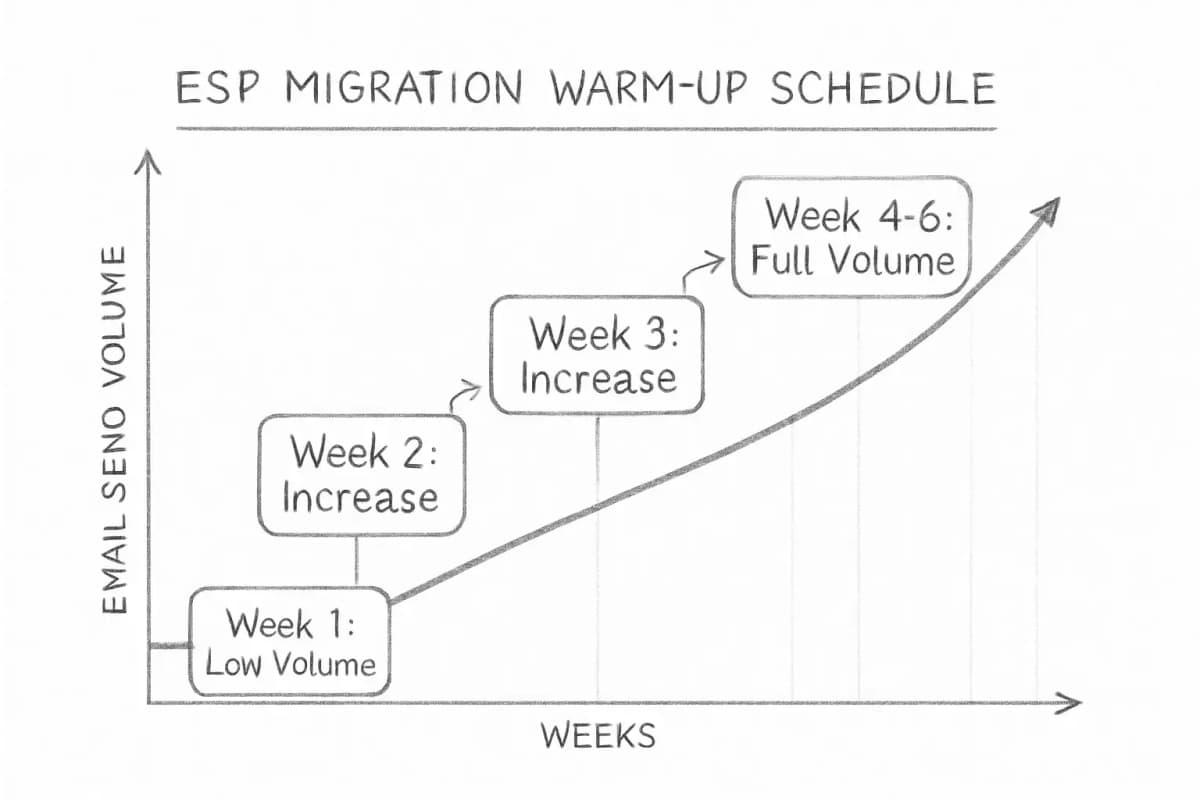
Gradually increase the volume of emails sent to maintain sender reputation and ensure better deliverability.
Expand to less engaged audiences cautiously, adjusting your strategy if you encounter high bounce rates or IP blocks.
For high-volume senders, the warm-up period can take four to eight weeks depending on list size and sending frequency. Rushing this process is one of the most common and costly mistakes in any email migration. Patience during warm-up pays off in long-term inbox placement stability.
If you're continuing with the same domain, don't assume your sender domain reputation will automatically carry over. Google actively monitors DKIM domain reputation, which is an authentication method that checks for forged sender addresses.
Step 6: Monitor Deliverability Closely After Launch
After sending your first emails, monitor open rates, bounce rates, and other relevant metrics closely. This will help you identify issues and make necessary adjustments.
Watch these signals during the first four weeks:
Bounce rate: Hard bounces above 2% signal a list hygiene problem.
Spam complaint rate: Keep this below 0.1% to stay in good standing with major inbox providers.
Inbox placement rate: Use a tool like Google Postmaster Tools to check placement by domain.
Blocklist status: Regularly check your domain and IP on major public blocklists to catch potential issues early.
If you're still using your old ESP during warm-up, make sure any additional unsubscribes or bounced contacts are updated in the new ESP simultaneously.
While an initial dip in deliverability is common due to IP warming, a sustained decline points to deeper issues. Proactively monitor key metrics, ensure proper email authentication, keep lists clean, and adhere to best practices to effectively troubleshoot and restore email performance.
IP warm-up is not optional. Inbox providers don't care that you switched ESPs for better functionality. They only care about signals of trust. Without a structured warm-up, your first campaigns can land in spam and damage your sender reputation.
Here's how to warm up correctly:
Send to your highest-engaged subscribers first during the IP warm-up process.
Gradually increase the volume of emails sent to maintain sender reputation and ensure better deliverability.
Expand to less engaged audiences cautiously, adjusting your strategy if you encounter high bounce rates or IP blocks.
For high-volume senders, the warm-up period can take four to eight weeks depending on list size and sending frequency. Rushing this process is one of the most common and costly mistakes in any email migration. Patience during warm-up pays off in long-term inbox placement stability.
If you're continuing with the same domain, don't assume your sender domain reputation will automatically carry over. Google actively monitors DKIM domain reputation, which is an authentication method that checks for forged sender addresses.
Step 6: Monitor Deliverability Closely After Launch
After sending your first emails, monitor open rates, bounce rates, and other relevant metrics closely. This will help you identify issues and make necessary adjustments.
Watch these signals during the first four weeks:
Bounce rate: Hard bounces above 2% signal a list hygiene problem.
Spam complaint rate: Keep this below 0.1% to stay in good standing with major inbox providers.
Inbox placement rate: Use a tool like Google Postmaster Tools to check placement by domain.
Blocklist status: Regularly check your domain and IP on major public blocklists to catch potential issues early.
If you're still using your old ESP during warm-up, make sure any additional unsubscribes or bounced contacts are updated in the new ESP simultaneously.
While an initial dip in deliverability is common due to IP warming, a sustained decline points to deeper issues. Proactively monitor key metrics, ensure proper email authentication, keep lists clean, and adhere to best practices to effectively troubleshoot and restore email performance.
Once your warm-up period ends, revisit your segmentation strategy. Properly segmented lists generate dramatically better results. Our guide to email list segmentation strategies covers the approaches that consistently drive the strongest returns.
Step 7: Shut Down Your Old Account Properly
Update your links everywhere. If your old forms or landing pages are linked on your website, social media, or lead magnets, make sure those links point to your new provider. Tools like your checkout system, webinar software, and website won't automatically switch over. Make sure each stage of your email funnel connects to your new ESP.
Keep your old email provider active until you've fully tested and confirmed the new setup is working. Then cancel your old account so you're not paying for two platforms.
Before canceling, also:
Export any historical campaign data you want to preserve for reporting
Confirm all DNS records for the old ESP have been removed or updated
Verify that all automations on the new platform are firing correctly
Send a brief heads-up to subscribers so they recognize your new sending infrastructure
Give subscribers a heads-up before you fully transition. Let them know what changes to expect, for example, a different email design.
Common Mistakes That Kill Deliverability During Migration
Forgetting to migrate unsubscribe and suppression data risks emailing people who have opted out. Changing your sending domain at the same time as your ESP compounds the reputation reset. Underestimating how long warm-up takes leads to unrealistic timelines for the full transition.
Two more that are easy to overlook:
Launching during a peak period. Don't time your migration around a major campaign send. Give yourself runway to troubleshoot before the stakes are high.
Treating migration as only a technical task. One particularly damaging mistake is treating migration as a purely technical task rather than a deliverability event. It requires coordination across your marketing, IT, and sometimes legal teams.
Frequently Asked Questions
How long does it take to switch email marketing providers?
The technical setup, including domain authentication and list import, can be completed in a few days. The full migration, including rebuilding automations, warming up your IP, and reaching stable deliverability, typically takes four to eight weeks for most senders. For high-volume senders, the warm-up period alone can take four to eight weeks, depending on list size and sending frequency.
Will switching ESP hurt my email deliverability?
Once your warm-up period ends, revisit your segmentation strategy. Properly segmented lists generate dramatically better results. Our guide to email list segmentation strategies covers the approaches that consistently drive the strongest returns.
Step 7: Shut Down Your Old Account Properly
Update your links everywhere. If your old forms or landing pages are linked on your website, social media, or lead magnets, make sure those links point to your new provider. Tools like your checkout system, webinar software, and website won't automatically switch over. Make sure each stage of your email funnel connects to your new ESP.
Keep your old email provider active until you've fully tested and confirmed the new setup is working. Then cancel your old account so you're not paying for two platforms.
Before canceling, also:
Export any historical campaign data you want to preserve for reporting
Confirm all DNS records for the old ESP have been removed or updated
Verify that all automations on the new platform are firing correctly
Send a brief heads-up to subscribers so they recognize your new sending infrastructure
Give subscribers a heads-up before you fully transition. Let them know what changes to expect, for example, a different email design.
Common Mistakes That Kill Deliverability During Migration
Forgetting to migrate unsubscribe and suppression data risks emailing people who have opted out. Changing your sending domain at the same time as your ESP compounds the reputation reset. Underestimating how long warm-up takes leads to unrealistic timelines for the full transition.
Two more that are easy to overlook:
Launching during a peak period. Don't time your migration around a major campaign send. Give yourself runway to troubleshoot before the stakes are high.
Treating migration as only a technical task. One particularly damaging mistake is treating migration as a purely technical task rather than a deliverability event. It requires coordination across your marketing, IT, and sometimes legal teams.
Frequently Asked Questions
How long does it take to switch email marketing providers?
The technical setup, including domain authentication and list import, can be completed in a few days. The full migration, including rebuilding automations, warming up your IP, and reaching stable deliverability, typically takes four to eight weeks for most senders. For high-volume senders, the warm-up period alone can take four to eight weeks, depending on list size and sending frequency.
Will switching ESP hurt my email deliverability?
It can, temporarily. Switching email service providers can impact deliverability due to changes in IP address and sender reputation. Warming up your new IP address by gradually increasing sending volume helps maintain sender reputation and ensures better deliverability. Following the steps in this guide, especially list hygiene and phased sending, keeps any dip minimal.
Do I need to re-confirm my subscribers when I switch?
In most cases, no, provided you collected proper opt-in consent originally and are migrating to a new platform, not acquiring a list from scratch. Ensure you send to an audience who consented to receive your messages and still wants to receive your offers. Opt-in consent from your audience ensures you have permission from each recipient to email them. If your list is old or consent is unclear, re-confirmation is the safer choice.
What should I migrate first: marketing emails or transactional emails?
Start with transactional emails. Password resets, order confirmations, and shipping notifications typically have open rates of 60 to 80% and the lowest complaint rates. They warm your new IPs with overwhelmingly positive signals. Move promotional campaigns over gradually once your IP reputation is established.
No comments yet. Be the first!
It can, temporarily. Switching email service providers can impact deliverability due to changes in IP address and sender reputation. Warming up your new IP address by gradually increasing sending volume helps maintain sender reputation and ensures better deliverability. Following the steps in this guide, especially list hygiene and phased sending, keeps any dip minimal.
Do I need to re-confirm my subscribers when I switch?
In most cases, no, provided you collected proper opt-in consent originally and are migrating to a new platform, not acquiring a list from scratch. Ensure you send to an audience who consented to receive your messages and still wants to receive your offers. Opt-in consent from your audience ensures you have permission from each recipient to email them. If your list is old or consent is unclear, re-confirmation is the safer choice.
What should I migrate first: marketing emails or transactional emails?
Start with transactional emails. Password resets, order confirmations, and shipping notifications typically have open rates of 60 to 80% and the lowest complaint rates. They warm your new IPs with overwhelmingly positive signals. Move promotional campaigns over gradually once your IP reputation is established.