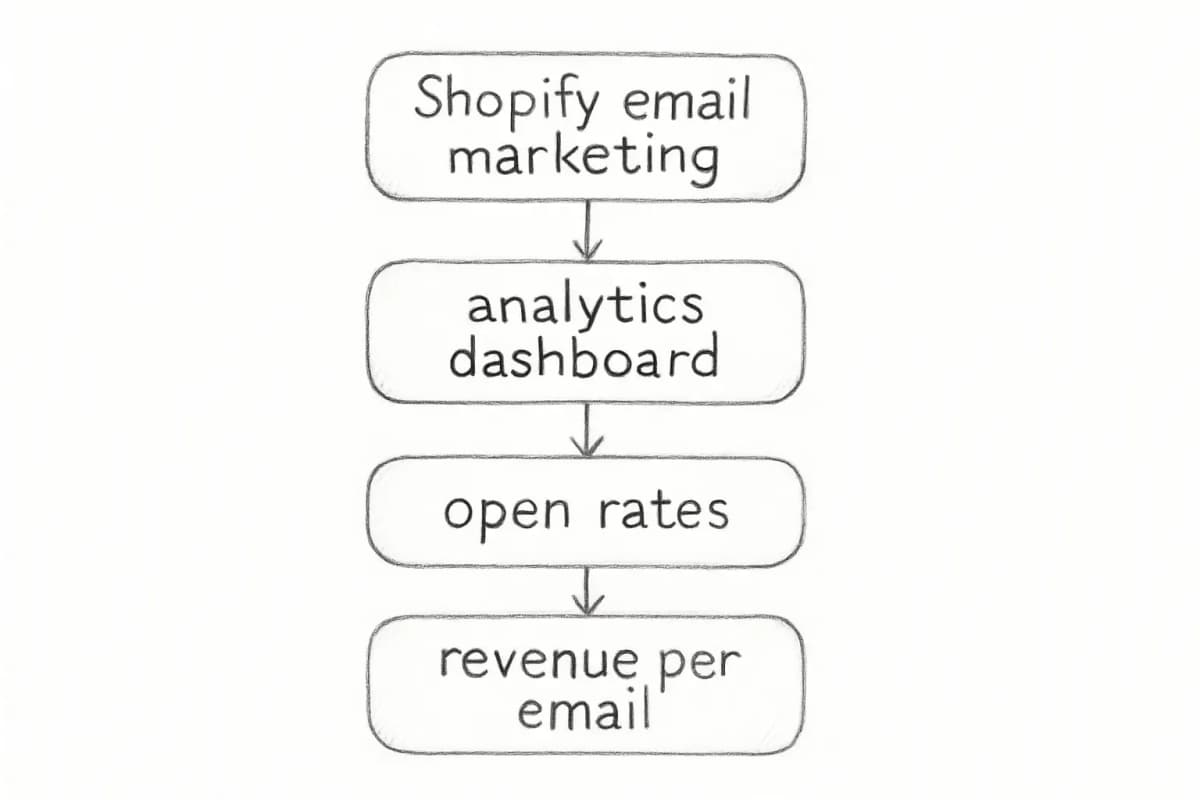
Set up Shopify email marketing correctly and you can realistically generate more revenue from it than from paid ads, SEO, and social media combined. Email marketing delivers the highest ROI for Shopify stores at 42:1, meaning every $1 invested returns $42 in revenue. SEO follows at 22:1, content marketing at 13:1, and influencer marketing at 5.2:1. That margin is significant, but only if the technical foundation is right and the automations are running. This shopify email marketing setup guide walks you through every stage, from installing the app and authenticating your domain, to building the automations that drive revenue around the clock.
Key Takeaways
With Shopify Email (now part of Shopify Messaging), you get 10,000 emails free each month on the Basic, Shopify, Advanced, and Plus plans.
If your domain was purchased through Shopify, email authentication is set up automatically. For third-party domains hosted on Cloudflare, GoDaddy, or IONOS, Shopify can also automatically configure your DNS records.
Automated email campaigns, such as welcome series and abandoned cart reminders, can generate up to 320% more revenue than non-automated emails. Automation allows you to create personalized, timely, and highly effective email experiences for your customers.
Segmented email campaigns can result in a 760% increase in revenue compared to non-segmented campaigns. By tailoring your messages to specific customer groups, you can dramatically improve the relevance and impact of your email marketing.
According to Klaviyo benchmarking data, automated flows can account for 30 to 50% of a Shopify store's total email revenue despite representing only 2 to 5% of total emails sent.
Step 1: Install and Configure Shopify Messaging
Shopify's native email tool is called Shopify Messaging (previously Shopify Email). Shopify Messaging is installed on your Shopify store by default. Before you start using it, verify that your store meets all of the requirements and review email and SMS pricing.
If the app is not visible in your admin:
If you don't have the Shopify Messaging app in your Shopify admin, you can install it from the Shopify App Store. Go to the Shopify Messaging app page, click "Add app," and if you aren't logged in to your Shopify account, you will be prompted to do so. Click "Install app." After you install Shopify Messaging, you can access the app from Apps > Shopify Messaging in your Shopify admin. You can also access it by clicking "Create campaign" in the Marketing section of your Shopify admin.
Set up Shopify email marketing correctly and you can realistically generate more revenue from it than from paid ads, SEO, and social media combined. Email marketing delivers the highest ROI for Shopify stores at 42:1, meaning every $1 invested returns $42 in revenue. SEO follows at 22:1, content marketing at 13:1, and influencer marketing at 5.2:1. That margin is significant, but only if the technical foundation is right and the automations are running. This shopify email marketing setup guide walks you through every stage, from installing the app and authenticating your domain, to building the automations that drive revenue around the clock.
Key Takeaways
With Shopify Email (now part of Shopify Messaging), you get 10,000 emails free each month on the Basic, Shopify, Advanced, and Plus plans.
If your domain was purchased through Shopify, email authentication is set up automatically. For third-party domains hosted on Cloudflare, GoDaddy, or IONOS, Shopify can also automatically configure your DNS records.
Automated email campaigns, such as welcome series and abandoned cart reminders, can generate up to 320% more revenue than non-automated emails. Automation allows you to create personalized, timely, and highly effective email experiences for your customers.
Segmented email campaigns can result in a 760% increase in revenue compared to non-segmented campaigns. By tailoring your messages to specific customer groups, you can dramatically improve the relevance and impact of your email marketing.
According to Klaviyo benchmarking data, automated flows can account for 30 to 50% of a Shopify store's total email revenue despite representing only 2 to 5% of total emails sent.
Step 1: Install and Configure Shopify Messaging
Shopify's native email tool is called Shopify Messaging (previously Shopify Email). Shopify Messaging is installed on your Shopify store by default. Before you start using it, verify that your store meets all of the requirements and review email and SMS pricing.
If the app is not visible in your admin:
If you don't have the Shopify Messaging app in your Shopify admin, you can install it from the Shopify App Store. Go to the Shopify Messaging app page, click "Add app," and if you aren't logged in to your Shopify account, you will be prompted to do so. Click "Install app." After you install Shopify Messaging, you can access the app from Apps > Shopify Messaging in your Shopify admin. You can also access it by clicking "Create campaign" in the Marketing section of your Shopify admin.
Once installed, you need to complete several actions before you can send marketing communications to your customers, including setting up your sender email by confirming or changing the email address that you send email marketing from.
The app includes a drag-and-drop editor with 80+ ready-made email templates. You can choose a layout, insert product blocks, add text, and adjust buttons without any coding. The app automatically pulls your logo, brand colors, and product images from your store settings.
Step 2: Authenticate Your Sending Domain
This is the most important technical step in any shopify email marketing setup guide. Skip it and your emails may land in spam or display a suspicious via shopifyemail.com suffix.
Your Shopify SPF record, DKIM, and DMARC protocols authenticate your emails and determine what happens when emails are received. Think of email authentication as a three-part security system: SPF is your ID card (it tells inbox providers which servers can send emails on your behalf), DKIM is your wax seal (it adds a unique digital signature that proves the message came from you and wasn't changed in transit), and DMARC is the security guard (it tells receiving servers what to do if SPF or DKIM authentication fails).
If your domain was purchased through Shopify, no action is needed. If your domain was purchased through Shopify, your email authentication is fully configured automatically, including DKIM, SPF, and DMARC records.
If you use a third-party domain, follow these steps:
Go to Settings > Notifications in your Shopify admin, find your sender email section, and click the "Authenticate your domain" link. Log in to your domain provider's control panel and add those CNAME records exactly as Shopify shows them. Save changes and wait for DNS updates to process (usually 48 hours).
One critical detail: automatic authentication sets up your CNAME records to handle DKIM and SPF authentication, but does not configure a DMARC record. You must manually add a DMARC record to your domain.
As of February 1, 2024, Gmail and Yahoo require you to authenticate your domain and have a DMARC record in order to send emails to customers from a branded email address. If you take no action, your sender email is rewritten to store+123@shopifyemail.com.
Step 3: Build Your Email List the Right Way
No list, no results. But the quality of your list matters as much as its size.
For legal and privacy reasons, make sure that you send promotional emails only to customers who have agreed to receive marketing from your online store. Customers can subscribe by adding their email address to a newsletter sign-up on your online store, by checking a checkbox at checkout, or by opting in when signing into their customer account.
Proven list-building tactics for Shopify stores include:
Once installed, you need to complete several actions before you can send marketing communications to your customers, including setting up your sender email by confirming or changing the email address that you send email marketing from.
The app includes a drag-and-drop editor with 80+ ready-made email templates. You can choose a layout, insert product blocks, add text, and adjust buttons without any coding. The app automatically pulls your logo, brand colors, and product images from your store settings.
Step 2: Authenticate Your Sending Domain
This is the most important technical step in any shopify email marketing setup guide. Skip it and your emails may land in spam or display a suspicious via shopifyemail.com suffix.
Your Shopify SPF record, DKIM, and DMARC protocols authenticate your emails and determine what happens when emails are received. Think of email authentication as a three-part security system: SPF is your ID card (it tells inbox providers which servers can send emails on your behalf), DKIM is your wax seal (it adds a unique digital signature that proves the message came from you and wasn't changed in transit), and DMARC is the security guard (it tells receiving servers what to do if SPF or DKIM authentication fails).
If your domain was purchased through Shopify, no action is needed. If your domain was purchased through Shopify, your email authentication is fully configured automatically, including DKIM, SPF, and DMARC records.
If you use a third-party domain, follow these steps:
Go to Settings > Notifications in your Shopify admin, find your sender email section, and click the "Authenticate your domain" link. Log in to your domain provider's control panel and add those CNAME records exactly as Shopify shows them. Save changes and wait for DNS updates to process (usually 48 hours).
One critical detail: automatic authentication sets up your CNAME records to handle DKIM and SPF authentication, but does not configure a DMARC record. You must manually add a DMARC record to your domain.
As of February 1, 2024, Gmail and Yahoo require you to authenticate your domain and have a DMARC record in order to send emails to customers from a branded email address. If you take no action, your sender email is rewritten to store+123@shopifyemail.com.
Step 3: Build Your Email List the Right Way
No list, no results. But the quality of your list matters as much as its size.
For legal and privacy reasons, make sure that you send promotional emails only to customers who have agreed to receive marketing from your online store. Customers can subscribe by adding their email address to a newsletter sign-up on your online store, by checking a checkbox at checkout, or by opting in when signing into their customer account.
Proven list-building tactics for Shopify stores include:
Checkout opt-in: Customers can subscribe to marketing content by adding their contact information to a newsletter sign-up on your online store, or by adding their email address and checking a checkbox at checkout. You can then have them receive a confirmation message for subscription by modifying your checkout settings.
Pop-up forms: Pop-ups remain the highest-converting email capture method for Shopify stores. BDOW's email signup benchmark data shows that the average pop-up opt-in rate sits around 4%, with top performers clearing 6% or higher.
Gamified opt-ins: Gamified pop-ups like spin-to-win wheels add an element of chance that can boost conversion rates significantly. Privy reports that merchants running spin-to-win campaigns see double to triple the opt-in rates compared to static pop-ups.
Lead magnets: Any tangible offer can become an instant lead magnet, whether it's a discount code, weekly tips, or exclusive content.
On the topic of consent, use a double opt-in where possible. Double opt-in is a two-step email subscription process where new subscribers must confirm their interest by clicking a link sent to their inbox before joining your mailing list. This verifies that any given email address is valid and linked to someone who genuinely wants your emails. The confirmation click provides documented proof of subscriber consent.
One rule that applies unconditionally: buying a list of email addresses and adding them to your subscriber list can damage your reputation and have a negative impact on your email deliverability. When you email people from a list of unsolicited email addresses, you run the risk of decreasing your open rate and being flagged as spam.
Step 4: Set Up Your Core Automation Flows
This is where your shopify email marketing setup generates revenue without ongoing manual effort. Automations (called "flows" in tools like Klaviyo and Omnisend) send the right message at the right moment based on customer behavior.
Email marketing automation is the process of automatically sending emails based on customer actions, timing, or predefined rules, without manual effort. In Shopify, email automation is triggered by real customer behavior.
Build flows in this order:
Welcome Series
Welcome emails hit 83.6% open rates, the highest of any automated email type. Welcome emails generate up to 320% more revenue per email than promotional messages. This makes your welcome series the single most valuable email automation you can build for your Shopify store.
A solid welcome series should: deliver the promised incentive immediately, introduce your brand story, and feature a clear call to action. See our guide on welcome email sequence best practices for a full breakdown of what each email should contain.
Abandoned Cart Recovery
Cart abandonment averages 65 to 75% for Shopify stores. An abandoned cart flow recovers 5 to 15% of those lost sales, and for most stores that adds up to thousands of dollars per month running entirely on autopilot.
Structure the sequence as three emails:
The first email (sent 1 hour after abandonment) recovers 5 to 8% of abandoned carts. The second email (sent 24 hours later) recovers an additional 3 to 5%. The third email (sent 48 to 72 hours later with a discount offer) recovers 2 to 4% more.
Post-Purchase Sequence
Checkout opt-in: Customers can subscribe to marketing content by adding their contact information to a newsletter sign-up on your online store, or by adding their email address and checking a checkbox at checkout. You can then have them receive a confirmation message for subscription by modifying your checkout settings.
Pop-up forms: Pop-ups remain the highest-converting email capture method for Shopify stores. BDOW's email signup benchmark data shows that the average pop-up opt-in rate sits around 4%, with top performers clearing 6% or higher.
Gamified opt-ins: Gamified pop-ups like spin-to-win wheels add an element of chance that can boost conversion rates significantly. Privy reports that merchants running spin-to-win campaigns see double to triple the opt-in rates compared to static pop-ups.
Lead magnets: Any tangible offer can become an instant lead magnet, whether it's a discount code, weekly tips, or exclusive content.
On the topic of consent, use a double opt-in where possible. Double opt-in is a two-step email subscription process where new subscribers must confirm their interest by clicking a link sent to their inbox before joining your mailing list. This verifies that any given email address is valid and linked to someone who genuinely wants your emails. The confirmation click provides documented proof of subscriber consent.
One rule that applies unconditionally: buying a list of email addresses and adding them to your subscriber list can damage your reputation and have a negative impact on your email deliverability. When you email people from a list of unsolicited email addresses, you run the risk of decreasing your open rate and being flagged as spam.
Step 4: Set Up Your Core Automation Flows
This is where your shopify email marketing setup generates revenue without ongoing manual effort. Automations (called "flows" in tools like Klaviyo and Omnisend) send the right message at the right moment based on customer behavior.
Email marketing automation is the process of automatically sending emails based on customer actions, timing, or predefined rules, without manual effort. In Shopify, email automation is triggered by real customer behavior.
Build flows in this order:
Welcome Series
Welcome emails hit 83.6% open rates, the highest of any automated email type. Welcome emails generate up to 320% more revenue per email than promotional messages. This makes your welcome series the single most valuable email automation you can build for your Shopify store.
A solid welcome series should: deliver the promised incentive immediately, introduce your brand story, and feature a clear call to action. See our guide on welcome email sequence best practices for a full breakdown of what each email should contain.
Abandoned Cart Recovery
Cart abandonment averages 65 to 75% for Shopify stores. An abandoned cart flow recovers 5 to 15% of those lost sales, and for most stores that adds up to thousands of dollars per month running entirely on autopilot.
Structure the sequence as three emails:
The first email (sent 1 hour after abandonment) recovers 5 to 8% of abandoned carts. The second email (sent 24 hours later) recovers an additional 3 to 5%. The third email (sent 48 to 72 hours later with a discount offer) recovers 2 to 4% more.
Post-Purchase Sequence
Post-purchase flows include transactional updates such as shipping notifications and personalized messages that encourage additional brand engagement. For instance, you could request a review. Because post-purchase flows arrive following a high-intent moment, they have high open rates, and that provides you with opportunities for additional revenue.
Browse Abandonment
Browse abandonment flow revenue is notable despite targeting subscribers at an earlier stage of intent than cart abandonment. Only 21% of stores use browse abandonment flows despite the strong revenue per email they generate. This flow catches visitors who viewed a product but never added it to their cart.
Step 5: Segment Your List for Better Results
Sending the same email to every subscriber is the fastest way to drive down engagement. 90% of email marketing professionals report that using subscriber segmentation to deliver targeted messages boosts performance for marketing emails.
Practical segments to build first:
Engaged subscribers (opened in the last 90 days): your core sending audience
New subscribers (last 30 days): route into welcome flow
Past purchasers: great for cross-sell and post-purchase sequences
Lapsed subscribers (no opens in 6+ months): route into win-back or sunset flow
Choose tools that let you target customers based on their purchase history and browsing behavior. Using email segmentation helps deliver highly relevant messages that improve conversions and engagement.
Shopify Messaging is a solid starting point, but it has real limits as your store scales.
If you're just starting out, have a small list, or want quick, simple email campaigns right inside Shopify, Shopify Email is a great fit. If you want to run complex email segmentation, like targeting VIP customers, predicting churn, and retargeting based on browsing behavior with multi-step personalized workflows, Klaviyo is the better choice.
Klaviyo syncs Shopify data in milliseconds so every message and insight reflects what's happening in your store right now. It unifies data from 350+ integrations and boosts marketing performance with campaigns, smart segmentation, and automated workflows. Over 117,000 brands use Klaviyo and Shopify to grow faster.
Omnisend is another strong option, particularly for stores that want combined email and SMS workflows. Adding SMS to your Shopify marketing automation is worth it, with Omnisend customers seeing 3x revenue per message with combined email and SMS. Automated SMS earned an average of $0.74 per send in 2025, compared to $0.15 for campaigns.
A practical decision framework:
Post-purchase flows include transactional updates such as shipping notifications and personalized messages that encourage additional brand engagement. For instance, you could request a review. Because post-purchase flows arrive following a high-intent moment, they have high open rates, and that provides you with opportunities for additional revenue.
Browse Abandonment
Browse abandonment flow revenue is notable despite targeting subscribers at an earlier stage of intent than cart abandonment. Only 21% of stores use browse abandonment flows despite the strong revenue per email they generate. This flow catches visitors who viewed a product but never added it to their cart.
Step 5: Segment Your List for Better Results
Sending the same email to every subscriber is the fastest way to drive down engagement. 90% of email marketing professionals report that using subscriber segmentation to deliver targeted messages boosts performance for marketing emails.
Practical segments to build first:
Engaged subscribers (opened in the last 90 days): your core sending audience
New subscribers (last 30 days): route into welcome flow
Past purchasers: great for cross-sell and post-purchase sequences
Lapsed subscribers (no opens in 6+ months): route into win-back or sunset flow
Choose tools that let you target customers based on their purchase history and browsing behavior. Using email segmentation helps deliver highly relevant messages that improve conversions and engagement.
Shopify Messaging is a solid starting point, but it has real limits as your store scales.
If you're just starting out, have a small list, or want quick, simple email campaigns right inside Shopify, Shopify Email is a great fit. If you want to run complex email segmentation, like targeting VIP customers, predicting churn, and retargeting based on browsing behavior with multi-step personalized workflows, Klaviyo is the better choice.
Klaviyo syncs Shopify data in milliseconds so every message and insight reflects what's happening in your store right now. It unifies data from 350+ integrations and boosts marketing performance with campaigns, smart segmentation, and automated workflows. Over 117,000 brands use Klaviyo and Shopify to grow faster.
Omnisend is another strong option, particularly for stores that want combined email and SMS workflows. Adding SMS to your Shopify marketing automation is worth it, with Omnisend customers seeing 3x revenue per message with combined email and SMS. Automated SMS earned an average of $0.74 per send in 2025, compared to $0.15 for campaigns.
A practical decision framework:
Under $500K in annual revenue: Shopify Messaging is enough to get started
$500K to $1M+: Add Klaviyo or Omnisend for advanced segmentation and flow logic
$1M+ in revenue: Klaviyo's behavioral triggers and revenue attribution become essential
Step 7: Track Performance and Optimize
Setting up flows is the start, not the finish. Continuously monitoring and optimizing your email marketing performance is essential for driving better results. Monitor your email open rates to gauge the effectiveness of your subject lines and preheader text. Test different subject line styles, personalization, and urgency to improve open rates.
Key metrics to track for every flow and campaign:
Under $500K in annual revenue: Shopify Messaging is enough to get started
$500K to $1M+: Add Klaviyo or Omnisend for advanced segmentation and flow logic
$1M+ in revenue: Klaviyo's behavioral triggers and revenue attribution become essential
Step 7: Track Performance and Optimize
Setting up flows is the start, not the finish. Continuously monitoring and optimizing your email marketing performance is essential for driving better results. Monitor your email open rates to gauge the effectiveness of your subject lines and preheader text. Test different subject line styles, personalization, and urgency to improve open rates.
Key metrics to track for every flow and campaign:
Open rate: benchmark is 38.2% for Shopify stores according to EasyApps Ecom; below 25% signals subject line or deliverability issues
Click-through rate (CTR): industry average sits around 3.1%; optimize your CTA placement and copy if below this
Revenue per email (RPE): the most direct measure of email's impact on your bottom line
Unsubscribe rate: high rates may indicate that your content is not meeting your subscribers' expectations. Regularly review your email cadence, content, and segmentation.
Open rate: benchmark is 38.2% for Shopify stores according to EasyApps Ecom; below 25% signals subject line or deliverability issues
Click-through rate (CTR): industry average sits around 3.1%; optimize your CTA placement and copy if below this
Revenue per email (RPE): the most direct measure of email's impact on your bottom line
Unsubscribe rate: high rates may indicate that your content is not meeting your subscribers' expectations. Regularly review your email cadence, content, and segmentation.
For subject lines that directly impact open rates, see our guide on email subject line best practices.
Frequently Asked Questions
How do I set up email marketing on Shopify for the first time?
Setting up Shopify Email is essential for maintaining direct communication with customers, allowing you to send confirmations, promotions, and updates from your dashboard. Ensure your store has a paid plan and install the Shopify Email app to access its features, including a template library and basic automation workflows. After installing, authenticate your sending domain, set up a subscriber opt-in at checkout, and launch your welcome series.
How much does Shopify email marketing cost?
Shopify Email gives you 10,000 emails free each month on all paid plans. After that, it costs $1 per additional 1,000 emails up to 300,000. Beyond 300,000, rates drop to $0.65 per 1,000, and after 750,000 emails it's $0.55 per 1,000.
Do I need to authenticate my domain before sending emails?
Yes, and this step cannot be skipped. If you don't connect your third-party domain to the Shopify SPF and DKIM records, the "From" field on your email messages might display as store@shopifyemail.com, or the email message might be flagged as spam. Authentication protects your sender reputation and keeps your emails landing in the inbox rather than the junk folder.
What email automations should I set up first on Shopify?
Start with the welcome series and abandoned cart flow in week one. These two alone can account for 25 to 30% of your email revenue. From there, add a post-purchase sequence, browse abandonment flow, and win-back series in that order. Each new flow builds on the revenue base established by the ones before it.
Is Shopify Email enough, or do I need a third-party app?
Shopify Email offers basic email automations suitable for smaller stores. Klaviyo flows provide advanced behavioral triggers, conditional splits, A/B testing, dynamic product feeds, and granular revenue attribution. For Shopify stores doing over $1M in revenue, Klaviyo's flow builder gives you the segmentation depth and automation logic that Shopify's native tools can't match. Start with Shopify Messaging and upgrade once your list and revenue justify a more powerful platform.
No comments yet. Be the first!
For subject lines that directly impact open rates, see our guide on email subject line best practices.
Frequently Asked Questions
How do I set up email marketing on Shopify for the first time?
Setting up Shopify Email is essential for maintaining direct communication with customers, allowing you to send confirmations, promotions, and updates from your dashboard. Ensure your store has a paid plan and install the Shopify Email app to access its features, including a template library and basic automation workflows. After installing, authenticate your sending domain, set up a subscriber opt-in at checkout, and launch your welcome series.
How much does Shopify email marketing cost?
Shopify Email gives you 10,000 emails free each month on all paid plans. After that, it costs $1 per additional 1,000 emails up to 300,000. Beyond 300,000, rates drop to $0.65 per 1,000, and after 750,000 emails it's $0.55 per 1,000.
Do I need to authenticate my domain before sending emails?
Yes, and this step cannot be skipped. If you don't connect your third-party domain to the Shopify SPF and DKIM records, the "From" field on your email messages might display as store@shopifyemail.com, or the email message might be flagged as spam. Authentication protects your sender reputation and keeps your emails landing in the inbox rather than the junk folder.
What email automations should I set up first on Shopify?
Start with the welcome series and abandoned cart flow in week one. These two alone can account for 25 to 30% of your email revenue. From there, add a post-purchase sequence, browse abandonment flow, and win-back series in that order. Each new flow builds on the revenue base established by the ones before it.
Is Shopify Email enough, or do I need a third-party app?
Shopify Email offers basic email automations suitable for smaller stores. Klaviyo flows provide advanced behavioral triggers, conditional splits, A/B testing, dynamic product feeds, and granular revenue attribution. For Shopify stores doing over $1M in revenue, Klaviyo's flow builder gives you the segmentation depth and automation logic that Shopify's native tools can't match. Start with Shopify Messaging and upgrade once your list and revenue justify a more powerful platform.