Choosing the right template is one of the most consequential decisions in email marketing, yet most teams treat it as an afterthought. The template shapes how subscribers read your message, whether they click your CTA, and whether your email gets deleted in three seconds or drives a sale. The email marketing market reached $6.13 billion in 2024 and is projected to grow to $17.9 billion by 2027, which means inbox competition is only intensifying. Getting your template right is no longer optional.
This guide covers the best templates for email marketing in 2024, what makes each type perform, and the design principles that separate high-converting emails from wasted send cycles.
Key Takeaways
Welcome email templates achieve an average open rate of 83.63% and a click-through rate of 16.60%, making them the single highest-performing template type.
Emails that do not display well on mobile are deleted within three seconds in 70% of cases, so mobile-first design is not optional.
Emails with clear hierarchical structure see up to 58% higher click-through rates because they guide attention rather than scatter it.
Automated emails drive 320% more revenue than non-automated emails, so pairing the right template with automation is a multiplier.
Personalized emails deliver 29% higher open rates and 41% higher click-through rates compared to generic messages.
Why Template Choice Directly Affects Revenue
A template is not a skin. It is a conversion architecture that controls how subscribers process your message and what action they take. A well-designed email that effectively communicates your message and value proposition can drive higher conversion rates. Done poorly, it does the opposite.
High-converting email templates use clear hierarchy, personalized content, and strong calls to action. When designed with mobile-first layouts and compelling visuals, they drive engagement and measurable ROI.
The core issue is that most marketers choose templates based on aesthetics rather than function. The right question is not "does this look good?" but "does this guide the reader to one clear action?"
1. Welcome Email Templates
The welcome email is the most important template you will ever set up. Welcome emails have, on average, a 4x higher open rate and 5x higher click-through rate than standard email marketing campaigns.
Choosing the right template is one of the most consequential decisions in email marketing, yet most teams treat it as an afterthought. The template shapes how subscribers read your message, whether they click your CTA, and whether your email gets deleted in three seconds or drives a sale. The email marketing market reached $6.13 billion in 2024 and is projected to grow to $17.9 billion by 2027, which means inbox competition is only intensifying. Getting your template right is no longer optional.
This guide covers the best templates for email marketing in 2024, what makes each type perform, and the design principles that separate high-converting emails from wasted send cycles.
Key Takeaways
Welcome email templates achieve an average open rate of 83.63% and a click-through rate of 16.60%, making them the single highest-performing template type.
Emails that do not display well on mobile are deleted within three seconds in 70% of cases, so mobile-first design is not optional.
Emails with clear hierarchical structure see up to 58% higher click-through rates because they guide attention rather than scatter it.
Automated emails drive 320% more revenue than non-automated emails, so pairing the right template with automation is a multiplier.
Personalized emails deliver 29% higher open rates and 41% higher click-through rates compared to generic messages.
Why Template Choice Directly Affects Revenue
A template is not a skin. It is a conversion architecture that controls how subscribers process your message and what action they take. A well-designed email that effectively communicates your message and value proposition can drive higher conversion rates. Done poorly, it does the opposite.
High-converting email templates use clear hierarchy, personalized content, and strong calls to action. When designed with mobile-first layouts and compelling visuals, they drive engagement and measurable ROI.
The core issue is that most marketers choose templates based on aesthetics rather than function. The right question is not "does this look good?" but "does this guide the reader to one clear action?"
1. Welcome Email Templates
The welcome email is the most important template you will ever set up. Welcome emails have, on average, a 4x higher open rate and 5x higher click-through rate than standard email marketing campaigns.
74% of people expect to receive a welcome email immediately after subscribing to a mailing list, yet only 57.7% of brands send welcome emails as part of their email marketing strategies. That gap is a direct competitive advantage for the brands that act.
What a strong welcome email template includes:
A clear, single-column layout that works on any device
Your brand logo and a brief value statement above the fold
One primary CTA (not three)
A personal tone, ideally signed from a real person or team
Optional: a welcome discount or lead magnet to drive first action
A series of three welcome emails can generate 90% more orders than a single welcome email. If you are only sending one, you are leaving revenue on the table. Build the sequence, not just the single message.
For a deeper look at sequencing, see Welcome Email Sequence Best Practices: 7 Proven Strategies.
2. Newsletter Templates
Newsletters are the most popular email type, used by 81% of marketers. They sustain audience relationships between purchase cycles and are the backbone of content-driven email programs.
A newsletter template that performs has these characteristics:
Single-column layout for mobile readability. Stick to a single-column layout, use at least 13-14pt font for body text, and no smaller than 20pt for titles.
A consistent header with your logo and issue number (builds brand recognition over time)
Sectioned content blocks so readers can scan and jump to what interests them
One dominant CTA per section, not stacked CTAs that compete with each other
A footer with social links, your physical address, and an unsubscribe link (legally required under CAN-SPAM and GDPR)
The 2024 Sinch Mailjet engagement report shows that 71.5% of consumers most often check their email on a mobile device. A newsletter template that looks great on a 27-inch monitor but breaks on a phone is not a newsletter template worth using.
Emails featuring graphics achieved an average open rate of 43.12% and a click-through rate of 4.84%, compared to 35.79% and 1.64% for those without graphics. Images matter, but they must load fast and display with alt text when blocked.
3. Promotional Email Templates
Promotional templates carry your offers, sales, and product announcements. They are high-stakes sends because they represent direct revenue intent. The design must earn the click quickly.
According to one survey, 49% of retail customers like to receive promotional emails from their favorite brands, but that goodwill is conditional on the email being relevant and well-designed.
What works in a promotional email template:
74% of people expect to receive a welcome email immediately after subscribing to a mailing list, yet only 57.7% of brands send welcome emails as part of their email marketing strategies. That gap is a direct competitive advantage for the brands that act.
What a strong welcome email template includes:
A clear, single-column layout that works on any device
Your brand logo and a brief value statement above the fold
One primary CTA (not three)
A personal tone, ideally signed from a real person or team
Optional: a welcome discount or lead magnet to drive first action
A series of three welcome emails can generate 90% more orders than a single welcome email. If you are only sending one, you are leaving revenue on the table. Build the sequence, not just the single message.
For a deeper look at sequencing, see Welcome Email Sequence Best Practices: 7 Proven Strategies.
2. Newsletter Templates
Newsletters are the most popular email type, used by 81% of marketers. They sustain audience relationships between purchase cycles and are the backbone of content-driven email programs.
A newsletter template that performs has these characteristics:
Single-column layout for mobile readability. Stick to a single-column layout, use at least 13-14pt font for body text, and no smaller than 20pt for titles.
A consistent header with your logo and issue number (builds brand recognition over time)
Sectioned content blocks so readers can scan and jump to what interests them
One dominant CTA per section, not stacked CTAs that compete with each other
A footer with social links, your physical address, and an unsubscribe link (legally required under CAN-SPAM and GDPR)
The 2024 Sinch Mailjet engagement report shows that 71.5% of consumers most often check their email on a mobile device. A newsletter template that looks great on a 27-inch monitor but breaks on a phone is not a newsletter template worth using.
Emails featuring graphics achieved an average open rate of 43.12% and a click-through rate of 4.84%, compared to 35.79% and 1.64% for those without graphics. Images matter, but they must load fast and display with alt text when blocked.
3. Promotional Email Templates
Promotional templates carry your offers, sales, and product announcements. They are high-stakes sends because they represent direct revenue intent. The design must earn the click quickly.
According to one survey, 49% of retail customers like to receive promotional emails from their favorite brands, but that goodwill is conditional on the email being relevant and well-designed.
What works in a promotional email template:
A bold hero image or product shot above the fold
The offer stated within the first 100 characters of body text (do not bury the discount)
A single, high-contrast CTA button with action-oriented copy ("Claim 20% Off" rather than "Learn More")
Clear expiration or scarcity cue to communicate time-sensitivity
Minimal navigation links (this is not a website header)
Including a time-limited discount or special offer in a promotional email creates a sense of urgency. Pair that with sending product announcement emails based on previous shopping behavior and you get relevance plus urgency, which is a strong combination.
4. Abandoned Cart Email Templates
The average shopping cart abandonment rate is just over 70% across all industries. The abandoned cart email template is your mechanism for recovering a portion of that lost revenue.
In 2024, cart abandonment email open rates stood at around 39.07%, with an average click-through rate of 23.33%, and an average conversion rate of 10.7%. Those are high-quality numbers, because you are reaching people who already demonstrated purchase intent.
The structure of a high-performing cart recovery template:
Subject line that references the specific product left behind
Product image (the exact item, not a generic product photo)
Brief, low-pressure copy that reminds the subscriber why they were interested
A single CTA: "Complete Your Purchase" performs better than "Return to Cart" because it specifies the desired outcome
Optional: a secondary section with social proof or a small incentive
Klaviyo analysis revealed three-email sequences produced $24.9 million compared to just $3.8 million from single emails, a 6.5x revenue difference. A single cart recovery email is a starting point. A three-email sequence is the standard.
Sending your first abandoned cart email at 30 minutes usually nets the best conversion rates. Template automation timing matters as much as template design.
5. Re-Engagement (Win-Back) Email Templates
Every list has a segment of subscribers who have gone quiet. Win-back emails help you identify recipients who consistently ignore your emails so you can clean your list, save money, and improve metrics like open, click-through, and conversion rates.
The win-back template has one job: give the subscriber a compelling reason to re-engage or, if they will not, confirm that so you can remove them. Either outcome benefits your list health.
Win-back template components that work:
A subject line that acknowledges the gap ("We miss you" or "Still interested?")
A brief, honest message about what has changed or what value awaits them
One CTA to confirm continued interest ("Stay Subscribed")
A secondary option to unsubscribe cleanly (this actually improves your deliverability score by removing disengaged addresses)
Keep the design minimal for win-back emails. A clean, text-forward template with one image often outperforms heavily designed versions because it feels personal rather than corporate.
6. Transactional and Post-Purchase Email Templates
A bold hero image or product shot above the fold
The offer stated within the first 100 characters of body text (do not bury the discount)
A single, high-contrast CTA button with action-oriented copy ("Claim 20% Off" rather than "Learn More")
Clear expiration or scarcity cue to communicate time-sensitivity
Minimal navigation links (this is not a website header)
Including a time-limited discount or special offer in a promotional email creates a sense of urgency. Pair that with sending product announcement emails based on previous shopping behavior and you get relevance plus urgency, which is a strong combination.
4. Abandoned Cart Email Templates
The average shopping cart abandonment rate is just over 70% across all industries. The abandoned cart email template is your mechanism for recovering a portion of that lost revenue.
In 2024, cart abandonment email open rates stood at around 39.07%, with an average click-through rate of 23.33%, and an average conversion rate of 10.7%. Those are high-quality numbers, because you are reaching people who already demonstrated purchase intent.
The structure of a high-performing cart recovery template:
Subject line that references the specific product left behind
Product image (the exact item, not a generic product photo)
Brief, low-pressure copy that reminds the subscriber why they were interested
A single CTA: "Complete Your Purchase" performs better than "Return to Cart" because it specifies the desired outcome
Optional: a secondary section with social proof or a small incentive
Klaviyo analysis revealed three-email sequences produced $24.9 million compared to just $3.8 million from single emails, a 6.5x revenue difference. A single cart recovery email is a starting point. A three-email sequence is the standard.
Sending your first abandoned cart email at 30 minutes usually nets the best conversion rates. Template automation timing matters as much as template design.
5. Re-Engagement (Win-Back) Email Templates
Every list has a segment of subscribers who have gone quiet. Win-back emails help you identify recipients who consistently ignore your emails so you can clean your list, save money, and improve metrics like open, click-through, and conversion rates.
The win-back template has one job: give the subscriber a compelling reason to re-engage or, if they will not, confirm that so you can remove them. Either outcome benefits your list health.
Win-back template components that work:
A subject line that acknowledges the gap ("We miss you" or "Still interested?")
A brief, honest message about what has changed or what value awaits them
One CTA to confirm continued interest ("Stay Subscribed")
A secondary option to unsubscribe cleanly (this actually improves your deliverability score by removing disengaged addresses)
Keep the design minimal for win-back emails. A clean, text-forward template with one image often outperforms heavily designed versions because it feels personal rather than corporate.
6. Transactional and Post-Purchase Email Templates
Transactional emails (order confirmations, shipping notifications, receipts) are opened at some of the highest rates of any email type because subscribers are actively waiting for them. They are also one of the most under-used marketing opportunities.
Triggered emails have an average open rate of 45.38%, significantly higher than newsletters. A post-purchase template that includes a cross-sell recommendation, a review request, or a loyalty program invite converts that high open rate into incremental revenue.
What to include in a post-purchase template:
Order or booking confirmation details (clear, scannable table format)
Estimated delivery or next steps
A related product recommendation section (3 items maximum)
Regardless of which template type you are building, the following principles determine whether your design drives action or just fills an inbox.
Mobile-First Layout
With more than 50% of recipients opening emails on mobile devices, you cannot build email templates just thinking about big desktop screens. Start with the mobile view and scale up, not the reverse.
Use a one-column layout for mobile optimization. Multi-column layouts are not the best choice for mobile devices. Keep fonts at 14pt minimum for body text and ensure CTA buttons are large enough to tap with a thumb.
Visual Hierarchy
Visual hierarchy controls the order in which subscribers process information. Emails with clear hierarchical structure see up to 58% higher click-through rates because they guide attention systematically.
Place your most important element at the top. Follow it with supporting copy, then your CTA. Do not make subscribers hunt for what to do next.
Single CTA Focus
Effective email design must convey a clear message and guide readers towards a single call-to-action to boost conversions. Multiple competing CTAs split attention and reduce total clicks. One focused CTA consistently outperforms a list of options.
Personalization Within the Template
80% of email marketers report at least some performance improvement when they use personalization. The template itself should include dynamic content zones: first name in the greeting, recommended products based on behavior, or location-specific offers. These are not cosmetic touches. They directly affect conversion rates.
To see how personalization integrates with template strategy at a deeper level, see 7 Email Personalization Techniques That Boost Conversions 47%.
Transactional emails (order confirmations, shipping notifications, receipts) are opened at some of the highest rates of any email type because subscribers are actively waiting for them. They are also one of the most under-used marketing opportunities.
Triggered emails have an average open rate of 45.38%, significantly higher than newsletters. A post-purchase template that includes a cross-sell recommendation, a review request, or a loyalty program invite converts that high open rate into incremental revenue.
What to include in a post-purchase template:
Order or booking confirmation details (clear, scannable table format)
Estimated delivery or next steps
A related product recommendation section (3 items maximum)
Regardless of which template type you are building, the following principles determine whether your design drives action or just fills an inbox.
Mobile-First Layout
With more than 50% of recipients opening emails on mobile devices, you cannot build email templates just thinking about big desktop screens. Start with the mobile view and scale up, not the reverse.
Use a one-column layout for mobile optimization. Multi-column layouts are not the best choice for mobile devices. Keep fonts at 14pt minimum for body text and ensure CTA buttons are large enough to tap with a thumb.
Visual Hierarchy
Visual hierarchy controls the order in which subscribers process information. Emails with clear hierarchical structure see up to 58% higher click-through rates because they guide attention systematically.
Place your most important element at the top. Follow it with supporting copy, then your CTA. Do not make subscribers hunt for what to do next.
Single CTA Focus
Effective email design must convey a clear message and guide readers towards a single call-to-action to boost conversions. Multiple competing CTAs split attention and reduce total clicks. One focused CTA consistently outperforms a list of options.
Personalization Within the Template
80% of email marketers report at least some performance improvement when they use personalization. The template itself should include dynamic content zones: first name in the greeting, recommended products based on behavior, or location-specific offers. These are not cosmetic touches. They directly affect conversion rates.
To see how personalization integrates with template strategy at a deeper level, see 7 Email Personalization Techniques That Boost Conversions 47%.
A/B Test Your Templates
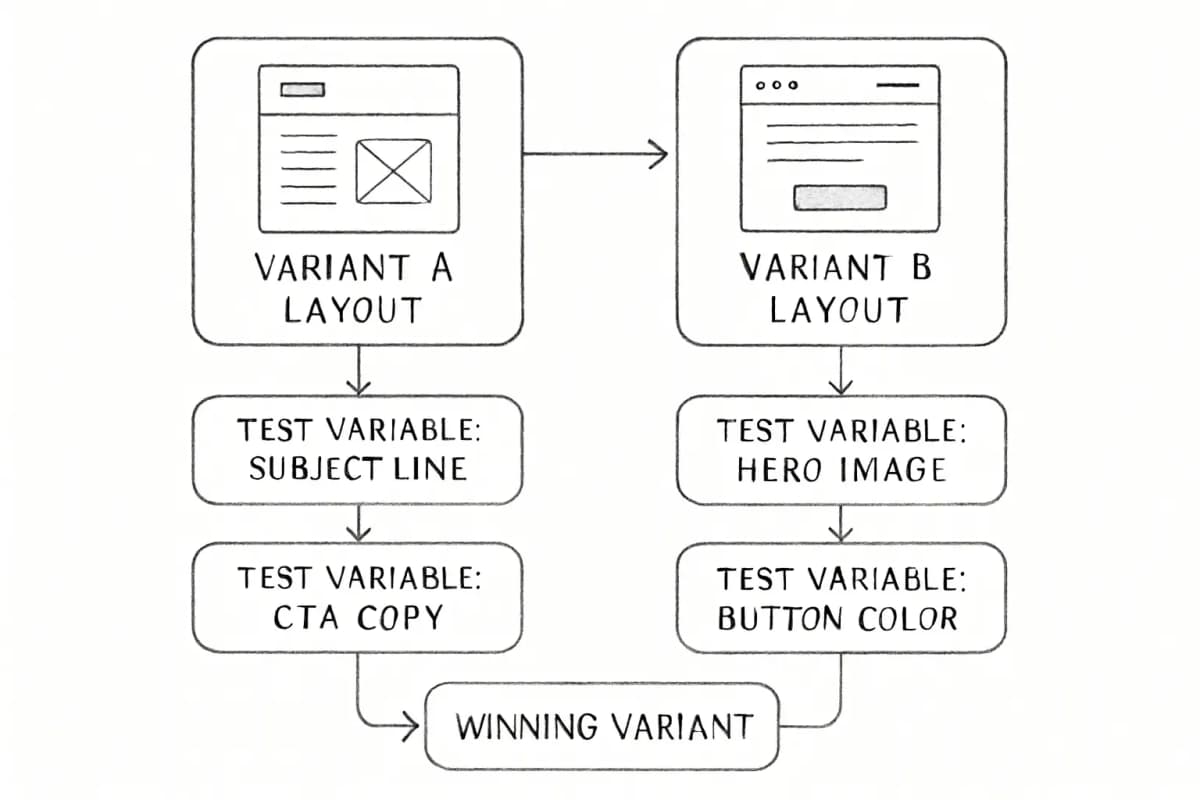
No template is final. The performance of emails should be monitored through A/B testing. Test one variable at a time: subject line, hero image, CTA copy, or button color. Let data decide what performs rather than relying on intuition.
How to Choose the Right Template for Your Goal
A/B Test Your Templates
No template is final. The performance of emails should be monitored through A/B testing. Test one variable at a time: subject line, hero image, CTA copy, or button color. Let data decide what performs rather than relying on intuition.
How to Choose the Right Template for Your Goal
Goal
Template Type
Primary Signal
First impression
Welcome email
Open rate, CTR
Brand engagement
Newsletter
Click rate, list retention
Drive immediate revenue
Promotional
Conversion rate, revenue
Recover lost sales
Abandoned cart
Recovery rate, RPR
Re-activate cold subscribers
Win-back
Re-engagement rate
Extend purchase value
Post-purchase
Cross-sell conversion
Goal
Template Type
Primary Signal
First impression
Welcome email
Open rate, CTR
Brand engagement
Newsletter
Click rate, list retention
Drive immediate revenue
Promotional
Conversion rate, revenue
Recover lost sales
Abandoned cart
Recovery rate, RPR
Re-activate cold subscribers
Win-back
Re-engagement rate
Extend purchase value
Post-purchase
Cross-sell conversion
The best templates for email marketing are not the most visually complex. They are the ones designed around a specific goal, a specific audience segment, and a single action. Marketing email templates provide a customizable framework for engaging readers, generating leads, and driving conversions, but the framework only works if you choose the right one for the moment.
What is the best template for email marketing if I am starting from scratch?
Start with a welcome email template. Welcome emails continue to prove their worth as the most effective email marketing campaign, showing an average open rate of 83.63% and a click-through rate of 16.60%. It requires no existing list behavior data to personalize, and it reaches subscribers at the moment their interest is highest.
How often should I update my email templates?
Update your design and copy quarterly or when engagement metrics like CTR, open rate, and conversions decline. Also refresh templates when you rebrand, change your product offerings, or notice that design trends have shifted significantly in your industry.
Should my email template be text-only or include images?
Both have valid use cases, but data favors images. Emails featuring graphics achieved an average open rate of 43.12% and a click-through rate of 4.84%, compared to 35.79% and 1.64% for those without graphics. However, use the 60/40 rule: text should make up at least 60% of your email to avoid spam filter issues and ensure accessibility when images are blocked.
How many CTAs should an email template have?
One primary CTA per email is the standard for high-converting templates. Have a secondary CTA further down your email for users who do not convert with your first one, but ensure both CTAs point toward the same conversion goal. Competing CTAs reduce total clicks by dividing subscriber attention.
Do pre-built templates from email service providers actually work?
Yes, with customization. Pre-built templates are effective for ecommerce and B2B alike, if they are customized to your brand voice and audience. Avoid generic stock content and focus on personalization. A template straight from a library without brand customization, audience-specific copy, and a clear CTA will underperform a simple plain-text email that is well-written and targeted.
No comments yet. Be the first!
The best templates for email marketing are not the most visually complex. They are the ones designed around a specific goal, a specific audience segment, and a single action. Marketing email templates provide a customizable framework for engaging readers, generating leads, and driving conversions, but the framework only works if you choose the right one for the moment.
What is the best template for email marketing if I am starting from scratch?
Start with a welcome email template. Welcome emails continue to prove their worth as the most effective email marketing campaign, showing an average open rate of 83.63% and a click-through rate of 16.60%. It requires no existing list behavior data to personalize, and it reaches subscribers at the moment their interest is highest.
How often should I update my email templates?
Update your design and copy quarterly or when engagement metrics like CTR, open rate, and conversions decline. Also refresh templates when you rebrand, change your product offerings, or notice that design trends have shifted significantly in your industry.
Should my email template be text-only or include images?
Both have valid use cases, but data favors images. Emails featuring graphics achieved an average open rate of 43.12% and a click-through rate of 4.84%, compared to 35.79% and 1.64% for those without graphics. However, use the 60/40 rule: text should make up at least 60% of your email to avoid spam filter issues and ensure accessibility when images are blocked.
How many CTAs should an email template have?
One primary CTA per email is the standard for high-converting templates. Have a secondary CTA further down your email for users who do not convert with your first one, but ensure both CTAs point toward the same conversion goal. Competing CTAs reduce total clicks by dividing subscriber attention.
Do pre-built templates from email service providers actually work?
Yes, with customization. Pre-built templates are effective for ecommerce and B2B alike, if they are customized to your brand voice and audience. Avoid generic stock content and focus on personalization. A template straight from a library without brand customization, audience-specific copy, and a clear CTA will underperform a simple plain-text email that is well-written and targeted.