Adding an email marketing video to your campaigns is one of the most direct ways to lift click-through rates. The data is unambiguous: based on research from Wistia, video content in email newsletters led to a 300% increase in email click-through rates. That is not a marginal gain. For marketers competing in crowded inboxes, video is the format gap that separates average campaigns from high-performing ones.
This guide covers exactly how to build a practical video content strategy for email, from choosing the right video type and format to integrating email marketing YouTube content into your nurture sequences.
Key Takeaways
Adding a video to an email can boost open rates by 19%, and just including the word "video" in a subject line can increase open rates by 6%.
Adding videos to your emails can increase open rates by 300%, and on average, video thumbnails can increase clicks by 22%.
Embedded video that auto-plays within the email itself is not supported by all email clients and can sometimes filter such emails as spam. Use a clickable thumbnail instead.
The sweet spot for email video length is generally somewhere between 30 and 90 seconds, just enough time to present a compelling hook, deliver your main message, and guide viewers toward a clear call-to-action.
Video marketing delivers 93% positive ROI among marketers who use it.
Why Video Works in Email
Most emails are text and images. A video thumbnail in the inbox is a pattern interrupt. It signals that something worth watching is inside, and that changes subscriber behavior.
Interactive elements, such as polls, quizzes, and embedded videos, are becoming more common in 2025. These features engage recipients directly within the email, resulting in higher interaction rates. Emails with interactive content see a 73% higher click-to-open rate than static emails.
Video makes complex topics simple, audiences crave it, and it builds a connection that fosters long-term loyalty. In practical terms, this means shorter content can do the work that paragraphs of copy cannot.
76% of consumers have made a purchase after watching a video, and up to 65% of executives will visit your site after watching one. These numbers hold particular relevance in B2B email marketing, where the path from subscriber to buyer is long and trust-dependent.
Adding an email marketing video to your campaigns is one of the most direct ways to lift click-through rates. The data is unambiguous: based on research from Wistia, video content in email newsletters led to a 300% increase in email click-through rates. That is not a marginal gain. For marketers competing in crowded inboxes, video is the format gap that separates average campaigns from high-performing ones.
This guide covers exactly how to build a practical video content strategy for email, from choosing the right video type and format to integrating email marketing YouTube content into your nurture sequences.
Key Takeaways
Adding a video to an email can boost open rates by 19%, and just including the word "video" in a subject line can increase open rates by 6%.
Adding videos to your emails can increase open rates by 300%, and on average, video thumbnails can increase clicks by 22%.
Embedded video that auto-plays within the email itself is not supported by all email clients and can sometimes filter such emails as spam. Use a clickable thumbnail instead.
The sweet spot for email video length is generally somewhere between 30 and 90 seconds, just enough time to present a compelling hook, deliver your main message, and guide viewers toward a clear call-to-action.
Video marketing delivers 93% positive ROI among marketers who use it.
Why Video Works in Email
Most emails are text and images. A video thumbnail in the inbox is a pattern interrupt. It signals that something worth watching is inside, and that changes subscriber behavior.
Interactive elements, such as polls, quizzes, and embedded videos, are becoming more common in 2025. These features engage recipients directly within the email, resulting in higher interaction rates. Emails with interactive content see a 73% higher click-to-open rate than static emails.
Video makes complex topics simple, audiences crave it, and it builds a connection that fosters long-term loyalty. In practical terms, this means shorter content can do the work that paragraphs of copy cannot.
76% of consumers have made a purchase after watching a video, and up to 65% of executives will visit your site after watching one. These numbers hold particular relevance in B2B email marketing, where the path from subscriber to buyer is long and trust-dependent.
The combination of email's deliverability and video's persuasive power creates a compounding effect. Video builds trust. Email maintains proximity. Together, they create a nurture system that stays in front of qualified prospects every week for a year without requiring a single additional hour of your time.
The Technical Reality: How to Actually Include Video in Email
This is where many marketers make their first mistake. You cannot simply paste a video file into an email and expect it to play.
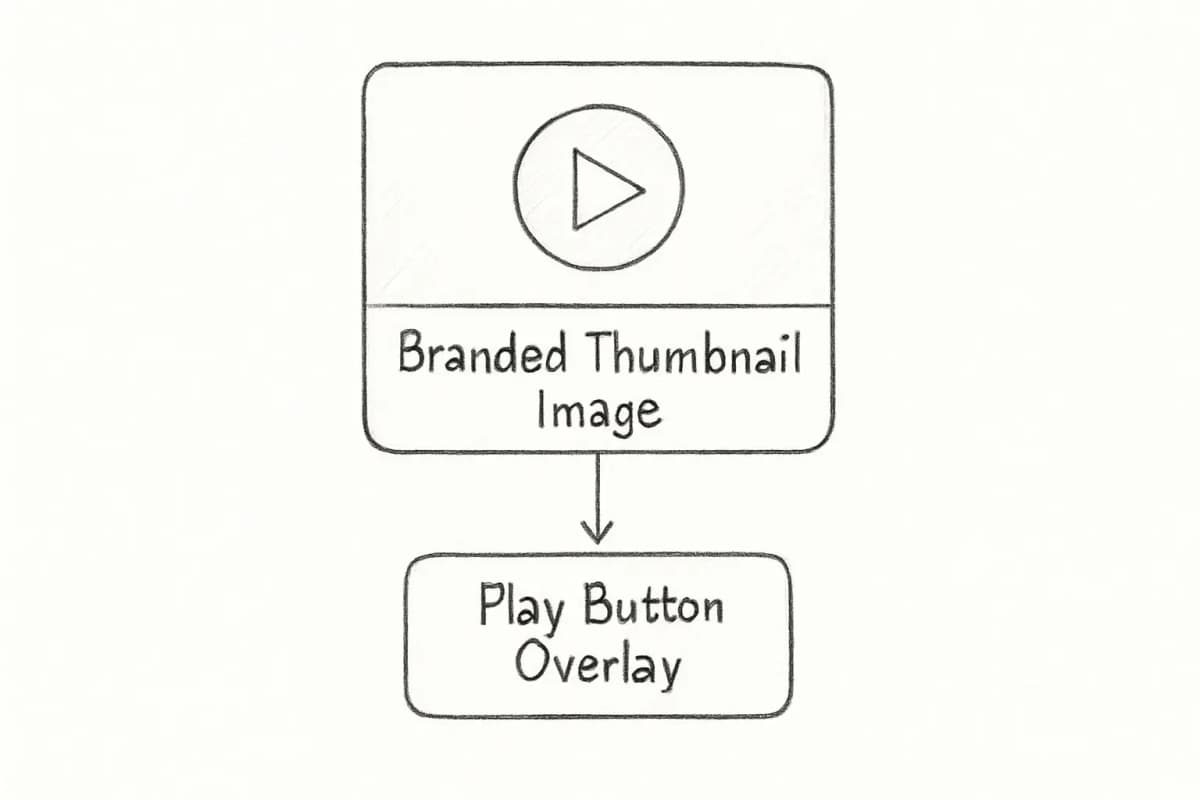
Including video in an email marketing strategy means linking or embedding video directly into your emails. One way to do this is by adding an eye-catching thumbnail image that links to a landing page or video URL, often with a call-to-action (CTA) button or Play button graphic inviting the user to click through and watch.
Email clients like Apple Mail and Outlook on Mac support in-email video playback, but many others, including Gmail and older versions of Outlook, do not. Given that Gmail commands a massive share of the inbox market, defaulting to a linked thumbnail is the only approach that works reliably across your entire list.
The thumbnail method (recommended)
The best practice for email marketing videos is to use a static image or an animated GIF that looks like a video player. By overlaying a play button, you create a visual cue that invites a click. This clickable image then links out to a dedicated landing page where your video is hosted, ready to play without any glitches.
Upload your video to a hosting platform like Wistia, Vimeo, or YouTube. Then insert your thumbnail into the email and link it directly to the video's URL.
GIFs as a lightweight alternative
GIFs are widely supported across email clients and can effectively showcase brief clips or highlights from your full video. They add motion without the playback compatibility risk, and they keep file sizes manageable.
A practical rule: keep GIF file sizes under 200 KB. Above that threshold, your email's deliverability and domain reputation can take a hit.
5 Video Types That Drive Email Engagement
Not every video belongs in every email. Matching the format to the campaign goal determines whether video adds value or just adds complexity.
1. Product demos
Demo videos explain how your product or service works. Because they are being viewed a bit later in the marketing funnel, they need to be more detailed about specific functions and features that customers will be interested in learning about. Use them in mid-funnel nurture sequences and post-trial onboarding campaigns.
2. Customer testimonials
Customer testimonial videos watched inside an email get 50% higher click-through rates than the same message with a static quote, and prospects who see a peer's story before a demo show up 40 to 50% more likely to book.
For email, a super-polished, high-production video can sometimes feel a bit impersonal and out of place. Authenticity often wins the day. Your audience appreciates seeing the real people behind the brand, and simple, genuine videos can be incredibly powerful for building that connection.
3. How-to and tutorial videos
The combination of email's deliverability and video's persuasive power creates a compounding effect. Video builds trust. Email maintains proximity. Together, they create a nurture system that stays in front of qualified prospects every week for a year without requiring a single additional hour of your time.
The Technical Reality: How to Actually Include Video in Email
This is where many marketers make their first mistake. You cannot simply paste a video file into an email and expect it to play.
Including video in an email marketing strategy means linking or embedding video directly into your emails. One way to do this is by adding an eye-catching thumbnail image that links to a landing page or video URL, often with a call-to-action (CTA) button or Play button graphic inviting the user to click through and watch.
Email clients like Apple Mail and Outlook on Mac support in-email video playback, but many others, including Gmail and older versions of Outlook, do not. Given that Gmail commands a massive share of the inbox market, defaulting to a linked thumbnail is the only approach that works reliably across your entire list.
The thumbnail method (recommended)
The best practice for email marketing videos is to use a static image or an animated GIF that looks like a video player. By overlaying a play button, you create a visual cue that invites a click. This clickable image then links out to a dedicated landing page where your video is hosted, ready to play without any glitches.
Upload your video to a hosting platform like Wistia, Vimeo, or YouTube. Then insert your thumbnail into the email and link it directly to the video's URL.
GIFs as a lightweight alternative
GIFs are widely supported across email clients and can effectively showcase brief clips or highlights from your full video. They add motion without the playback compatibility risk, and they keep file sizes manageable.
A practical rule: keep GIF file sizes under 200 KB. Above that threshold, your email's deliverability and domain reputation can take a hit.
5 Video Types That Drive Email Engagement
Not every video belongs in every email. Matching the format to the campaign goal determines whether video adds value or just adds complexity.
1. Product demos
Demo videos explain how your product or service works. Because they are being viewed a bit later in the marketing funnel, they need to be more detailed about specific functions and features that customers will be interested in learning about. Use them in mid-funnel nurture sequences and post-trial onboarding campaigns.
2. Customer testimonials
Customer testimonial videos watched inside an email get 50% higher click-through rates than the same message with a static quote, and prospects who see a peer's story before a demo show up 40 to 50% more likely to book.
For email, a super-polished, high-production video can sometimes feel a bit impersonal and out of place. Authenticity often wins the day. Your audience appreciates seeing the real people behind the brand, and simple, genuine videos can be incredibly powerful for building that connection.
3. How-to and tutorial videos
Tutorial videos reduce friction at the onboarding stage. Onboarding new email subscribers effectively with a tutorial email campaign demonstrates the use and benefits of purchasing products. This helps reduce initial barriers to entry and enhances user satisfaction. Short, engaging videos that guide new users through a platform's basics significantly improve user retention.
4. Animated explainers
Animated videos work well for abstract products or complex services where live-action footage does not naturally convey the value. Many different types of video content can fit into an email campaign, such as live-action advertisements, animated GIFs, professionally produced brand videos, and user-generated content (UGC).
5. Behind-the-scenes content
Give your subscribers a peek behind the curtain. Show them your company culture, how your product gets made, or a day in the life of your team. This is how you humanize your brand and build a much deeper, more authentic connection.
How to Use Email Marketing YouTube Content in Your Campaigns
YouTube is a powerful video library that most email marketers underuse. If your brand already produces YouTube content, linking to it from email is one of the most efficient ways to extend content ROI without creating new assets.
These firms didn't just find their competitive edge on YouTube, they built the infrastructure to convert that edge into revenue. The common thread: YouTube creates the introduction, but email creates the relationship.
To increase YouTube video visibility, don't rely solely on the platform. Embedding videos on relevant websites and blogs adds context and directs traffic. Sharing on social media expands reach and audience engagement. Using email marketing fosters immediate viewership.
A practical email-to-YouTube workflow
Publish your YouTube video with a strong title and thumbnail.
Create a short email featuring a thumbnail screenshot linked to the YouTube URL.
Write two to three lines of context explaining what subscribers will learn.
Place a clear CTA button beneath the thumbnail ("Watch Now" or "See How It Works").
Track clicks using UTM parameters to measure which video topics drive the most email engagement.
Captions do more than make your videos accessible. They make them searchable. When you upload closed captions or full transcripts, YouTube indexes that text, and every word in your video becomes a keyword opportunity. This matters for subscribers who open emails in silent environments, such as offices or public transit.
Best Practices for Email Marketing Video Strategy
Keep it short
Tutorial videos reduce friction at the onboarding stage. Onboarding new email subscribers effectively with a tutorial email campaign demonstrates the use and benefits of purchasing products. This helps reduce initial barriers to entry and enhances user satisfaction. Short, engaging videos that guide new users through a platform's basics significantly improve user retention.
4. Animated explainers
Animated videos work well for abstract products or complex services where live-action footage does not naturally convey the value. Many different types of video content can fit into an email campaign, such as live-action advertisements, animated GIFs, professionally produced brand videos, and user-generated content (UGC).
5. Behind-the-scenes content
Give your subscribers a peek behind the curtain. Show them your company culture, how your product gets made, or a day in the life of your team. This is how you humanize your brand and build a much deeper, more authentic connection.
How to Use Email Marketing YouTube Content in Your Campaigns
YouTube is a powerful video library that most email marketers underuse. If your brand already produces YouTube content, linking to it from email is one of the most efficient ways to extend content ROI without creating new assets.
These firms didn't just find their competitive edge on YouTube, they built the infrastructure to convert that edge into revenue. The common thread: YouTube creates the introduction, but email creates the relationship.
To increase YouTube video visibility, don't rely solely on the platform. Embedding videos on relevant websites and blogs adds context and directs traffic. Sharing on social media expands reach and audience engagement. Using email marketing fosters immediate viewership.
A practical email-to-YouTube workflow
Publish your YouTube video with a strong title and thumbnail.
Create a short email featuring a thumbnail screenshot linked to the YouTube URL.
Write two to three lines of context explaining what subscribers will learn.
Place a clear CTA button beneath the thumbnail ("Watch Now" or "See How It Works").
Track clicks using UTM parameters to measure which video topics drive the most email engagement.
Captions do more than make your videos accessible. They make them searchable. When you upload closed captions or full transcripts, YouTube indexes that text, and every word in your video becomes a keyword opportunity. This matters for subscribers who open emails in silent environments, such as offices or public transit.
Best Practices for Email Marketing Video Strategy
Keep it short
For most email marketing, shorter is almost always better. The sweet spot is generally somewhere between 30 and 90 seconds, just enough time to present a compelling hook, deliver your main message, and guide viewers toward a clear call-to-action without testing their patience.
Put "video" in the subject line
In a 2023 case study by SuperOffice, simply using the word "video" in the email subject line increased open rates by 6%. This is one of the lowest-effort changes you can make with a measurable payoff. For more on subject line strategy, read our article on email subject line best practices that boost open rates.
Optimize your thumbnail
Your video thumbnail is essentially your email's "movie poster." It is the single most important visual for convincing someone to press play. A boring, blurry, or generic thumbnail will get scrolled right past, but a compelling one can dramatically boost your play rate.
Add captions
Add captions or subtitles for better accessibility. Not everyone opens emails in environments where they can play videos with sound. Adding subtitles ensures your message gets through, even when muted.
Limit to one video per email
It is tempting to pack your emails with videos to make them visually rich, but too much of anything can backfire. Overloading emails with video content can overwhelm your audience and take away from your core message. One focused video with a single CTA outperforms a multi-video email every time.
Segment before you send
Sending the same video to your entire list reduces relevance and wastes the format's potential. Match video content to where subscribers are in the funnel. Segment by lifecycle stage, product interest, or past engagement. For a deeper look at this, see our guide on email list segmentation strategies that boost ROI.
A/B test systematically
Test different video formats (product demos vs. testimonials vs. animated explainer videos), thumbnails (static images vs. GIF previews), placement in email (near the top vs. in the middle), and CTAs ("Watch Now" vs. "Learn More" vs. "See It in Action"). Only test one element at a time to get clear results. If you change too many things at once, you won't know which factor made the difference.
Measuring Video Email Performance
Tracking video email performance requires looking beyond standard open rates, especially given that Apple's Mail Privacy Protection has made open rates less reliable, as MPP automatically preloads email content and images for Apple Mail users, even if they never actually open the email.
The metrics that matter for video email campaigns:
For most email marketing, shorter is almost always better. The sweet spot is generally somewhere between 30 and 90 seconds, just enough time to present a compelling hook, deliver your main message, and guide viewers toward a clear call-to-action without testing their patience.
Put "video" in the subject line
In a 2023 case study by SuperOffice, simply using the word "video" in the email subject line increased open rates by 6%. This is one of the lowest-effort changes you can make with a measurable payoff. For more on subject line strategy, read our article on email subject line best practices that boost open rates.
Optimize your thumbnail
Your video thumbnail is essentially your email's "movie poster." It is the single most important visual for convincing someone to press play. A boring, blurry, or generic thumbnail will get scrolled right past, but a compelling one can dramatically boost your play rate.
Add captions
Add captions or subtitles for better accessibility. Not everyone opens emails in environments where they can play videos with sound. Adding subtitles ensures your message gets through, even when muted.
Limit to one video per email
It is tempting to pack your emails with videos to make them visually rich, but too much of anything can backfire. Overloading emails with video content can overwhelm your audience and take away from your core message. One focused video with a single CTA outperforms a multi-video email every time.
Segment before you send
Sending the same video to your entire list reduces relevance and wastes the format's potential. Match video content to where subscribers are in the funnel. Segment by lifecycle stage, product interest, or past engagement. For a deeper look at this, see our guide on email list segmentation strategies that boost ROI.
A/B test systematically
Test different video formats (product demos vs. testimonials vs. animated explainer videos), thumbnails (static images vs. GIF previews), placement in email (near the top vs. in the middle), and CTAs ("Watch Now" vs. "Learn More" vs. "See It in Action"). Only test one element at a time to get clear results. If you change too many things at once, you won't know which factor made the difference.
Measuring Video Email Performance
Tracking video email performance requires looking beyond standard open rates, especially given that Apple's Mail Privacy Protection has made open rates less reliable, as MPP automatically preloads email content and images for Apple Mail users, even if they never actually open the email.
The metrics that matter for video email campaigns:
Click-through rate (CTR): Measures how many recipients clicked the video thumbnail. This is your primary engagement signal.
Play rate: If your video host (Wistia, Vimeo, YouTube) supports it, track how many thumbnail clicks result in actual video plays.
Watch time: How far through the video subscribers watch. Drop-off points identify where your message loses people.
Post-click conversions: What subscribers do after watching. Connect UTM-tagged landing page data to downstream revenue.
Use these insights to make small, specific tweaks. If watch time is the problem, focus on nailing the first 10 seconds of your next video. If the video's CTR is lagging, try changing the button copy, its placement, or even the offer itself. By constantly analyzing these metrics, you turn every email you send into a learning opportunity.
Building Your Email Marketing Video Content Calendar
A sustainable video email strategy requires planning, not reactive production. Here is a straightforward framework:
Click-through rate (CTR): Measures how many recipients clicked the video thumbnail. This is your primary engagement signal.
Play rate: If your video host (Wistia, Vimeo, YouTube) supports it, track how many thumbnail clicks result in actual video plays.
Watch time: How far through the video subscribers watch. Drop-off points identify where your message loses people.
Post-click conversions: What subscribers do after watching. Connect UTM-tagged landing page data to downstream revenue.
Use these insights to make small, specific tweaks. If watch time is the problem, focus on nailing the first 10 seconds of your next video. If the video's CTR is lagging, try changing the button copy, its placement, or even the offer itself. By constantly analyzing these metrics, you turn every email you send into a learning opportunity.
Building Your Email Marketing Video Content Calendar
A sustainable video email strategy requires planning, not reactive production. Here is a straightforward framework:
Map video types to funnel stages. Awareness emails get brand or behind-the-scenes video. Consideration emails get demos and case studies. Decision-stage emails get testimonials and social proof.
Repurpose YouTube content. If you publish weekly YouTube videos, build a monthly email digest that curates your top three videos with brief commentary. This adds value without creating new assets.
Batch-record for efficiency. Film several short videos in a single session and distribute them across multiple campaigns. This keeps production costs low without sacrificing consistency.
Use UGC where possible. User-generated video content, such as a customer screen-recording a workflow they love, posting an unfiltered reaction, or sharing a results screenshot on camera, often outperforms produced testimonials because it looks spontaneous.
Review performance quarterly. Pull click-through and play rate data by video type and adjust your mix accordingly.
Map video types to funnel stages. Awareness emails get brand or behind-the-scenes video. Consideration emails get demos and case studies. Decision-stage emails get testimonials and social proof.
Repurpose YouTube content. If you publish weekly YouTube videos, build a monthly email digest that curates your top three videos with brief commentary. This adds value without creating new assets.
Batch-record for efficiency. Film several short videos in a single session and distribute them across multiple campaigns. This keeps production costs low without sacrificing consistency.
Use UGC where possible. User-generated video content, such as a customer screen-recording a workflow they love, posting an unfiltered reaction, or sharing a results screenshot on camera, often outperforms produced testimonials because it looks spontaneous.
Review performance quarterly. Pull click-through and play rate data by video type and adjust your mix accordingly.
Frequently Asked Questions
Does adding video to email hurt deliverability?
Direct video embedding can trigger spam filters in some email clients, but using a linked thumbnail avoids this risk entirely. In the long run, video thumbnails can actually help your deliverability. When people click your video thumbnail, it signals to email providers that your content is engaging and valuable, which is a win for your sender reputation.
What is the best video length for email marketing?
Keep videos short and focused. Lengthy videos, typically those over five minutes, see a steady decline in engagement rates. For most email campaigns, 30 to 90 seconds is the practical target. If your topic requires more depth, use the email video as a teaser that links to a full version on a landing page.
Should I host video on YouTube or a dedicated platform like Wistia?
Both are valid, but the choice depends on your goals. Google seeds search results with YouTube videos, and they appear in enhanced search engine results pages and rich search features. YouTube gives you access to a high-intention audience that is actively researching products like yours. Wistia, by contrast, keeps viewers on your domain, provides deeper analytics, and removes competitor video suggestions. Use YouTube when discoverability is the goal. Use Wistia or Vimeo when audience retention and analytics are the priority.
How do I track whether a video email actually drove conversions?
Tag your video landing page URL with UTM parameters (source, medium, campaign) before linking from the email. This connects email click data to on-site behavior in Google Analytics or your marketing platform. If you use a platform like Wistia, you can also track individual subscriber play rates when combined with your email service provider's contact data.
Can I use the same video across multiple email campaigns?
Yes. Track your video emails' performance in terms of opens, clicks, and conversions, then refine and repurpose the video for other campaigns. A well-performing customer testimonial can appear in a welcome sequence, a re-engagement campaign, and a sales follow-up sequence with different surrounding copy each time. The video itself does not wear out; only the context needs to change.
No comments yet. Be the first!
Frequently Asked Questions
Does adding video to email hurt deliverability?
Direct video embedding can trigger spam filters in some email clients, but using a linked thumbnail avoids this risk entirely. In the long run, video thumbnails can actually help your deliverability. When people click your video thumbnail, it signals to email providers that your content is engaging and valuable, which is a win for your sender reputation.
What is the best video length for email marketing?
Keep videos short and focused. Lengthy videos, typically those over five minutes, see a steady decline in engagement rates. For most email campaigns, 30 to 90 seconds is the practical target. If your topic requires more depth, use the email video as a teaser that links to a full version on a landing page.
Should I host video on YouTube or a dedicated platform like Wistia?
Both are valid, but the choice depends on your goals. Google seeds search results with YouTube videos, and they appear in enhanced search engine results pages and rich search features. YouTube gives you access to a high-intention audience that is actively researching products like yours. Wistia, by contrast, keeps viewers on your domain, provides deeper analytics, and removes competitor video suggestions. Use YouTube when discoverability is the goal. Use Wistia or Vimeo when audience retention and analytics are the priority.
How do I track whether a video email actually drove conversions?
Tag your video landing page URL with UTM parameters (source, medium, campaign) before linking from the email. This connects email click data to on-site behavior in Google Analytics or your marketing platform. If you use a platform like Wistia, you can also track individual subscriber play rates when combined with your email service provider's contact data.
Can I use the same video across multiple email campaigns?
Yes. Track your video emails' performance in terms of opens, clicks, and conversions, then refine and repurpose the video for other campaigns. A well-performing customer testimonial can appear in a welcome sequence, a re-engagement campaign, and a sales follow-up sequence with different surrounding copy each time. The video itself does not wear out; only the context needs to change.