Mailchimp Email Marketing Templates: Best Practices
Discover how to use Mailchimp email marketing templates to save time and boost engagement. Explore template types, customization tips, and design best practices.
Mailchimp Email Marketing Templates: Best Practices
Discover how to use Mailchimp email marketing templates to save time and boost engagement. Explore template types, customization tips, and design best practices.
Mailchimp email marketing templates are one of the most practical tools available to marketers, but most businesses use them well below their potential. They pick a layout, swap in their logo, and send. The result is campaigns that look fine but perform poorly. The difference between a template that gets clicks and one that gets ignored comes down to a small set of design, deliverability, and personalization decisions that are easy to get right once you know what matters.
On average, businesses earn about $36 for every $1 they spend on email marketing. But that ROI is not guaranteed by the platform you use. It depends on how well your campaigns are structured, how your templates are built, and whether your content reaches the right person at the right time.
This guide covers the best practices for Mailchimp email marketing templates, from layout choices and mobile optimization to personalization, A/B testing, and deliverability. Every section is built around what actually moves the performance needle.
Key Takeaways
Templates save time, but more importantly, they create consistency. A smart Mailchimp setup includes a small set of reusable templates rather than endless one-off designs.
Mailchimp's responsive email templates get higher click rates on all devices, with a particularly notable 15% increase in unique clicks among mobile users.
Personalized emails generate a 14% higher click-through rate and a 29% higher open rate compared to non-personalized emails.
Template design plays a significant role in performance: emails with images achieve a 4.84% click-through rate, compared to just 1.6% for text-only messages.
Properly coded email templates are not optional. Sloppy code, extra tags, or formatting pulled from a rich-text editor can trigger spam filters and damage deliverability.
What Makes a Strong Mailchimp Email Template
Before choosing a layout or picking colors, start with the goal. Before you open your email template and start designing, define what you want to accomplish. Your goal should influence every design decision you make, from the email header to the final call to action. When your design aligns with a single, focused objective, your email message will be clearer and more compelling.
Mailchimp email marketing templates are one of the most practical tools available to marketers, but most businesses use them well below their potential. They pick a layout, swap in their logo, and send. The result is campaigns that look fine but perform poorly. The difference between a template that gets clicks and one that gets ignored comes down to a small set of design, deliverability, and personalization decisions that are easy to get right once you know what matters.
On average, businesses earn about $36 for every $1 they spend on email marketing. But that ROI is not guaranteed by the platform you use. It depends on how well your campaigns are structured, how your templates are built, and whether your content reaches the right person at the right time.
This guide covers the best practices for Mailchimp email marketing templates, from layout choices and mobile optimization to personalization, A/B testing, and deliverability. Every section is built around what actually moves the performance needle.
Key Takeaways
Templates save time, but more importantly, they create consistency. A smart Mailchimp setup includes a small set of reusable templates rather than endless one-off designs.
Mailchimp's responsive email templates get higher click rates on all devices, with a particularly notable 15% increase in unique clicks among mobile users.
Personalized emails generate a 14% higher click-through rate and a 29% higher open rate compared to non-personalized emails.
Template design plays a significant role in performance: emails with images achieve a 4.84% click-through rate, compared to just 1.6% for text-only messages.
Properly coded email templates are not optional. Sloppy code, extra tags, or formatting pulled from a rich-text editor can trigger spam filters and damage deliverability.
What Makes a Strong Mailchimp Email Template
Before choosing a layout or picking colors, start with the goal. Before you open your email template and start designing, define what you want to accomplish. Your goal should influence every design decision you make, from the email header to the final call to action. When your design aligns with a single, focused objective, your email message will be clearer and more compelling.
It is important to know the goal of your template, because templates used to promote new products will look much different than monthly newsletter templates. Knowing your marketing objective helps you choose the best templates to get your message across.
A well-built Mailchimp email template typically includes these core elements:
A compelling headline that captures attention and hints at the email's topic; a hero image that creates a strong first impression; a subheading that supports the headline with detail; body copy that is clear and concise; a call-to-action (CTA) that directs the reader to take a specific action; and typography support for both custom and web-friendly fonts that fit your brand.
Good email design is about visual hierarchy. Readers should know within seconds what the email is about. That means one primary headline, clear spacing, readable font sizes, obvious CTA placement, and a mobile-friendly layout. Trying to say everything in one email is usually the fastest way to reduce clicks.
Template Types and When to Use Each
Campaigns are the email messages (like a newsletter, promotion, or transactional email) that are actually sent to your audience. Mailchimp tracks metrics like open rates and click-through rates for every send. Templates are the foundational structures on which your campaigns are built. You can use their responsive, drag-and-drop builders or code your own HTML for full design control.
The right template type depends on what you are sending:
Newsletter templates: Suited for recurring content like company updates, blog digests, or industry roundups. Keep sections modular so you can reuse the same layout each time.
Promotional templates: Product launches, sales, and limited-time offers. One focused message, one CTA.
Transactional templates: Transactional emails are automated messages triggered by a customer's action, request, or status update. These emails are sent one-to-one in real time and communicate essential information such as order confirmations, shipping updates, and account alerts. Timely, well-crafted transactional emails can reassure customers, reduce uncertainty, and build confidence in your brand.
Welcome and onboarding templates: Critical for first impressions. Pair these with your broader welcome email sequence best practices to drive early engagement.
Mailchimp's free plan gives you access to a variety of basic, featured, and themed email templates, while paid plans include access to the entire template library. On Standard or Premium plans, you can also purchase custom, expert-designed templates from the Mailchimp Marketplace.
Mobile Optimization: Non-Negotiable for Every Template
About 56% of all emails are clicked and opened via mobile devices. If your Mailchimp email marketing template does not render correctly on a phone, more than half your audience sees a broken experience.
It is important to know the goal of your template, because templates used to promote new products will look much different than monthly newsletter templates. Knowing your marketing objective helps you choose the best templates to get your message across.
A well-built Mailchimp email template typically includes these core elements:
A compelling headline that captures attention and hints at the email's topic; a hero image that creates a strong first impression; a subheading that supports the headline with detail; body copy that is clear and concise; a call-to-action (CTA) that directs the reader to take a specific action; and typography support for both custom and web-friendly fonts that fit your brand.
Good email design is about visual hierarchy. Readers should know within seconds what the email is about. That means one primary headline, clear spacing, readable font sizes, obvious CTA placement, and a mobile-friendly layout. Trying to say everything in one email is usually the fastest way to reduce clicks.
Template Types and When to Use Each
Campaigns are the email messages (like a newsletter, promotion, or transactional email) that are actually sent to your audience. Mailchimp tracks metrics like open rates and click-through rates for every send. Templates are the foundational structures on which your campaigns are built. You can use their responsive, drag-and-drop builders or code your own HTML for full design control.
The right template type depends on what you are sending:
Newsletter templates: Suited for recurring content like company updates, blog digests, or industry roundups. Keep sections modular so you can reuse the same layout each time.
Promotional templates: Product launches, sales, and limited-time offers. One focused message, one CTA.
Transactional templates: Transactional emails are automated messages triggered by a customer's action, request, or status update. These emails are sent one-to-one in real time and communicate essential information such as order confirmations, shipping updates, and account alerts. Timely, well-crafted transactional emails can reassure customers, reduce uncertainty, and build confidence in your brand.
Welcome and onboarding templates: Critical for first impressions. Pair these with your broader welcome email sequence best practices to drive early engagement.
Mailchimp's free plan gives you access to a variety of basic, featured, and themed email templates, while paid plans include access to the entire template library. On Standard or Premium plans, you can also purchase custom, expert-designed templates from the Mailchimp Marketplace.
Mobile Optimization: Non-Negotiable for Every Template
About 56% of all emails are clicked and opened via mobile devices. If your Mailchimp email marketing template does not render correctly on a phone, more than half your audience sees a broken experience.
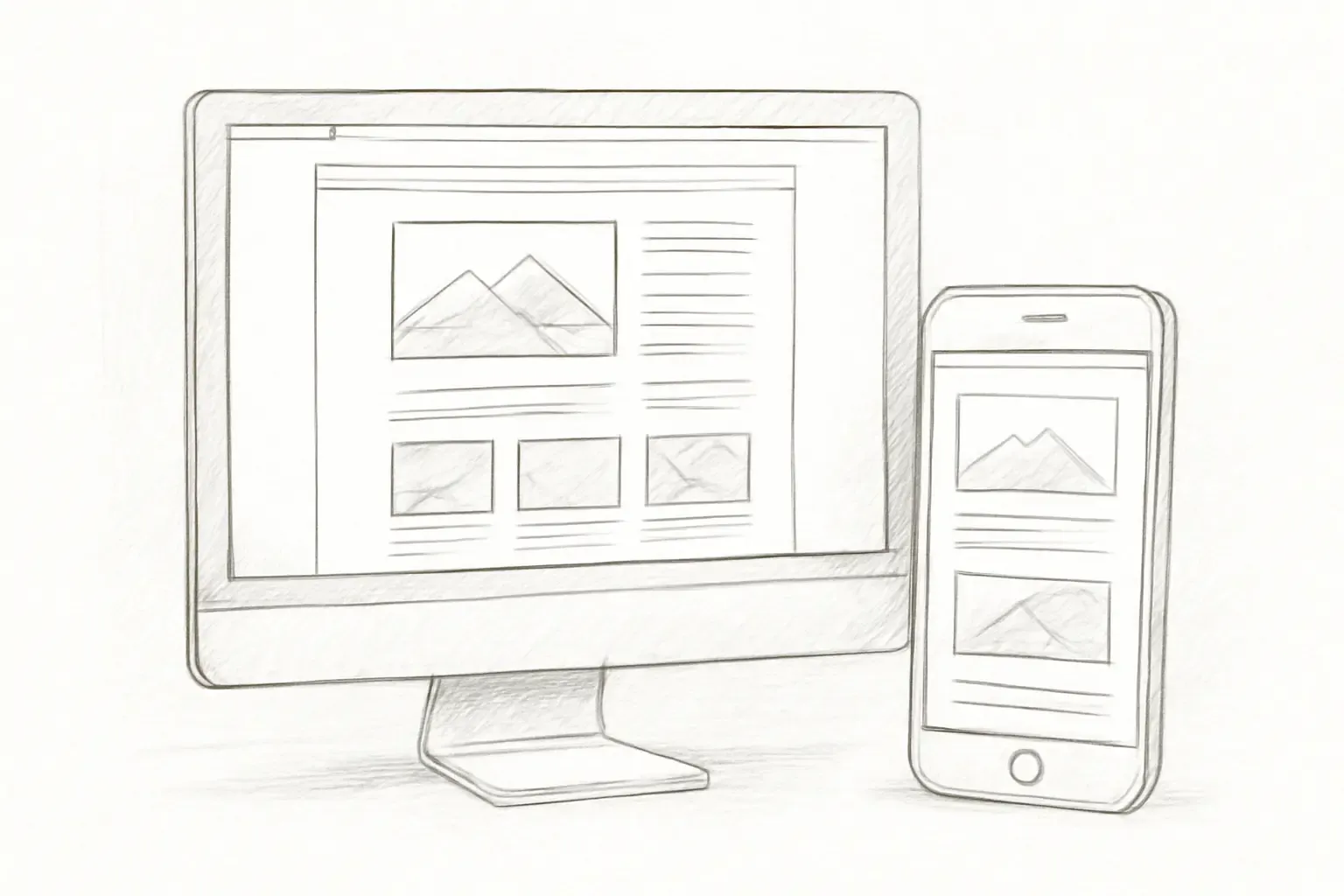
Mailchimp's email templates use responsive design to adjust the layout of your email to look great on any device. However, not every device handles responsive code the same way, which can make your email look different on mobile than in a web browser.
Key mobile optimization practices:
The layout you choose sets the foundation for your entire email. A single-column layout works well for mobile device viewing and keeps the design simple, while a multi-column design can showcase multiple products or features at once.
Mailchimp templates are no wider than 600px to work with most email clients.
Use large, thumb-tappable buttons for calls to action.
Use Mailchimp's Inbox Preview to see what your email will look like with different email clients and devices.
Responsive templates increase clicks by 5% to 15%, but Inbox Preview increases clicks by 13% to 24%, and it works particularly well for mobile and tablet users.
Personalization Inside Your Templates
Generic templates sent to your full list will consistently underperform targeted, personalized versions. Personalized emails get a 14% higher click-through rate and a 29% higher open rate compared to non-personalized emails. Personalized calls to action result in 42% higher conversion rates than generic CTAs.
Mailchimp supports personalization at the template level through merge tags (dynamic fields that pull in subscriber data like first name, location, or purchase history) and conditional content blocks that display different content to different segments.
Keep your content relevant and consistent with your brand, and use your subject line and preview text to announce what's in your email.
Practical personalization tactics to build into your templates:
Add a first-name merge tag in the subject line or opening line.
Use conditional content blocks to show different offers to new vs. returning customers.
Trigger template-based automations based on behavior (page visits, product views, purchase history).
True personalization goes much deeper than adding a first name with a merge tag. For a broader look at what's possible, see our guide on email personalization techniques that boost conversions.
Building Consistency With a Reusable Template Library
One of the most overlooked advantages of Mailchimp email marketing templates is their ability to reduce production time while maintaining quality. Templates create consistency. A smart Mailchimp setup includes a small set of reusable templates rather than endless one-off designs. If every campaign starts from scratch, production gets slower and quality becomes inconsistent.
A practical reusable template library for most businesses includes:
Mailchimp's email templates use responsive design to adjust the layout of your email to look great on any device. However, not every device handles responsive code the same way, which can make your email look different on mobile than in a web browser.
Key mobile optimization practices:
The layout you choose sets the foundation for your entire email. A single-column layout works well for mobile device viewing and keeps the design simple, while a multi-column design can showcase multiple products or features at once.
Mailchimp templates are no wider than 600px to work with most email clients.
Use large, thumb-tappable buttons for calls to action.
Use Mailchimp's Inbox Preview to see what your email will look like with different email clients and devices.
Responsive templates increase clicks by 5% to 15%, but Inbox Preview increases clicks by 13% to 24%, and it works particularly well for mobile and tablet users.
Personalization Inside Your Templates
Generic templates sent to your full list will consistently underperform targeted, personalized versions. Personalized emails get a 14% higher click-through rate and a 29% higher open rate compared to non-personalized emails. Personalized calls to action result in 42% higher conversion rates than generic CTAs.
Mailchimp supports personalization at the template level through merge tags (dynamic fields that pull in subscriber data like first name, location, or purchase history) and conditional content blocks that display different content to different segments.
Keep your content relevant and consistent with your brand, and use your subject line and preview text to announce what's in your email.
Practical personalization tactics to build into your templates:
Add a first-name merge tag in the subject line or opening line.
Use conditional content blocks to show different offers to new vs. returning customers.
Trigger template-based automations based on behavior (page visits, product views, purchase history).
True personalization goes much deeper than adding a first name with a merge tag. For a broader look at what's possible, see our guide on email personalization techniques that boost conversions.
Building Consistency With a Reusable Template Library
One of the most overlooked advantages of Mailchimp email marketing templates is their ability to reduce production time while maintaining quality. Templates create consistency. A smart Mailchimp setup includes a small set of reusable templates rather than endless one-off designs. If every campaign starts from scratch, production gets slower and quality becomes inconsistent.
A practical reusable template library for most businesses includes:
A newsletter template: Modular sections for multiple content blocks.
A promotional template: Hero image, single headline, and one CTA.
A plain-text template: For relationship-driven or high-deliverability sends.
An automated trigger template: Welcome, cart abandonment, or re-engagement.
Be consistent. Try not to stray too far from the content and design your audience already associates with your brand, website, or social media channels.
When saving a template in Mailchimp's new email builder: find the Campaigns tab and select Email templates, click Create template, find the template you want to use and click Select, enter the name of your template when prompted and click Save, edit the template using your own content, preview your template to ensure it is readable on desktop and mobile, and then Save Template and Exit when you're done.
A/B Testing Your Templates for Continuous Improvement
A/B testing, also known as split testing, allows you to send different versions of your campaign to your subscribers to find out which form of the campaign delivers the best results.
The key is to test one variable at a time. Common variables to test include: subject lines to see which generates higher open rates; preheader text to see which captures reader attention; CTAs to find out which leads to more conversions; email copy to determine what content resonates best; images to see which your audience responds to better; and send timing to identify the most responsive time of day or day of the week.
At the template level specifically, comparing email layouts and designs can significantly impact readability and engagement. Through A/B testing, you can determine which templates and visuals work best for your audience. This could involve testing different formats such as plain text versus HTML, layouts such as single column versus multiple columns, and visual elements such as images versus GIFs.
Most underperforming test programs fail because of avoidable errors: testing too many variables at once, stopping tests early before results stabilize, ignoring audience segmentation, chasing vanity metrics like open rates, and testing inconsistently.
Pair your A/B testing with strong subject line practice. Our guide on email subject line best practices that boost open rates covers the research-backed tactics that make your template's first impression count.
Deliverability: How Your Template Affects Inbox Placement
Your template's code quality directly affects whether your email lands in the inbox or the spam folder. Use email templates that are properly coded. Sloppy code, extra tags, or formatting code pulled in from a rich-text editor can trigger spam filters. If you're not familiar with HTML code, use one of Mailchimp's built-in templates or work with an expert.
Avoid JavaScript elements such as form submit buttons and pop-up windows in your emails. If you copy HTML from an existing web page, remember to remove all the JavaScript from the code.
Additional deliverability practices at the template level:
A newsletter template: Modular sections for multiple content blocks.
A promotional template: Hero image, single headline, and one CTA.
A plain-text template: For relationship-driven or high-deliverability sends.
An automated trigger template: Welcome, cart abandonment, or re-engagement.
Be consistent. Try not to stray too far from the content and design your audience already associates with your brand, website, or social media channels.
When saving a template in Mailchimp's new email builder: find the Campaigns tab and select Email templates, click Create template, find the template you want to use and click Select, enter the name of your template when prompted and click Save, edit the template using your own content, preview your template to ensure it is readable on desktop and mobile, and then Save Template and Exit when you're done.
A/B Testing Your Templates for Continuous Improvement
A/B testing, also known as split testing, allows you to send different versions of your campaign to your subscribers to find out which form of the campaign delivers the best results.
The key is to test one variable at a time. Common variables to test include: subject lines to see which generates higher open rates; preheader text to see which captures reader attention; CTAs to find out which leads to more conversions; email copy to determine what content resonates best; images to see which your audience responds to better; and send timing to identify the most responsive time of day or day of the week.
At the template level specifically, comparing email layouts and designs can significantly impact readability and engagement. Through A/B testing, you can determine which templates and visuals work best for your audience. This could involve testing different formats such as plain text versus HTML, layouts such as single column versus multiple columns, and visual elements such as images versus GIFs.
Most underperforming test programs fail because of avoidable errors: testing too many variables at once, stopping tests early before results stabilize, ignoring audience segmentation, chasing vanity metrics like open rates, and testing inconsistently.
Pair your A/B testing with strong subject line practice. Our guide on email subject line best practices that boost open rates covers the research-backed tactics that make your template's first impression count.
Deliverability: How Your Template Affects Inbox Placement
Your template's code quality directly affects whether your email lands in the inbox or the spam folder. Use email templates that are properly coded. Sloppy code, extra tags, or formatting code pulled in from a rich-text editor can trigger spam filters. If you're not familiar with HTML code, use one of Mailchimp's built-in templates or work with an expert.
Avoid JavaScript elements such as form submit buttons and pop-up windows in your emails. If you copy HTML from an existing web page, remember to remove all the JavaScript from the code.
Additional deliverability practices at the template level:
Spam filters look for certain types of content, so avoid using all capital letters, too many exclamation points, and gimmicky words or phrases.
If you're using Mailchimp to send marketing emails, authenticating your domain is more important than ever. Email providers like Google, Yahoo, and Microsoft have introduced stricter requirements to combat spam and protect their users' inboxes.
FTC law requires that you include a clear unsubscribe link or button in all commercial emails. This allows readers to stop receiving emails if they're no longer interested. Make sure your unsubscribe link or button is easy to find.
Segmenting your list and sending targeted content from well-structured templates also reduces spam complaints and unsubscribes. For a deeper look at segmentation strategy, see our guide on email list segmentation strategies that boost ROI.
Tracking Template Performance and Iterating
Sending a well-designed template is the start of the process, not the end. After you send your email, track how your design choices impact results. See which links get the most clicks, where readers stop scrolling, and how long they spend reading your email.
Mailchimp helps you track the performance of your campaigns. You'll get insights like email open rates, click-through rates, and subscriber activity, which can help you adjust your strategy.
Key metrics to evaluate per template:
Click-to-open rate (CTOR): Shows how well your template converts openers to clickers.
Conversion rate: The clearest signal of template-level ROI.
Unsubscribe rate: A spike often indicates the template's content or frequency is mismatched to your audience.
Mobile vs. desktop engagement split: Tells you whether your responsive design is actually working.
Bot-driven phantom engagement has made open rates unreliable, pushing high-performing teams toward revenue per email, list churn, and lifetime value as the metrics that matter.
Continue refining your subject lines, layout, and content based on performance data. Revisit your transactional email templates regularly to keep them fresh, relevant, and on-brand.
Frequently Asked Questions
How many Mailchimp email templates should I create?
A smart Mailchimp setup includes a small set of reusable templates rather than endless one-off designs. For most businesses, three to five core templates (newsletter, promotional, plain-text, and automated trigger) cover the majority of use cases without creating production complexity.
Does my Mailchimp template need to be coded from scratch?
Not necessarily. Mailchimp provides a wide range of pre-designed templates that work for newsletters, promotional emails, announcements, and more. The drag-and-drop editor lets you customize these templates by simply clicking and moving elements around, adding images, adjusting colors to match your brand, and rearranging sections without touching a single line of code. Custom HTML templates are available for users who need full design control.
Spam filters look for certain types of content, so avoid using all capital letters, too many exclamation points, and gimmicky words or phrases.
If you're using Mailchimp to send marketing emails, authenticating your domain is more important than ever. Email providers like Google, Yahoo, and Microsoft have introduced stricter requirements to combat spam and protect their users' inboxes.
FTC law requires that you include a clear unsubscribe link or button in all commercial emails. This allows readers to stop receiving emails if they're no longer interested. Make sure your unsubscribe link or button is easy to find.
Segmenting your list and sending targeted content from well-structured templates also reduces spam complaints and unsubscribes. For a deeper look at segmentation strategy, see our guide on email list segmentation strategies that boost ROI.
Tracking Template Performance and Iterating
Sending a well-designed template is the start of the process, not the end. After you send your email, track how your design choices impact results. See which links get the most clicks, where readers stop scrolling, and how long they spend reading your email.
Mailchimp helps you track the performance of your campaigns. You'll get insights like email open rates, click-through rates, and subscriber activity, which can help you adjust your strategy.
Key metrics to evaluate per template:
Click-to-open rate (CTOR): Shows how well your template converts openers to clickers.
Conversion rate: The clearest signal of template-level ROI.
Unsubscribe rate: A spike often indicates the template's content or frequency is mismatched to your audience.
Mobile vs. desktop engagement split: Tells you whether your responsive design is actually working.
Bot-driven phantom engagement has made open rates unreliable, pushing high-performing teams toward revenue per email, list churn, and lifetime value as the metrics that matter.
Continue refining your subject lines, layout, and content based on performance data. Revisit your transactional email templates regularly to keep them fresh, relevant, and on-brand.
Frequently Asked Questions
How many Mailchimp email templates should I create?
A smart Mailchimp setup includes a small set of reusable templates rather than endless one-off designs. For most businesses, three to five core templates (newsletter, promotional, plain-text, and automated trigger) cover the majority of use cases without creating production complexity.
Does my Mailchimp template need to be coded from scratch?
Not necessarily. Mailchimp provides a wide range of pre-designed templates that work for newsletters, promotional emails, announcements, and more. The drag-and-drop editor lets you customize these templates by simply clicking and moving elements around, adding images, adjusting colors to match your brand, and rearranging sections without touching a single line of code. Custom HTML templates are available for users who need full design control.
Why is my Mailchimp template going to spam?
The most common causes are code quality and authentication. Sloppy code, extra tags, or formatting code pulled in from a rich-text editor can trigger spam filters. Additionally, authenticating your domain is essential, as email providers like Google, Yahoo, and Microsoft have introduced stricter requirements to combat spam and protect their users' inboxes.
How do I know if my Mailchimp template is optimized for mobile?
Use Mailchimp's Inbox Preview to see what your email will look like with different email clients and devices. You should also send test emails to your own mobile device and ask for feedback from a small group of real users before sending to your full list. Mailchimp's preview feature allows you to see how your email will look on different devices before sending, and you can switch between desktop and mobile views to ensure your email is optimized for both.
No comments yet. Be the first!
Why is my Mailchimp template going to spam?
The most common causes are code quality and authentication. Sloppy code, extra tags, or formatting code pulled in from a rich-text editor can trigger spam filters. Additionally, authenticating your domain is essential, as email providers like Google, Yahoo, and Microsoft have introduced stricter requirements to combat spam and protect their users' inboxes.
How do I know if my Mailchimp template is optimized for mobile?
Use Mailchimp's Inbox Preview to see what your email will look like with different email clients and devices. You should also send test emails to your own mobile device and ask for feedback from a small group of real users before sending to your full list. Mailchimp's preview feature allows you to see how your email will look on different devices before sending, and you can switch between desktop and mobile views to ensure your email is optimized for both.