
Email Templates for Email Marketing: Design & Convert
Discover proven email templates that boost conversions. Learn design best practices, personalization strategies, and ready-to-use examples for your campaigns.
The right email template can be the difference between a campaign that converts and one that gets deleted. Most marketers know email is their highest-ROI channel, yet many still send campaigns built on poorly structured, non-responsive designs that undercut results before a reader even scrolls. This guide covers everything you need to know about email templates for email marketing: the core types, the design principles that actually drive clicks, and how to match your template structure to your campaign goals.
Key Takeaways
Businesses can expect an average ROI of $42 for every $1 spent on email marketing campaigns.
Launching a mobile-responsive email design can increase unique mobile clicks by 15%.
Open rates rose for the fifth consecutive year, reaching 30.7% in 2025, while automations accounted for just 2% of email sends but drove 30% of revenue, earning 16x more per send than scheduled campaigns.
Multiple CTAs in an email can hurt your conversion rate because too many choices are overwhelming.
The most effective strategies for email marketing campaigns are subscriber segmentation (78%), message personalization (72%), and email automation campaigns (71%).
Why Your Email Template Choice Matters More Than You Think
Template design is not just an aesthetic decision. It is a structural one that determines how well your message is received, whether it renders correctly across devices, and whether your reader takes action or closes the tab.
Email design refers to the visual and structural layout of an email message, including how content is organized, styled, and optimized for user engagement and readability across devices and email platforms.
Email design is the process of strategizing, creating, and testing your email marketing campaigns' visual look and layout. It is not enough for your emails to be pretty; great email design is accessible, resonates with your target audience, and inspires engagement.
Poor template structure directly suppresses performance. 42.3% of users delete emails that are not optimized for mobile devices. That stat alone should inform every template decision you make.
The 5 Core Types of Email Templates for Email Marketing
Not every email serves the same purpose, so the templates you use should reflect that. It is best to create template variations for different email types like newsletters, promotional sends, and transactional messages while maintaining consistent brand elements. Each email type serves a different purpose: newsletters need space for multiple content blocks, promotional emails should emphasize a single call-to-action, and transactional emails require minimal, functional design.
Email Templates for Email Marketing: Design & Convert
Discover proven email templates that boost conversions. Learn design best practices, personalization strategies, and ready-to-use examples for your campaigns.
The right email template can be the difference between a campaign that converts and one that gets deleted. Most marketers know email is their highest-ROI channel, yet many still send campaigns built on poorly structured, non-responsive designs that undercut results before a reader even scrolls. This guide covers everything you need to know about email templates for email marketing: the core types, the design principles that actually drive clicks, and how to match your template structure to your campaign goals.
Key Takeaways
Businesses can expect an average ROI of $42 for every $1 spent on email marketing campaigns.
Launching a mobile-responsive email design can increase unique mobile clicks by 15%.
Open rates rose for the fifth consecutive year, reaching 30.7% in 2025, while automations accounted for just 2% of email sends but drove 30% of revenue, earning 16x more per send than scheduled campaigns.
Multiple CTAs in an email can hurt your conversion rate because too many choices are overwhelming.
The most effective strategies for email marketing campaigns are subscriber segmentation (78%), message personalization (72%), and email automation campaigns (71%).
Why Your Email Template Choice Matters More Than You Think
Template design is not just an aesthetic decision. It is a structural one that determines how well your message is received, whether it renders correctly across devices, and whether your reader takes action or closes the tab.
Email design refers to the visual and structural layout of an email message, including how content is organized, styled, and optimized for user engagement and readability across devices and email platforms.
Email design is the process of strategizing, creating, and testing your email marketing campaigns' visual look and layout. It is not enough for your emails to be pretty; great email design is accessible, resonates with your target audience, and inspires engagement.
Poor template structure directly suppresses performance. 42.3% of users delete emails that are not optimized for mobile devices. That stat alone should inform every template decision you make.
The 5 Core Types of Email Templates for Email Marketing
Not every email serves the same purpose, so the templates you use should reflect that. It is best to create template variations for different email types like newsletters, promotional sends, and transactional messages while maintaining consistent brand elements. Each email type serves a different purpose: newsletters need space for multiple content blocks, promotional emails should emphasize a single call-to-action, and transactional emails require minimal, functional design.
Here are the five types you should build and maintain:
Promotional templates. Used for sales, offers, and product launches. These rely on strong visuals, bold CTAs, and urgency. According to Mailjet's Email Engagement 2024 report, 75.4% of consumers prefer email for promotions, up from 42% in 2021.
Newsletter templates. Used to deliver recurring content, brand updates, and curated resources. The top 8% of email programs, those hitting a 45:1+ ROI, most commonly send newsletters and onboarding emails, not promotions.
Transactional templates. Order confirmations, shipping updates, password resets. Transactional emails have 8x higher opens and clicks compared to regular marketing emails. This makes their design worth investing in.
Welcome email templates. The first impression a subscriber gets. Welcome emails rock 83.6% open rates, making this the single highest-leverage template in your library. For a deeper look at structuring this sequence, see our guide on Welcome Email Sequence Best Practices.
Automated drip templates. Used in nurture sequences, abandoned cart flows, and re-engagement campaigns. In 2024, automated emails drove 37% of all email-generated sales, despite accounting for just 2% of email volume.
The Anatomy of a High-Converting Email Template
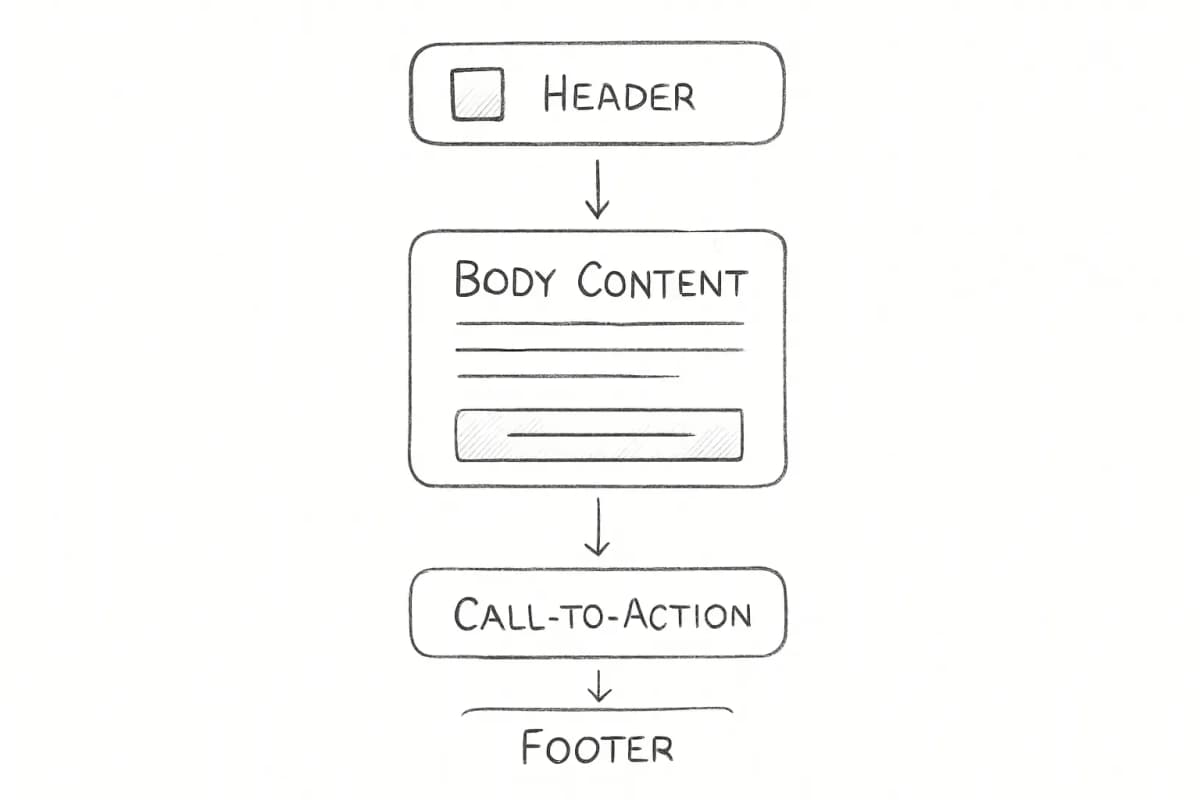
A template that converts follows a clear visual and structural logic. Here are the core components:
Header and Branding
By consistently incorporating your logo and branding across all email communications, you enhance brand recall and foster trust among recipients. Consistency in email templates ensures that your audience can immediately recognize your brand, whether they are viewing the email on a desktop or a mobile device.
Visual Hierarchy
Modern email template design goes far beyond making things look pretty. It is about creating psychological pathways that guide subscribers naturally from initial interest to desired action, all while delivering exceptional user experiences across an increasingly diverse landscape of devices, screen sizes, and email clients.
Use a layout that moves the eye from headline to supporting copy to CTA without friction. The three most common layouts are the one-column, the inverted pyramid, and the zig-zag, each with its own strengths depending on how you want to structure the content flow.
Body Copy
Keep it short and focused. Consumers spend an average of 10 seconds reading brand emails, so every word in your template body needs to earn its place.
Call-to-Action
By including a single CTA, you can witness an increase in clicks because emails with fewer than three CTAs have higher click-through rates. Place your primary CTA above the fold, use a contrasting color, and write action-oriented button copy.
Preheader Text
Preheader text is the short snippet of text that immediately follows the subject line when viewing an email in the inbox. Preheaders add valuable context to your subject line and can also boost your open rates.
Footer
The footer of your email is required by law to include a visible unsubscribe link. It should also carry your brand address, social links, and any legal copy relevant to your industry.
Mobile-First Design Is Non-Negotiable
Mobile devices account for 55% of all email opens globally, with some sources reporting over 80% for specific audiences. Designing for mobile is not an optional add-on; it is the default.
Mobile-responsive design increases unique clicks by 15%. Implementing responsive email design delivers immediate measurable results, increasing unique clicks compared to non-responsive alternatives. This performance improvement directly impacts ROI and campaign effectiveness.
Here are the practical specifications for mobile-first email templates:
Single-column layouts to eliminate horizontal scrolling on small screens
Minimum 14px body font size to ensure readability without zooming
44x44px touch targets for buttons and links to prevent accidental clicks, following accessibility best practices
Responsive images that scale automatically to fit any screen size
Generous white space to make content easy to scan and tap
600-800 pixels wide for the email container to ensure correct display across email clients and devices
Users typically spend 15-20 seconds scanning emails on mobile devices, making immediate visual impact crucial for engagement.
Personalization Within Your Templates
The template itself should be built to accommodate personalization from the start. A static template sent to your entire list without variation is leaving significant revenue on the table.
Personalized emails achieve an impressive open rate of 29% and a click-through rate of 41%. That is a substantial performance gap over generic sends.
65% of email marketers say dynamic content is their most effective personalization tactic. Dynamic content blocks inside your template allow you to serve different product recommendations, offers, or messaging to different audience segments without building entirely separate campaigns.
When combined with smart list segmentation, template personalization multiplies results further. Marketers who send segmented campaigns notice a 760% increase in revenue. For a detailed breakdown of how to structure your segments, see our guide on Email List Segmentation Strategies That Boost ROI by 760%.
Common Template Design Mistakes to Avoid
Even experienced marketers make design decisions that quietly kill performance. Here are the most damaging ones:
Image-only emails. Overreliance on images causes some emails to be unreadable, as they do not always render properly across all devices. It is essential to strike a balance between visuals and text. This ensures that users can access your content even if images are disabled or if the email is viewed quickly.
Too many CTAs. Multiple CTAs in an email can hurt your conversion rate. Identify your primary goal for conversion and use that as your single CTA.
Non-standard fonts. Your text may not render properly on all devices due to hard-to-find fonts. Widely supported fonts such as Verdana, Impact, Times New Roman, Arial, and Open Sans are the safer choice.
Skipping preheader text. If you do not customize your preheader, it will display as the text that first appears in your email, which means your preheader could read as "View this email in your browser."
Forgetting accessibility. 99.7% of emails were reported to contain accessibility issues. Missing alt text, poor color contrast, and all-image formats lock out a meaningful portion of your audience.
How to Test and Improve Your Email Templates
In 2024, 62% of teams took two weeks or more to send a single email. By 2026, 76% deploy within three days. Faster production cycles come from building modular, reusable templates and running a systematic A/B testing process.
A/B testing is one of the most powerful email marketing best practices to reveal your readers' preferences. Test one variable at a time: subject line, CTA button color, layout structure, or header image. Record results before moving to the next test.
Review your templates quarterly to ensure they continue to follow best practices, work across current email clients, and align with any brand updates.
Key metrics to track per template:
Click-to-open rate (CTOR): Measures how well your template content engages readers who opened
Conversion rate: Tracks whether the template drives the intended action
Revenue per email: The most direct ROI signal for commercial templates
Bot-driven phantom engagement has made open rates unreliable, pushing high-performing teams toward revenue per email, list churn, and lifetime value as the metrics that actually matter
Your template is only as good as the platform you build it on. Most modern email service providers include a drag-and-drop builder with responsive templates pre-built.
When evaluating tools, prioritize:
Cross-client rendering tests. Your template should be verified against Gmail, Outlook, Apple Mail, and mobile clients before you send to a list.
Dynamic content support. The builder must support conditional content blocks for personalization.
Export flexibility. HTML export allows you to migrate templates if you switch platforms.
Modular design systems. Creating email templates that have space to add or remove elements, like a banner or a button, lets you adapt to each email brief quickly.
If you are exploring platform options or want to see how enterprise-grade template tools stack up, our review of Marketing Cloud Email Templates covers how larger sending platforms structure their template workflows.
Frequently Asked Questions
What makes a good email template for email marketing?
A good email template combines clear visual hierarchy, a single focused CTA, mobile-responsive layout, and consistent brand elements. High-converting email templates use clear hierarchy, personalized content, and strong calls to action. When designed with mobile-first layouts and compelling visuals, they drive engagement and measurable ROI.
How often should I update my email templates?
Update design and copy quarterly or when engagement metrics such as CTR, open rate, and conversions decline. Template refresh cycles should also be triggered by major brand changes or significant shifts in your audience's device behavior.
Should I use plain text or HTML email templates?
Each email campaign requires its own type of design. For example, if you want to send a personal letter from the CEO, plain text email works well, but if you are promoting best-selling products, rich HTML email is necessary. Many marketers also use plain-text versions alongside HTML sends to improve deliverability and reach subscribers whose clients block images.
How many CTAs should an email template include?
Limit usage to one CTA per email, two at the absolute most, to avoid compromising the desired action. Your primary CTA should be above the fold, visually distinct, and written with action-oriented copy that tells the reader exactly what happens when they click.

Here are the five types you should build and maintain:
Promotional templates. Used for sales, offers, and product launches. These rely on strong visuals, bold CTAs, and urgency. According to Mailjet's Email Engagement 2024 report, 75.4% of consumers prefer email for promotions, up from 42% in 2021.
Newsletter templates. Used to deliver recurring content, brand updates, and curated resources. The top 8% of email programs, those hitting a 45:1+ ROI, most commonly send newsletters and onboarding emails, not promotions.
Transactional templates. Order confirmations, shipping updates, password resets. Transactional emails have 8x higher opens and clicks compared to regular marketing emails. This makes their design worth investing in.
Welcome email templates. The first impression a subscriber gets. Welcome emails rock 83.6% open rates, making this the single highest-leverage template in your library. For a deeper look at structuring this sequence, see our guide on Welcome Email Sequence Best Practices.
Automated drip templates. Used in nurture sequences, abandoned cart flows, and re-engagement campaigns. In 2024, automated emails drove 37% of all email-generated sales, despite accounting for just 2% of email volume.
The Anatomy of a High-Converting Email Template
A template that converts follows a clear visual and structural logic. Here are the core components:
Header and Branding
By consistently incorporating your logo and branding across all email communications, you enhance brand recall and foster trust among recipients. Consistency in email templates ensures that your audience can immediately recognize your brand, whether they are viewing the email on a desktop or a mobile device.
Visual Hierarchy
Modern email template design goes far beyond making things look pretty. It is about creating psychological pathways that guide subscribers naturally from initial interest to desired action, all while delivering exceptional user experiences across an increasingly diverse landscape of devices, screen sizes, and email clients.
Use a layout that moves the eye from headline to supporting copy to CTA without friction. The three most common layouts are the one-column, the inverted pyramid, and the zig-zag, each with its own strengths depending on how you want to structure the content flow.
Body Copy
Keep it short and focused. Consumers spend an average of 10 seconds reading brand emails, so every word in your template body needs to earn its place.
Call-to-Action
By including a single CTA, you can witness an increase in clicks because emails with fewer than three CTAs have higher click-through rates. Place your primary CTA above the fold, use a contrasting color, and write action-oriented button copy.
Preheader Text
Preheader text is the short snippet of text that immediately follows the subject line when viewing an email in the inbox. Preheaders add valuable context to your subject line and can also boost your open rates.
Footer
The footer of your email is required by law to include a visible unsubscribe link. It should also carry your brand address, social links, and any legal copy relevant to your industry.
Mobile-First Design Is Non-Negotiable
Mobile devices account for 55% of all email opens globally, with some sources reporting over 80% for specific audiences. Designing for mobile is not an optional add-on; it is the default.
Mobile-responsive design increases unique clicks by 15%. Implementing responsive email design delivers immediate measurable results, increasing unique clicks compared to non-responsive alternatives. This performance improvement directly impacts ROI and campaign effectiveness.
Here are the practical specifications for mobile-first email templates:
Single-column layouts to eliminate horizontal scrolling on small screens
Minimum 14px body font size to ensure readability without zooming
44x44px touch targets for buttons and links to prevent accidental clicks, following accessibility best practices
Responsive images that scale automatically to fit any screen size
Generous white space to make content easy to scan and tap
600-800 pixels wide for the email container to ensure correct display across email clients and devices
Users typically spend 15-20 seconds scanning emails on mobile devices, making immediate visual impact crucial for engagement.
Personalization Within Your Templates
The template itself should be built to accommodate personalization from the start. A static template sent to your entire list without variation is leaving significant revenue on the table.
Personalized emails achieve an impressive open rate of 29% and a click-through rate of 41%. That is a substantial performance gap over generic sends.
65% of email marketers say dynamic content is their most effective personalization tactic. Dynamic content blocks inside your template allow you to serve different product recommendations, offers, or messaging to different audience segments without building entirely separate campaigns.
When combined with smart list segmentation, template personalization multiplies results further. Marketers who send segmented campaigns notice a 760% increase in revenue. For a detailed breakdown of how to structure your segments, see our guide on Email List Segmentation Strategies That Boost ROI by 760%.
Common Template Design Mistakes to Avoid
Even experienced marketers make design decisions that quietly kill performance. Here are the most damaging ones:
Image-only emails. Overreliance on images causes some emails to be unreadable, as they do not always render properly across all devices. It is essential to strike a balance between visuals and text. This ensures that users can access your content even if images are disabled or if the email is viewed quickly.
Too many CTAs. Multiple CTAs in an email can hurt your conversion rate. Identify your primary goal for conversion and use that as your single CTA.
Non-standard fonts. Your text may not render properly on all devices due to hard-to-find fonts. Widely supported fonts such as Verdana, Impact, Times New Roman, Arial, and Open Sans are the safer choice.
Skipping preheader text. If you do not customize your preheader, it will display as the text that first appears in your email, which means your preheader could read as "View this email in your browser."
Forgetting accessibility. 99.7% of emails were reported to contain accessibility issues. Missing alt text, poor color contrast, and all-image formats lock out a meaningful portion of your audience.
How to Test and Improve Your Email Templates
In 2024, 62% of teams took two weeks or more to send a single email. By 2026, 76% deploy within three days. Faster production cycles come from building modular, reusable templates and running a systematic A/B testing process.
A/B testing is one of the most powerful email marketing best practices to reveal your readers' preferences. Test one variable at a time: subject line, CTA button color, layout structure, or header image. Record results before moving to the next test.
Review your templates quarterly to ensure they continue to follow best practices, work across current email clients, and align with any brand updates.
Key metrics to track per template:
Click-to-open rate (CTOR): Measures how well your template content engages readers who opened
Conversion rate: Tracks whether the template drives the intended action
Revenue per email: The most direct ROI signal for commercial templates
Bot-driven phantom engagement has made open rates unreliable, pushing high-performing teams toward revenue per email, list churn, and lifetime value as the metrics that actually matter
Your template is only as good as the platform you build it on. Most modern email service providers include a drag-and-drop builder with responsive templates pre-built.
When evaluating tools, prioritize:
Cross-client rendering tests. Your template should be verified against Gmail, Outlook, Apple Mail, and mobile clients before you send to a list.
Dynamic content support. The builder must support conditional content blocks for personalization.
Export flexibility. HTML export allows you to migrate templates if you switch platforms.
Modular design systems. Creating email templates that have space to add or remove elements, like a banner or a button, lets you adapt to each email brief quickly.
If you are exploring platform options or want to see how enterprise-grade template tools stack up, our review of Marketing Cloud Email Templates covers how larger sending platforms structure their template workflows.
Frequently Asked Questions
What makes a good email template for email marketing?
A good email template combines clear visual hierarchy, a single focused CTA, mobile-responsive layout, and consistent brand elements. High-converting email templates use clear hierarchy, personalized content, and strong calls to action. When designed with mobile-first layouts and compelling visuals, they drive engagement and measurable ROI.
How often should I update my email templates?
Update design and copy quarterly or when engagement metrics such as CTR, open rate, and conversions decline. Template refresh cycles should also be triggered by major brand changes or significant shifts in your audience's device behavior.
Should I use plain text or HTML email templates?
Each email campaign requires its own type of design. For example, if you want to send a personal letter from the CEO, plain text email works well, but if you are promoting best-selling products, rich HTML email is necessary. Many marketers also use plain-text versions alongside HTML sends to improve deliverability and reach subscribers whose clients block images.
How many CTAs should an email template include?
Limit usage to one CTA per email, two at the absolute most, to avoid compromising the desired action. Your primary CTA should be above the fold, visually distinct, and written with action-oriented copy that tells the reader exactly what happens when they click.