
HomeBlogEmail Marketing TroubleshootingHow to Fix Email Marketing Software: 7 Common Issues
Email Marketing Troubleshooting

How to Fix Email Marketing Software: 7 Common Issues

Email marketing software acting up? Learn to fix deliverability problems, sync issues, and performance drops. Troubleshoot fast and get back to growth.

S

Sarah Mitchell

May 17, 2026

HomeBlogEmail Marketing TroubleshootingHow to Fix Email Marketing Software: 7 Common Issues
Email Marketing Troubleshooting

How to Fix Email Marketing Software: 7 Common Issues

Email marketing software acting up? Learn to fix deliverability problems, sync issues, and performance drops. Troubleshoot fast and get back to growth.

S

Sarah Mitchell

May 17, 2026

11 min read
11 min read
Share:
Share:
#Email Deliverability#Email Marketing Tools#Technical Support
Illustration for how to fix email marketing software

Stay in the loop

Get the latest posts delivered straight to your inbox. No spam, unsubscribe anytime.

Your email marketing software is not broken. Most of the time, the problems are fixable configuration gaps, process failures, or misread data signals. The most common culprits include low open and engagement rates, high unsubscribe rates, and deliverability issues that result in emails landing in spam folders. Each of those has a clear diagnosis and a clear fix.

This guide covers seven of the most frequent email marketing software issues and gives you the specific steps to resolve them.

Key Takeaways

  • According to Validity's 2024 Email Deliverability Benchmark, roughly one in six emails never reaches the inbox, keeping the global inbox placement average around 84%.
  • Research shows that 64.6% of businesses say email deliverability issues have directly impacted their revenue or customer retention.
  • Mailgun's 2025 State of Email Deliverability report found that 48% of email marketers cite avoiding the spam folder as their biggest challenge.
  • Personalized subject lines are 26% more likely to be opened, and marketers report a 760% increase in email revenue from segmented campaigns.
  • Only 44% of marketers consistently use UTM parameters across all campaigns, meaning more than half are making budget and strategy decisions without accurate attribution data. (HubSpot State of Marketing, 2025)

Issue 1: Emails Landing in Spam Instead of the Inbox

This is the most costly problem in email marketing, and it often starts with authentication gaps.

Gmail and Yahoo now mandate SPF, DKIM, and DMARC authentication for bulk senders transmitting over 5,000 messages per day, plus additional requirements like one-click unsubscribe for marketing and maintaining low spam complaint rates.

Over a third of email-sending domains still have no DMARC policy. Google and Yahoo made DMARC a requirement for bulk senders in February 2024. If your domain still lacks enforcement, you are operating on borrowed time.

How to fix it:

  1. Verify your SPF, DKIM, and DMARC records using a tool like MXToolbox. SPF defines which IP addresses can send email for a particular domain, and DKIM verifies an email was not forged or altered. If your email marketing platform is not set up for your domain, it will not be able to authenticate either.

Stay in the loop

Get the latest posts delivered straight to your inbox. No spam, unsubscribe anytime.

Your email marketing software is not broken. Most of the time, the problems are fixable configuration gaps, process failures, or misread data signals. The most common culprits include low open and engagement rates, high unsubscribe rates, and deliverability issues that result in emails landing in spam folders. Each of those has a clear diagnosis and a clear fix.

This guide covers seven of the most frequent email marketing software issues and gives you the specific steps to resolve them.

Key Takeaways

  • According to Validity's 2024 Email Deliverability Benchmark, roughly one in six emails never reaches the inbox, keeping the global inbox placement average around 84%.
  • Research shows that 64.6% of businesses say email deliverability issues have directly impacted their revenue or customer retention.
  • Mailgun's 2025 State of Email Deliverability report found that 48% of email marketers cite avoiding the spam folder as their biggest challenge.
  • Personalized subject lines are 26% more likely to be opened, and marketers report a 760% increase in email revenue from segmented campaigns.
  • Only 44% of marketers consistently use UTM parameters across all campaigns, meaning more than half are making budget and strategy decisions without accurate attribution data. (HubSpot State of Marketing, 2025)

Issue 1: Emails Landing in Spam Instead of the Inbox

This is the most costly problem in email marketing, and it often starts with authentication gaps.

Gmail and Yahoo now mandate SPF, DKIM, and DMARC authentication for bulk senders transmitting over 5,000 messages per day, plus additional requirements like one-click unsubscribe for marketing and maintaining low spam complaint rates.

Over a third of email-sending domains still have no DMARC policy. Google and Yahoo made DMARC a requirement for bulk senders in February 2024. If your domain still lacks enforcement, you are operating on borrowed time.

How to fix it:

  1. Verify your SPF, DKIM, and DMARC records using a tool like MXToolbox. SPF defines which IP addresses can send email for a particular domain, and DKIM verifies an email was not forged or altered. If your email marketing platform is not set up for your domain, it will not be able to authenticate either.
  • Move your DMARC policy from p=none toward p=quarantine or p=reject once you have confirmed all your legitimate mail streams pass alignment.
  • Gmail and Yahoo now enforce a maximum spam rate of 0.3%, with Gmail recommending brands stay below 0.10%. Even lower complaint rates can trigger inbox filtering if other risk signals are present. One-click unsubscribe is also required using the list-unsubscribe header and RFC 8058, with opt-out requests processed within two days.
  • Poorly formatted HTML, broken links, and missing ALT text create red flags for spam filters. According to the Unspam report, 74% of emails contain HTML structural issues, and such emails are 18-25% more likely to land in spam than well-structured ones.

  • Issue 2: High Bounce Rates Damaging Sender Reputation

    High bounce rates do more than waste sending credits. Elevated bounces damage IP and domain trust, causing more emails to land in spam, lowering opens and engagement, and in severe cases leading to temporary or long-term blocklisting.

    Hard bounces are permanent failures where the address is invalid or the domain does not exist. Soft bounces are temporary failures caused by issues like a full mailbox, a temporarily unavailable server, or message size limits. Soft bounces may resolve themselves over time, but repeated soft bounces can signal deeper problems, such as a spam block.

    A bounce rate below 2% is considered "safe" in most industries. A rate between 2-5% is a warning level that calls for list hygiene and verification, while anything above 5% is critical and can seriously damage your sender reputation.

    How to fix it:

    • Remove hard bounces from your list immediately after each send.
    • Use double opt-in to prevent invalid and risky addresses from entering your list in the first place, since this verification step filters out misspelled addresses, disposable accounts, and bot sign-ups at the point of collection. Combined with regular list cleaning, it significantly reduces bounce rates and protects sender reputation.
    • Clean your email list monthly for high-volume sending (100,000+ emails), quarterly for moderate volumes (10,000 to 100,000), and bi-annually for smaller lists under 10,000. Increase frequency if bounce rates exceed 2% or engagement drops below 15% opens.

    Issue 3: Poor List Hygiene Eroding Deliverability Over Time

    Mailgun's State of Email Deliverability survey found that 39% of senders rarely or never perform list hygiene tasks. This is a slow-burn problem. Lists decay naturally, and the damage compounds if ignored.

    About 25% of addresses on the average email list turn invalid each year, due to job changes, domain expirations, typos, and disposable addresses.

    Senders with list hygiene scores above 95% achieved average inbox placement rates of 97%, while those below 85% saw only 76% inbox placement.

    How to fix it:

  • Move your DMARC policy from p=none toward p=quarantine or p=reject once you have confirmed all your legitimate mail streams pass alignment.
  • Gmail and Yahoo now enforce a maximum spam rate of 0.3%, with Gmail recommending brands stay below 0.10%. Even lower complaint rates can trigger inbox filtering if other risk signals are present. One-click unsubscribe is also required using the list-unsubscribe header and RFC 8058, with opt-out requests processed within two days.
  • Poorly formatted HTML, broken links, and missing ALT text create red flags for spam filters. According to the Unspam report, 74% of emails contain HTML structural issues, and such emails are 18-25% more likely to land in spam than well-structured ones.

  • Issue 2: High Bounce Rates Damaging Sender Reputation

    High bounce rates do more than waste sending credits. Elevated bounces damage IP and domain trust, causing more emails to land in spam, lowering opens and engagement, and in severe cases leading to temporary or long-term blocklisting.

    Hard bounces are permanent failures where the address is invalid or the domain does not exist. Soft bounces are temporary failures caused by issues like a full mailbox, a temporarily unavailable server, or message size limits. Soft bounces may resolve themselves over time, but repeated soft bounces can signal deeper problems, such as a spam block.

    A bounce rate below 2% is considered "safe" in most industries. A rate between 2-5% is a warning level that calls for list hygiene and verification, while anything above 5% is critical and can seriously damage your sender reputation.

    How to fix it:

    • Remove hard bounces from your list immediately after each send.
    • Use double opt-in to prevent invalid and risky addresses from entering your list in the first place, since this verification step filters out misspelled addresses, disposable accounts, and bot sign-ups at the point of collection. Combined with regular list cleaning, it significantly reduces bounce rates and protects sender reputation.
    • Clean your email list monthly for high-volume sending (100,000+ emails), quarterly for moderate volumes (10,000 to 100,000), and bi-annually for smaller lists under 10,000. Increase frequency if bounce rates exceed 2% or engagement drops below 15% opens.

    Issue 3: Poor List Hygiene Eroding Deliverability Over Time

    Mailgun's State of Email Deliverability survey found that 39% of senders rarely or never perform list hygiene tasks. This is a slow-burn problem. Lists decay naturally, and the damage compounds if ignored.

    About 25% of addresses on the average email list turn invalid each year, due to job changes, domain expirations, typos, and disposable addresses.

    Senders with list hygiene scores above 95% achieved average inbox placement rates of 97%, while those below 85% saw only 76% inbox placement.

    How to fix it:

    • Spam traps are email addresses used by mailbox providers to catch senders with poor list hygiene. They are not tied to real users and never opted in, so sending to them signals a problem. Even legitimate brands can hit traps if list validation and cleaning fall through the cracks. Prevent this by avoiding purchased lists entirely.
    • Use a real-time email verification API at the point of signup. Real-time API validation during signup prevents 95% of invalid addresses from ever reaching your list.
    • Run re-engagement campaigns before suppressing inactive contacts. Inactive subscribers are those who have not opened or engaged with your emails for six months or more. A well-structured re-engagement campaign can be pivotal to win them back, starting by segmenting these inactive contacts and crafting a series of targeted emails aimed at rekindling their interest.

    For a deeper look at how segmentation ties into list health, see our guide on email list segmentation strategies that boost ROI by 760%.


    Issue 4: Low Open Rates Across Campaigns

    Brands with declining open rates almost always have a problem in one of four areas: sender reputation, list hygiene, audience segmentation, or the inbox preview itself, which includes the sender name, subject line, and preheader.

    As of 2025, the average email open rate across industries is 42.35%. If you are materially below that, the diagnosis usually points to one of the issues below.

    How to fix it:

    • Fix your segmentation. Segmented emails drive 30% more opens and 50% more click-throughs than unsegmented ones. Group subscribers by behavior, purchase history, or engagement level rather than sending the same message to everyone.
    • Improve subject lines. Personalized subject lines lead to a 35.69% increase in open rates. Start with relevance, not just name insertion. Our post on email subject line best practices that boost open rates by 27% covers this in detail.
    • Optimize send timing. Emails sent during weekdays and mid-morning hours perform better, though actual peaks vary by audience. Let your platform's engagement data guide you, not general benchmarks.
    • Check your sender name. Emails from a person's name consistently outperform those from a company alias.

    Issue 5: Broken or Misconfigured Automation Workflows

    Automation problems are often invisible until they cause real damage: subscribers receiving duplicate sequences, triggers firing on wrong conditions, or welcome flows sending to people who should not receive them.

    Despite the power of automation, many companies are still falling short by failing to properly personalize their emails. In an age where personalization is expected, some brands continue to rely too heavily on automated email templates that do not consider individual preferences or behaviors.

    How to fix it:

    • Spam traps are email addresses used by mailbox providers to catch senders with poor list hygiene. They are not tied to real users and never opted in, so sending to them signals a problem. Even legitimate brands can hit traps if list validation and cleaning fall through the cracks. Prevent this by avoiding purchased lists entirely.
    • Use a real-time email verification API at the point of signup. Real-time API validation during signup prevents 95% of invalid addresses from ever reaching your list.
    • Run re-engagement campaigns before suppressing inactive contacts. Inactive subscribers are those who have not opened or engaged with your emails for six months or more. A well-structured re-engagement campaign can be pivotal to win them back, starting by segmenting these inactive contacts and crafting a series of targeted emails aimed at rekindling their interest.

    For a deeper look at how segmentation ties into list health, see our guide on email list segmentation strategies that boost ROI by 760%.


    Issue 4: Low Open Rates Across Campaigns

    Brands with declining open rates almost always have a problem in one of four areas: sender reputation, list hygiene, audience segmentation, or the inbox preview itself, which includes the sender name, subject line, and preheader.

    As of 2025, the average email open rate across industries is 42.35%. If you are materially below that, the diagnosis usually points to one of the issues below.

    How to fix it:

    • Fix your segmentation. Segmented emails drive 30% more opens and 50% more click-throughs than unsegmented ones. Group subscribers by behavior, purchase history, or engagement level rather than sending the same message to everyone.
    • Improve subject lines. Personalized subject lines lead to a 35.69% increase in open rates. Start with relevance, not just name insertion. Our post on email subject line best practices that boost open rates by 27% covers this in detail.
    • Optimize send timing. Emails sent during weekdays and mid-morning hours perform better, though actual peaks vary by audience. Let your platform's engagement data guide you, not general benchmarks.
    • Check your sender name. Emails from a person's name consistently outperform those from a company alias.

    Issue 5: Broken or Misconfigured Automation Workflows

    Automation problems are often invisible until they cause real damage: subscribers receiving duplicate sequences, triggers firing on wrong conditions, or welcome flows sending to people who should not receive them.

    Despite the power of automation, many companies are still falling short by failing to properly personalize their emails. In an age where personalization is expected, some brands continue to rely too heavily on automated email templates that do not consider individual preferences or behaviors.

    How to fix it:

    1. Audit every active workflow quarterly. Check entry conditions, exit conditions, and wait steps against your current list structure.
    2. Test every trigger before it goes live. Send test contacts through each automation path and confirm the right emails fire at the right time.
    3. Use trigger events to send emails, since triggered emails often perform better because they arrive when someone is already engaged with your business. Welcome emails are one of the strongest examples, with GetResponse reporting an average open rate of about 83%, far higher than typical newsletter campaigns.
    4. Set suppression lists correctly. Contacts who have unsubscribed, hard-bounced, or been marked inactive should be excluded from all automated sends automatically.

    For a step-by-step approach to your welcome sequence, see our guide on welcome email sequence best practices.


    Issue 6: No Visibility Into What Is Actually Driving Revenue

    Without proper tracking, it is hard to tell which emails are working. This is one of the most common and most avoidable email marketing software problems.

    Only 44% of marketers consistently use UTM parameters across all campaigns, according to HubSpot's 2025 State of Marketing report. That means the majority are attributing revenue to "direct" traffic rather than the specific campaigns that drove it.

    Email traffic is often miscategorized in Google Analytics, ending up in channel groups such as "Other" or "Referral." Consistent and structured building of UTM tags for links in emails is key to getting actionable email campaign data.

    How to fix it:

    • Add UTM parameters to every link in every email you send. At minimum, use utm_source, utm_medium=email, and utm_campaign with a consistent naming convention.
    • Counting clicks or sessions alone does not tell you if marketing is generating revenue or long-term value. Without connecting UTMs to CRM or transaction data, you are only measuring activity, not business impact. Integrate UTM data with sales and revenue systems to track pipeline influence and customer lifetime value.
    • Implement comprehensive tracking using UTM parameters, conversion pixels, and your email platform's analytics to connect engagement metrics directly to revenue. Closed-loop reporting lets you follow a subscriber's journey from their first click to their final conversion.

    For a full breakdown of email analytics, see our guide on email marketing analytics best practices.


    Issue 7: Mobile Rendering Problems Killing Engagement

    Over 50 to 60% of emails are now opened on mobile devices, making mobile optimization essential for email marketing success. If emails are not optimized for mobile, engagement drops, conversions decrease, and unsubscribe rates rise.

    1. Audit every active workflow quarterly. Check entry conditions, exit conditions, and wait steps against your current list structure.
    2. Test every trigger before it goes live. Send test contacts through each automation path and confirm the right emails fire at the right time.
    3. Use trigger events to send emails, since triggered emails often perform better because they arrive when someone is already engaged with your business. Welcome emails are one of the strongest examples, with GetResponse reporting an average open rate of about 83%, far higher than typical newsletter campaigns.
    4. Set suppression lists correctly. Contacts who have unsubscribed, hard-bounced, or been marked inactive should be excluded from all automated sends automatically.

    For a step-by-step approach to your welcome sequence, see our guide on welcome email sequence best practices.


    Issue 6: No Visibility Into What Is Actually Driving Revenue

    Without proper tracking, it is hard to tell which emails are working. This is one of the most common and most avoidable email marketing software problems.

    Only 44% of marketers consistently use UTM parameters across all campaigns, according to HubSpot's 2025 State of Marketing report. That means the majority are attributing revenue to "direct" traffic rather than the specific campaigns that drove it.

    Email traffic is often miscategorized in Google Analytics, ending up in channel groups such as "Other" or "Referral." Consistent and structured building of UTM tags for links in emails is key to getting actionable email campaign data.

    How to fix it:

    • Add UTM parameters to every link in every email you send. At minimum, use utm_source, utm_medium=email, and utm_campaign with a consistent naming convention.
    • Counting clicks or sessions alone does not tell you if marketing is generating revenue or long-term value. Without connecting UTMs to CRM or transaction data, you are only measuring activity, not business impact. Integrate UTM data with sales and revenue systems to track pipeline influence and customer lifetime value.
    • Implement comprehensive tracking using UTM parameters, conversion pixels, and your email platform's analytics to connect engagement metrics directly to revenue. Closed-loop reporting lets you follow a subscriber's journey from their first click to their final conversion.

    For a full breakdown of email analytics, see our guide on email marketing analytics best practices.


    Issue 7: Mobile Rendering Problems Killing Engagement

    Over 50 to 60% of emails are now opened on mobile devices, making mobile optimization essential for email marketing success. If emails are not optimized for mobile, engagement drops, conversions decrease, and unsubscribe rates rise.

    Some emails are not optimized for mobile, with text that is too small, images that do not scale properly, and buttons that are too difficult to click on smaller screens. As a result, mobile users quickly dismiss the email, resulting in a significantly lower click-through rate among mobile subscribers.

    How to fix it:

    • Use responsive email templates that adapt to any screen size. Test every email in at least two mobile email clients before sending.
    • Use responsive design techniques to adjust layouts for different screen sizes and regularly test emails on various devices. Key techniques include adding show/hide elements to prioritize important content.
    • Keep subject lines under 40 characters so they are not cut off on small screens.
    • Dark mode compatibility is becoming important in email design, as many users prefer it for comfort and battery efficiency. Test your email in dark mode before sending.
    • Keep your image-to-text ratio balanced. Emails that are heavy on images and light on text commonly signal spam. Some mailbox providers block images by default, so a message with mostly images may appear blank. A balanced ratio with enough readable text to carry the message keeps you out of trouble with filters and improves accessibility.
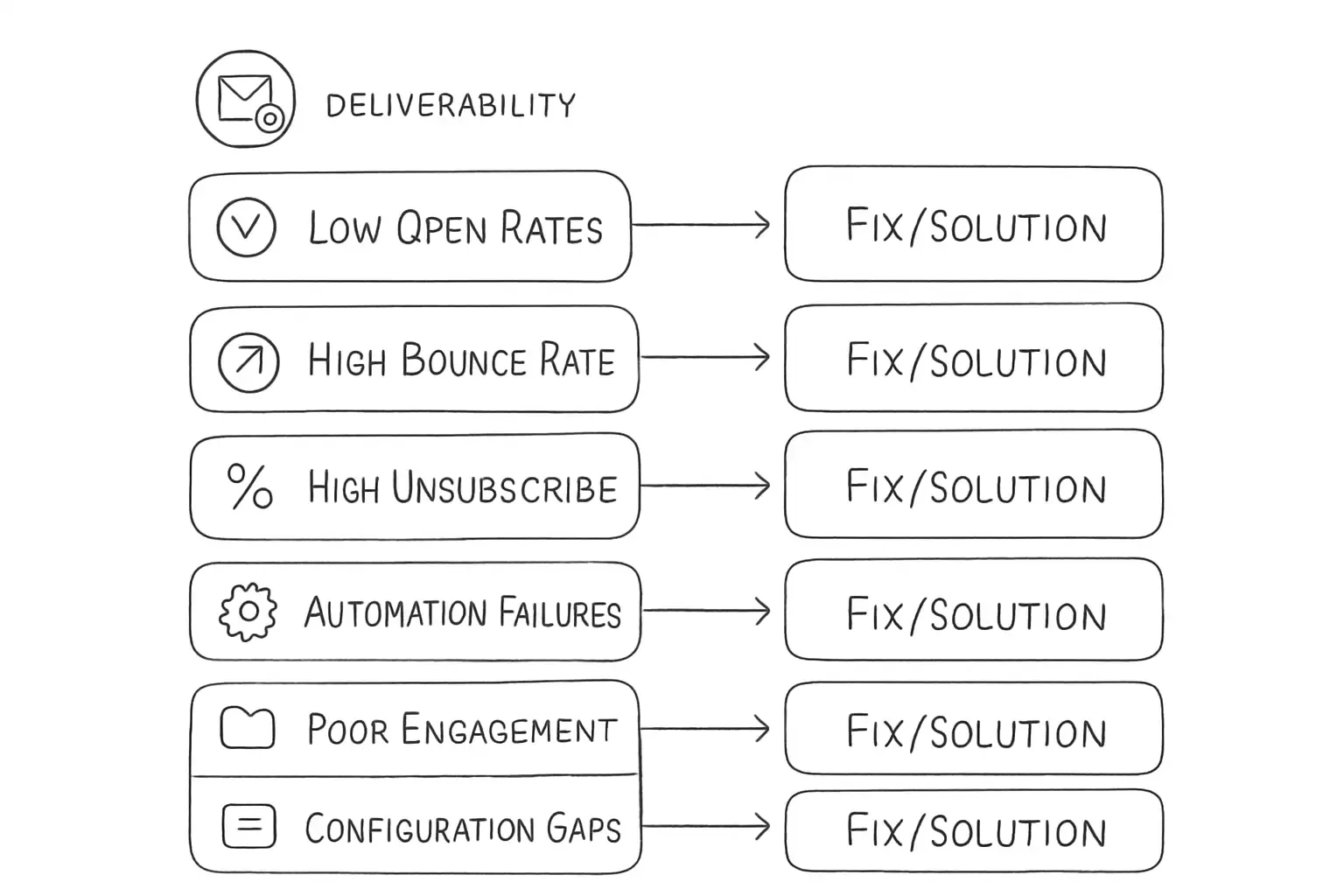
    A checklist-style diagram showing 7 email marketing software issues with their fixes. Each item should display a problem statement on the left (e.g., low open rates, high bounce rate, emails in spam folder, high unsubscribe rate, automation failures, poor engagement signals, configuration gaps) paired with a corresponding fix or solution on the right. Use checkmark icons or arrows to show resolution. Include visual indicators for deliverability, bounce rate, and automation categories to organize the issues into these three main problem areas. The layout should resemble a troubleshooting guide with clear visual hierarchy between problem and solution.


    Frequently Asked Questions

    Why are my emails going to spam even though my content is clean?

    Clean content alone is not enough. SPF is at 93% and DKIM at 90% across the ecosystem, yet the global inbox rate is still around 65%. ISPs also evaluate DMARC enforcement, engagement signals, content quality, and List-Unsubscribe headers. Check your authentication setup first, then review your sending volume, engagement metrics, and list quality.

    How often should I clean my email list?

    Clean your email list monthly for high-volume sending (100,000 or more emails), quarterly for moderate volumes (10,000 to 100,000), and bi-annually for smaller lists under 10,000. Increase frequency if bounce rates exceed 2% or engagement drops below 15% opens.

    What is a good email bounce rate benchmark?

    The practical benchmark ranges are: under 1% total bounces is excellent, 1-2% is acceptable, 2-5% is concerning, and above 5% is dangerous to sender reputation. Hard bounces should be removed immediately. If you are consistently above 2%, investigate your list sources and validation process.

    Why are my open rates dropping even though I am sending more emails?

    Some emails are not optimized for mobile, with text that is too small, images that do not scale properly, and buttons that are too difficult to click on smaller screens. As a result, mobile users quickly dismiss the email, resulting in a significantly lower click-through rate among mobile subscribers.

    How to fix it:

    • Use responsive email templates that adapt to any screen size. Test every email in at least two mobile email clients before sending.
    • Use responsive design techniques to adjust layouts for different screen sizes and regularly test emails on various devices. Key techniques include adding show/hide elements to prioritize important content.
    • Keep subject lines under 40 characters so they are not cut off on small screens.
    • Dark mode compatibility is becoming important in email design, as many users prefer it for comfort and battery efficiency. Test your email in dark mode before sending.
    • Keep your image-to-text ratio balanced. Emails that are heavy on images and light on text commonly signal spam. Some mailbox providers block images by default, so a message with mostly images may appear blank. A balanced ratio with enough readable text to carry the message keeps you out of trouble with filters and improves accessibility.

    A checklist-style diagram showing 7 email marketing software issues with their fixes. Each item should display a problem statement on the left (e.g., low open rates, high bounce rate, emails in spam folder, high unsubscribe rate, automation failures, poor engagement signals, configuration gaps) paired with a corresponding fix or solution on the right. Use checkmark icons or arrows to show resolution. Include visual indicators for deliverability, bounce rate, and automation categories to organize the issues into these three main problem areas. The layout should resemble a troubleshooting guide with clear visual hierarchy between problem and solution.


    Frequently Asked Questions

    Why are my emails going to spam even though my content is clean?

    Clean content alone is not enough. SPF is at 93% and DKIM at 90% across the ecosystem, yet the global inbox rate is still around 65%. ISPs also evaluate DMARC enforcement, engagement signals, content quality, and List-Unsubscribe headers. Check your authentication setup first, then review your sending volume, engagement metrics, and list quality.

    How often should I clean my email list?

    Clean your email list monthly for high-volume sending (100,000 or more emails), quarterly for moderate volumes (10,000 to 100,000), and bi-annually for smaller lists under 10,000. Increase frequency if bounce rates exceed 2% or engagement drops below 15% opens.

    What is a good email bounce rate benchmark?

    The practical benchmark ranges are: under 1% total bounces is excellent, 1-2% is acceptable, 2-5% is concerning, and above 5% is dangerous to sender reputation. Hard bounces should be removed immediately. If you are consistently above 2%, investigate your list sources and validation process.

    Why are my open rates dropping even though I am sending more emails?

    Sending more emails to a stale or unsegmented list usually produces the opposite of what you want. The highest-performing programs send fewer emails to more precisely segmented audiences, achieving 30% higher opens and 50% higher CTR. Review your segmentation strategy and consider suppressing subscribers who have not engaged in 90 days before re-engaging them with a targeted campaign. See our post on 7 email personalization techniques that boost conversions 47% for practical next steps.

    Sending more emails to a stale or unsegmented list usually produces the opposite of what you want. The highest-performing programs send fewer emails to more precisely segmented audiences, achieving 30% higher opens and 50% higher CTR. Review your segmentation strategy and consider suppressing subscribers who have not engaged in 90 days before re-engaging them with a targeted campaign. See our post on 7 email personalization techniques that boost conversions 47% for practical next steps.

    No comments yet. Be the first!

    Leave a comment

    Comments are reviewed before publishing.

    No comments yet. Be the first!

    Leave a comment

    Comments are reviewed before publishing.