
Email Marketing Dashboard Template: Track Metrics That Matter
Free email marketing dashboard template to monitor opens, clicks, ROI, and conversions. Download now and optimize your email strategy with real-time data.
Most email marketers collect data in their platforms every single day. Very few use it to make decisions. The gap between those two groups often comes down to one thing: a well-built email marketing dashboard template that shows the numbers that actually move the needle.
An email marketing dashboard is a centralized, data-driven platform that consolidates and visualizes key performance indicators (KPIs) related to your campaigns, giving you the ability to monitor, analyze, and improve your email program in one place. Without one, you are reacting to gut feel. With one, you are running a structured system.
This guide covers exactly what belongs in your dashboard, which metrics matter by funnel stage, and how to build or adapt a template that fits your goals, whether you are a solo marketer or leading a growth team.
Key Takeaways
For every $1 spent on email marketing, businesses see a return of $36, making it one of the highest-ROI channels in digital marketing.
An email marketing dashboard centralizes all your campaign data into one visual interface, providing a single source of truth for performance analysis.
Focus on metrics tied to revenue and engagement, not just vanity metrics like open rates.
Based on your goals, choose 5 to 10 primary KPIs. Avoid the temptation to track everything. A cluttered dashboard is an ineffective dashboard.
Brands that use email analytics tools achieve a 43% higher ROI than those that do not.
What an Email Marketing Dashboard Template Actually Does
By aggregating data from email clients, web analytics, and CRM systems, a dashboard provides a comprehensive view of campaign performance, audience engagement, and return on investment.
The key word is aggregates. Your ESP shows you open rates. Your CRM tracks lead status. Google Analytics records conversions. None of those tools talk to each other by default. A well-structured email marketing dashboard template pulls those threads together.
Unlike native platform analytics, custom email marketing dashboards combine email data with website and e-commerce performance from tools like GA4 and Shopify to show the complete customer journey. That matters because a click inside an email is only half the story. What happened after the click is where revenue actually gets made.
Email Marketing Dashboard Template: Track Metrics That Matter
Free email marketing dashboard template to monitor opens, clicks, ROI, and conversions. Download now and optimize your email strategy with real-time data.
Most email marketers collect data in their platforms every single day. Very few use it to make decisions. The gap between those two groups often comes down to one thing: a well-built email marketing dashboard template that shows the numbers that actually move the needle.
An email marketing dashboard is a centralized, data-driven platform that consolidates and visualizes key performance indicators (KPIs) related to your campaigns, giving you the ability to monitor, analyze, and improve your email program in one place. Without one, you are reacting to gut feel. With one, you are running a structured system.
This guide covers exactly what belongs in your dashboard, which metrics matter by funnel stage, and how to build or adapt a template that fits your goals, whether you are a solo marketer or leading a growth team.
Key Takeaways
For every $1 spent on email marketing, businesses see a return of $36, making it one of the highest-ROI channels in digital marketing.
An email marketing dashboard centralizes all your campaign data into one visual interface, providing a single source of truth for performance analysis.
Focus on metrics tied to revenue and engagement, not just vanity metrics like open rates.
Based on your goals, choose 5 to 10 primary KPIs. Avoid the temptation to track everything. A cluttered dashboard is an ineffective dashboard.
Brands that use email analytics tools achieve a 43% higher ROI than those that do not.
What an Email Marketing Dashboard Template Actually Does
By aggregating data from email clients, web analytics, and CRM systems, a dashboard provides a comprehensive view of campaign performance, audience engagement, and return on investment.
The key word is aggregates. Your ESP shows you open rates. Your CRM tracks lead status. Google Analytics records conversions. None of those tools talk to each other by default. A well-structured email marketing dashboard template pulls those threads together.
Unlike native platform analytics, custom email marketing dashboards combine email data with website and e-commerce performance from tools like GA4 and Shopify to show the complete customer journey. That matters because a click inside an email is only half the story. What happened after the click is where revenue actually gets made.
Email marketing dashboards should include a mix of funnel metrics covering visibility, engagement, conversion, efficiency, and revenue KPIs to fully understand campaign performance against business goals.
The Metrics That Belong in Every Dashboard
Before you copy a template or open a spreadsheet, you need to know which numbers deserve space. Here is a breakdown by funnel stage.
Deliverability and Reach
Delivery rate measures the percentage of your emails that reach a valid email address, bypass all filters, and can be read by the recipient. This is your baseline. If emails are not getting delivered, nothing else matters.
Hard bounce rate: Permanent delivery failures, typically from invalid addresses
Soft bounce rate: Temporary failures, often due to full inboxes or server issues
Spam complaint rate: The percentage of recipients who flag your email as spam
A low deliverability rate means your email list might contain many invalid, inactive, or outdated contacts. Keeping this metric front and center on your dashboard helps you catch list hygiene problems before they damage your sender reputation.
Engagement Metrics
Open rate is the percentage of recipients who opened your email. While it can be affected by privacy changes, it still provides a basic health check on your subject lines and brand recognition.
That said, open rate alone is no longer reliable. Since Apple Mail accounts for 46% of email clients, Mail Privacy Protection has significantly skewed open rate data upward. Email marketers now prioritize click-through rates, click-to-open rates, and conversion metrics over open rates when evaluating campaign performance.
The metrics to prioritize instead:
Click-through rate (CTR): CTR is the percentage of recipients who clicked on one or more links in your email and is a stronger indicator of engagement than open rate.
Click-to-open rate (CTOR): CTOR tells marketers what percentage of people who opened an email actually clicked something. It is the truest measure of content quality.
Unsubscribe rate: Unsubscribe rates show whether your content is relevant to your list and whether subscribers want to continue building a relationship with you.
For context on what "good" looks like: the average email open rate in 2025 was 43.46%, up slightly from 2024's 42.35%. The average click rate in 2025 was 2.09%, and the average unsubscribe rate was 0.22%.
To understand what drives those numbers for your audience specifically, pair your dashboard with strong subject line testing. Our guide to email subject line best practices that boost open rates covers the mechanics in detail.
Conversion and Revenue Metrics
This is where most dashboards fall short. They stop at clicks. Your template should connect email activity to actual revenue.
Conversion rate: The percentage of recipients who completed a desired action (purchase, sign-up, download)
Revenue per email: Total revenue attributed to a campaign divided by emails sent
Email ROI: Revenue generated minus campaign cost, divided by cost
The email-to-revenue funnel report visualizes the complete customer journey from email delivery to purchase completion and shows exactly where potential customers drop off, whether at the open, click, or purchase stage.
Email automations deliver 30 times more revenue per recipient than one-off promotional campaigns. The average return per recipient for campaigns sits at $0.11, while automated flows earn $1.94 per recipient.
List Health Metrics
Taking subscriber churn rate into consideration, along with new subscribers and other factors, reveals your list growth rate. It is an important metric that looks beyond your current moment and reveals how well you are set up for future success.
A dashboard that tracks only campaign-level metrics misses the bigger picture. List growth rate, subscriber acquisition cost, and churn rate tell you whether your program is sustainable over time.
How to Structure Your Email Marketing Dashboard Template
A good email marketing dashboard template is not a spreadsheet with every metric crammed in. It is a layered view built for decisions.
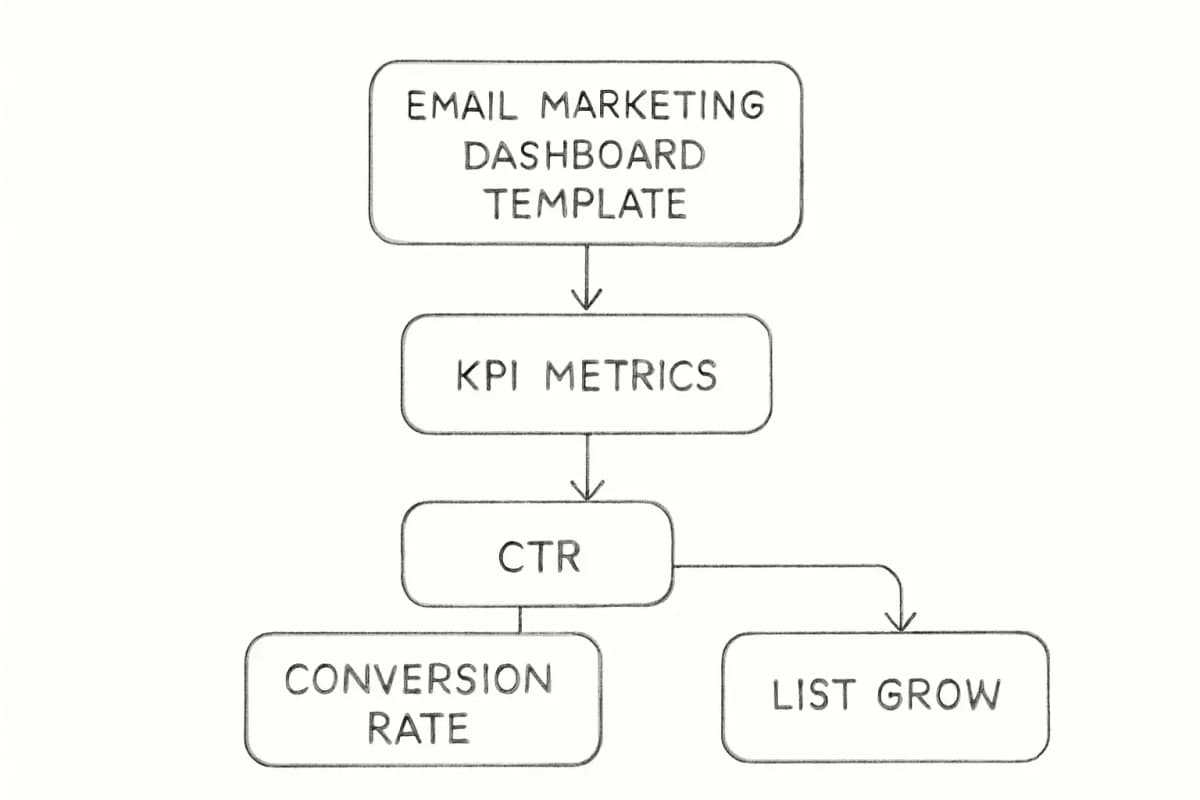
The top of your dashboard should show a high-level summary: an executive-level overview with the most important KPIs at a glance, like total revenue from email, conversion rate, and list growth.
Below that, structure your template in three tiers:
Executive summary: Overall email ROI, list size, conversion rate, revenue attributed to email this period
Campaign performance: Open rate, CTR, CTOR, unsubscribe rate, and bounce rate by campaign
Trend analysis: Line charts showing performance over time to help you spot seasonality, track the impact of strategic changes, and identify long-term trends.
A campaign performance comparison report provides side-by-side analysis of multiple email campaigns, allowing you to identify your highest and lowest performers across key metrics. By comparing open rates, click rates, conversion metrics, and revenue between different campaign types, you can isolate the variables that contribute most to success.
Choosing the Right Tool for Your Dashboard
The platform you build on should match your technical resources and how many data sources you need to connect.
Looker Studio (Google Data Studio): Looker Studio provides all the essential reporting tools and is a go-to platform for creating comprehensive marketing dashboards. Its user-friendly interface, advanced design features, and seamless integration with Google's native connectors make it a favorite among marketers and analysts.
To build an email marketing dashboard in Looker Studio, start by connecting your email marketing data such as Mailchimp to platforms like Google Sheets or Looker Studio, then choose metrics such as conversion rate, bounce rate, unsubscribe rate, and open rate.
Dedicated dashboard tools: Platforms like DashThis, Improvado, and Coupler.io offer pre-built email marketing dashboard templates that connect directly to your ESP and refresh automatically. Effective dashboards integrate data from multiple sources, like your ESP, CRM, and e-commerce platform, for a complete view of the customer journey. Using a unified analytics platform to automate data collection and reporting saves time and ensures your insights are always current and accurate.
Your ESP's native reporting: Useful for campaign-level data but limited when you need cross-channel attribution or historical trend analysis across list segments.
For teams working across multiple campaigns or audience segments, the email marketing analytics best practices guide covers how to set up attribution and segment reporting properly.
Building Your Own Email Marketing Dashboard Template: A Step-by-Step Approach
To build an email marketing report, connect your data sources, choose a template in Looker Studio or Google Sheets, build your queries by selecting metrics and dimensions, choose charts to visualize your data, customize the report, and share via link, PDF, or email.
Here is a practical sequence:
Define your goals first. The true power of your email marketing data emerges when you clearly define a business objective and identify the right KPIs. If you want to hit conversion goals, create a dashboard that tracks KPIs to gauge the effectiveness of your CTAs and find improvement opportunities.
Connect your data sources. Common sources are Mailchimp or HubSpot for email performance, your CRM for subscriber data, and Google Analytics for web engagement.
Pick 5 to 10 KPIs. Map each metric to a specific business goal. Remove anything that does not inform a decision.
Choose your visualizations. Use line charts for trends, bar charts for campaign comparisons, and scorecards for headline numbers.
Set a review cadence. Daily for deliverability alerts, weekly for campaign performance, monthly for list health and ROI trends.
Automate reporting. Once connected, Looker Studio pulls fresh data from your sources automatically. You can also schedule automated PDF reports by email on a daily, weekly, or monthly basis.
Segmenting Your Dashboard by Audience
A single aggregate view of your email metrics hides more than it reveals. Segment your dashboard data by audience demographics, engagement levels, campaign type, and send time to find the patterns that drive real improvement.
For example, a segment that converts at 4% tells you something entirely different from a segment converting at 0.5%. Treating those groups the same wastes budget and burns list health.
This connects directly to list segmentation strategy. By comparing key performance indicators such as open rates, click-through rates, and conversion rates against industry averages, businesses can identify areas of strength and weakness in their campaigns.
When your dashboard reveals a segment that is underperforming, the fix is usually in how you have defined that audience. The guide on email list segmentation strategies that boost ROI walks through how to structure segments that actually change outcomes.
Common Dashboard Mistakes to Avoid
Most dashboard problems fall into one of three categories:
Tracking too many metrics. Your most significant data should come first, and metrics should only have a place on your dashboard if they genuinely help you monitor progress on your email marketing goals.
Ignoring deliverability signals. Engagement metrics look fine right up until your sender reputation collapses. Build deliverability rate, spam complaint rate, and bounce rate into your default view, not as an afterthought.
Relying on open rate as a primary success signal. The importance of shifting focus towards more reliable metrics, such as click-through rates and click-to-open rates, cannot be overstated given the impact of privacy changes on open rate accuracy.
Skipping revenue attribution. If your dashboard cannot connect a campaign to a revenue outcome, you cannot justify budget, identify your best-performing content, or build a case for scaling your program.
For a deeper look at how to structure your overall program alongside your dashboard, the email marketing strategy template is a useful companion resource.
Frequently Asked Questions
What should an email marketing dashboard template include?
A comprehensive email marketing dashboard should include several key reports that provide complete visibility into your campaign performance. The email engagement analysis report provides a detailed breakdown of key interaction metrics, tracking opens, clicks, unsubscribes, and bounces for each campaign, allowing you to compare effectiveness across different messaging types. It should also include a revenue funnel view and list health indicators like growth rate and churn.
How many KPIs should I track on my email dashboard?
Choose goals that are specific and lend themselves to measurement, choose complementary KPIs that help you reach your destination, and limit your total KPIs to a dozen, roughly two or three KPIs per goal. More than that and the dashboard becomes noise rather than signal.
What is a good click-to-open rate benchmark?
The average email click-to-open rate in 2025 was 6.81%, an increase from 2024's average of 5.63%. CTOR varies meaningfully by industry, so compare your numbers against your specific vertical before drawing conclusions.
Which tools are best for building a free email marketing dashboard?
Email marketing reports are typically created using flexible tools like Google Looker Studio, Power BI, Google Sheets, or platform-specific solutions to enable high customization and integration of multiple data sources. Looker Studio is the most accessible free option, especially for teams already using Google Analytics and Google Sheets. Dedicated platforms like DashThis or Coupler.io offer faster setup with pre-built templates for ESPs like Mailchimp and Klaviyo.

Email marketing dashboards should include a mix of funnel metrics covering visibility, engagement, conversion, efficiency, and revenue KPIs to fully understand campaign performance against business goals.
The Metrics That Belong in Every Dashboard
Before you copy a template or open a spreadsheet, you need to know which numbers deserve space. Here is a breakdown by funnel stage.
Deliverability and Reach
Delivery rate measures the percentage of your emails that reach a valid email address, bypass all filters, and can be read by the recipient. This is your baseline. If emails are not getting delivered, nothing else matters.
Hard bounce rate: Permanent delivery failures, typically from invalid addresses
Soft bounce rate: Temporary failures, often due to full inboxes or server issues
Spam complaint rate: The percentage of recipients who flag your email as spam
A low deliverability rate means your email list might contain many invalid, inactive, or outdated contacts. Keeping this metric front and center on your dashboard helps you catch list hygiene problems before they damage your sender reputation.
Engagement Metrics
Open rate is the percentage of recipients who opened your email. While it can be affected by privacy changes, it still provides a basic health check on your subject lines and brand recognition.
That said, open rate alone is no longer reliable. Since Apple Mail accounts for 46% of email clients, Mail Privacy Protection has significantly skewed open rate data upward. Email marketers now prioritize click-through rates, click-to-open rates, and conversion metrics over open rates when evaluating campaign performance.
The metrics to prioritize instead:
Click-through rate (CTR): CTR is the percentage of recipients who clicked on one or more links in your email and is a stronger indicator of engagement than open rate.
Click-to-open rate (CTOR): CTOR tells marketers what percentage of people who opened an email actually clicked something. It is the truest measure of content quality.
Unsubscribe rate: Unsubscribe rates show whether your content is relevant to your list and whether subscribers want to continue building a relationship with you.
For context on what "good" looks like: the average email open rate in 2025 was 43.46%, up slightly from 2024's 42.35%. The average click rate in 2025 was 2.09%, and the average unsubscribe rate was 0.22%.
To understand what drives those numbers for your audience specifically, pair your dashboard with strong subject line testing. Our guide to email subject line best practices that boost open rates covers the mechanics in detail.
Conversion and Revenue Metrics
This is where most dashboards fall short. They stop at clicks. Your template should connect email activity to actual revenue.
Conversion rate: The percentage of recipients who completed a desired action (purchase, sign-up, download)
Revenue per email: Total revenue attributed to a campaign divided by emails sent
Email ROI: Revenue generated minus campaign cost, divided by cost
The email-to-revenue funnel report visualizes the complete customer journey from email delivery to purchase completion and shows exactly where potential customers drop off, whether at the open, click, or purchase stage.
Email automations deliver 30 times more revenue per recipient than one-off promotional campaigns. The average return per recipient for campaigns sits at $0.11, while automated flows earn $1.94 per recipient.
List Health Metrics
Taking subscriber churn rate into consideration, along with new subscribers and other factors, reveals your list growth rate. It is an important metric that looks beyond your current moment and reveals how well you are set up for future success.
A dashboard that tracks only campaign-level metrics misses the bigger picture. List growth rate, subscriber acquisition cost, and churn rate tell you whether your program is sustainable over time.
How to Structure Your Email Marketing Dashboard Template
A good email marketing dashboard template is not a spreadsheet with every metric crammed in. It is a layered view built for decisions.
The top of your dashboard should show a high-level summary: an executive-level overview with the most important KPIs at a glance, like total revenue from email, conversion rate, and list growth.
Below that, structure your template in three tiers:
Executive summary: Overall email ROI, list size, conversion rate, revenue attributed to email this period
Campaign performance: Open rate, CTR, CTOR, unsubscribe rate, and bounce rate by campaign
Trend analysis: Line charts showing performance over time to help you spot seasonality, track the impact of strategic changes, and identify long-term trends.
A campaign performance comparison report provides side-by-side analysis of multiple email campaigns, allowing you to identify your highest and lowest performers across key metrics. By comparing open rates, click rates, conversion metrics, and revenue between different campaign types, you can isolate the variables that contribute most to success.
Choosing the Right Tool for Your Dashboard
The platform you build on should match your technical resources and how many data sources you need to connect.
Looker Studio (Google Data Studio): Looker Studio provides all the essential reporting tools and is a go-to platform for creating comprehensive marketing dashboards. Its user-friendly interface, advanced design features, and seamless integration with Google's native connectors make it a favorite among marketers and analysts.
To build an email marketing dashboard in Looker Studio, start by connecting your email marketing data such as Mailchimp to platforms like Google Sheets or Looker Studio, then choose metrics such as conversion rate, bounce rate, unsubscribe rate, and open rate.
Dedicated dashboard tools: Platforms like DashThis, Improvado, and Coupler.io offer pre-built email marketing dashboard templates that connect directly to your ESP and refresh automatically. Effective dashboards integrate data from multiple sources, like your ESP, CRM, and e-commerce platform, for a complete view of the customer journey. Using a unified analytics platform to automate data collection and reporting saves time and ensures your insights are always current and accurate.
Your ESP's native reporting: Useful for campaign-level data but limited when you need cross-channel attribution or historical trend analysis across list segments.
For teams working across multiple campaigns or audience segments, the email marketing analytics best practices guide covers how to set up attribution and segment reporting properly.
Building Your Own Email Marketing Dashboard Template: A Step-by-Step Approach
To build an email marketing report, connect your data sources, choose a template in Looker Studio or Google Sheets, build your queries by selecting metrics and dimensions, choose charts to visualize your data, customize the report, and share via link, PDF, or email.
Here is a practical sequence:
Define your goals first. The true power of your email marketing data emerges when you clearly define a business objective and identify the right KPIs. If you want to hit conversion goals, create a dashboard that tracks KPIs to gauge the effectiveness of your CTAs and find improvement opportunities.
Connect your data sources. Common sources are Mailchimp or HubSpot for email performance, your CRM for subscriber data, and Google Analytics for web engagement.
Pick 5 to 10 KPIs. Map each metric to a specific business goal. Remove anything that does not inform a decision.
Choose your visualizations. Use line charts for trends, bar charts for campaign comparisons, and scorecards for headline numbers.
Set a review cadence. Daily for deliverability alerts, weekly for campaign performance, monthly for list health and ROI trends.
Automate reporting. Once connected, Looker Studio pulls fresh data from your sources automatically. You can also schedule automated PDF reports by email on a daily, weekly, or monthly basis.
Segmenting Your Dashboard by Audience
A single aggregate view of your email metrics hides more than it reveals. Segment your dashboard data by audience demographics, engagement levels, campaign type, and send time to find the patterns that drive real improvement.
For example, a segment that converts at 4% tells you something entirely different from a segment converting at 0.5%. Treating those groups the same wastes budget and burns list health.
This connects directly to list segmentation strategy. By comparing key performance indicators such as open rates, click-through rates, and conversion rates against industry averages, businesses can identify areas of strength and weakness in their campaigns.
When your dashboard reveals a segment that is underperforming, the fix is usually in how you have defined that audience. The guide on email list segmentation strategies that boost ROI walks through how to structure segments that actually change outcomes.
Common Dashboard Mistakes to Avoid
Most dashboard problems fall into one of three categories:
Tracking too many metrics. Your most significant data should come first, and metrics should only have a place on your dashboard if they genuinely help you monitor progress on your email marketing goals.
Ignoring deliverability signals. Engagement metrics look fine right up until your sender reputation collapses. Build deliverability rate, spam complaint rate, and bounce rate into your default view, not as an afterthought.
Relying on open rate as a primary success signal. The importance of shifting focus towards more reliable metrics, such as click-through rates and click-to-open rates, cannot be overstated given the impact of privacy changes on open rate accuracy.
Skipping revenue attribution. If your dashboard cannot connect a campaign to a revenue outcome, you cannot justify budget, identify your best-performing content, or build a case for scaling your program.
For a deeper look at how to structure your overall program alongside your dashboard, the email marketing strategy template is a useful companion resource.
Frequently Asked Questions
What should an email marketing dashboard template include?
A comprehensive email marketing dashboard should include several key reports that provide complete visibility into your campaign performance. The email engagement analysis report provides a detailed breakdown of key interaction metrics, tracking opens, clicks, unsubscribes, and bounces for each campaign, allowing you to compare effectiveness across different messaging types. It should also include a revenue funnel view and list health indicators like growth rate and churn.
How many KPIs should I track on my email dashboard?
Choose goals that are specific and lend themselves to measurement, choose complementary KPIs that help you reach your destination, and limit your total KPIs to a dozen, roughly two or three KPIs per goal. More than that and the dashboard becomes noise rather than signal.
What is a good click-to-open rate benchmark?
The average email click-to-open rate in 2025 was 6.81%, an increase from 2024's average of 5.63%. CTOR varies meaningfully by industry, so compare your numbers against your specific vertical before drawing conclusions.
Which tools are best for building a free email marketing dashboard?
Email marketing reports are typically created using flexible tools like Google Looker Studio, Power BI, Google Sheets, or platform-specific solutions to enable high customization and integration of multiple data sources. Looker Studio is the most accessible free option, especially for teams already using Google Analytics and Google Sheets. Dedicated platforms like DashThis or Coupler.io offer faster setup with pre-built templates for ESPs like Mailchimp and Klaviyo.