
More than half of all emails are now opened on a mobile device, yet a large share of campaigns are still designed for desktop screens. That gap is costing businesses opens, clicks, and conversions. It is estimated that 50 to 60% of email opens come from mobile devices, and emails that display incorrectly on mobile devices may be deleted within 3 seconds, with 42.3% of recipients deleting emails that are not optimized for mobile. If your emails are not built for the small screen, they are not built for your audience.
The seven email marketing mobile best practices below give you a clear, actionable framework for fixing that.
Key Takeaways
- Over 60% of email opens now occur on smartphones.
- About 42% of recipients will delete their emails if they are not optimized for mobile.
- Responsive email design increases unique mobile clicks by 15%.
- Email campaigns with short, action-oriented, personalized subject lines had an open rate of 43.28%, and adding a preheader increases open rates by 13.72%.
- Companies that prioritize quality mobile optimization for email marketing campaigns see higher engagement, click-through rate boosts of up to 15%, better conversions, and lower deletion rates.
Why Mobile Optimization Is Non-Negotiable in 2025
The numbers make the case clearly. Mobile clients account for 41.6% of email opens, followed by webmail opens at 40.6% and desktop opens at 16.2%. Desktop is now the minority.
Generationally, the trend is even steeper. 59% of Millennials primarily use their smartphone to check email, while 67% of Generation Z scan their inbox on mobile. If you sell to anyone under 45, mobile-first email is not optional.
The risk of ignoring mobile is concrete. 72% of recipients base their impression of a brand on the usability of its mobile emails. A broken layout is not just a design problem. It is a brand trust problem.
Despite all of this, 44% of marketers still don't optimize their email marketing campaigns for smartphones. That represents a real competitive gap for teams who do get mobile right.
Strategy 1: Use a Single-Column, Responsive Layout
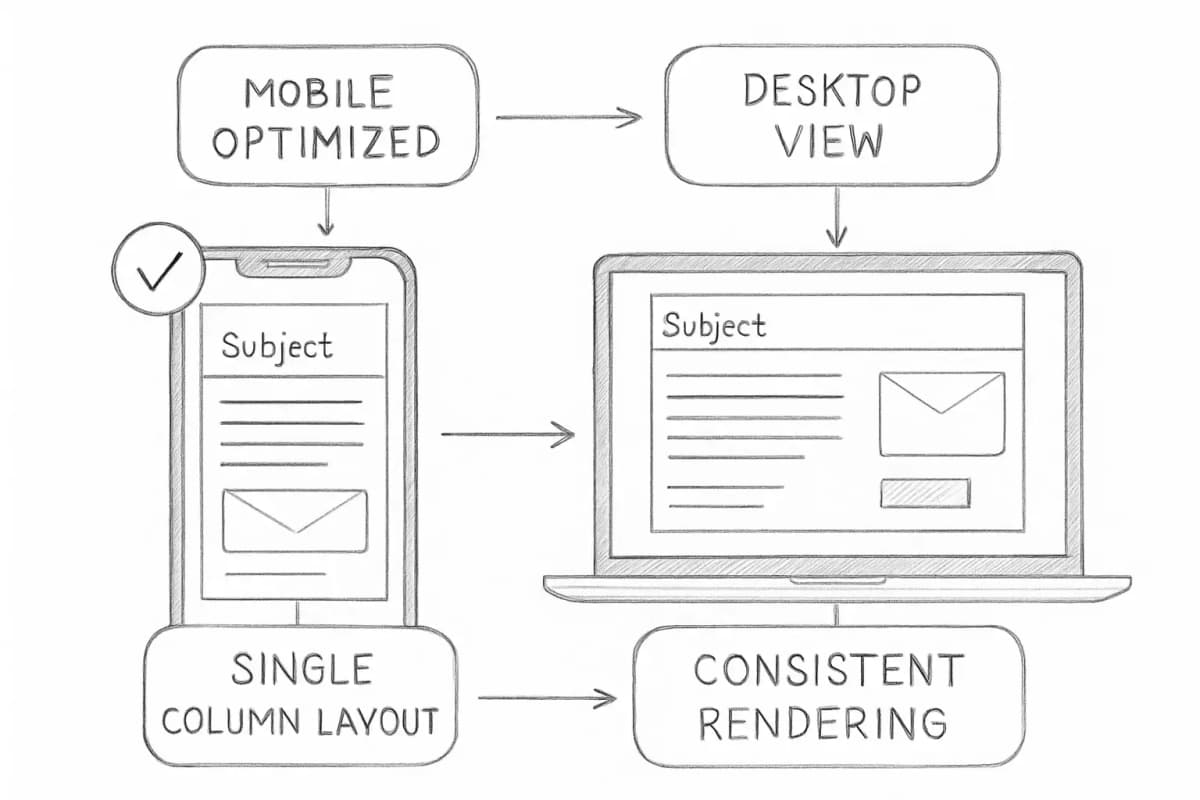
The foundation of every mobile-friendly email is layout structure. Multicolumn designs typically break across the small screens of mobile devices, while emails designed with a single column are easier to scroll and are more consistent across devices.
Responsive design uses CSS media queries to adapt your email's layout based on screen width. Unlike static emails, which might appear distorted or difficult to read on different devices, responsive emails automatically adjust to fit the screen size of the recipient's device, whether they're on a phone, tablet, or desktop.
Key layout rules to follow:
- Keep email width under 600px to ensure emails display correctly across different mobile devices without users having to pinch and zoom.
- Choose a base font size between 16 to 18px for body text and 22 to 26px for headers, and avoid fonts smaller than 14px.
- Use ample white space. White space is a critical element for mobile design. It improves readability and separates content effectively, making your email feel less cluttered.
- Prioritize key information at the top, since mobile users may not scroll down, so place the most important message or offer in the first few lines.
Strategy 2: Write Subject Lines and Preheaders for Small Screens
Subject lines are truncated aggressively on mobile. The optimal subject line length is 36 to 50 characters for best open rates. The iPhone Mail app shows roughly 40 characters, the Gmail app around 37, and Android between 33 and 43.
The practical rule: put your core message in the first 30 to 40 characters and assume everything after that will be cut off on at least some devices.
Your preheader is the second subject line, and it matters more on mobile than on desktop. On mobile devices, your email preheader text is often more prominent than the subject line. Most mobile preheader text is between 30 and 55 characters long.
Done right, these two elements work together. Email campaigns with short, action-oriented, personalized subject lines had an open rate of 43.28%, and adding a preheader increases open rates by 13.72%.
What to avoid:
- Repeating your subject line word for word in the preheader
- Leaving the preheader blank (email clients will pull in random copy, including "View in browser")
- Burying your key phrase after the first 30 characters
For deeper guidance on writing subject lines that drive opens, see our post on email subject line best practices that boost open rates.
Strategy 3: Design Touch-Friendly CTAs
A call-to-action button that works on desktop can be a frustrating tap target on a smartphone. Fingers are not cursors.
Make buttons at least 44 by 44 pixels. A button that's too small is difficult to tap. Some email developers go further, recommending full-width buttons that are reachable even when a user is operating their device with one thumb.
Additional CTA rules for mobile:
- Use contrasting colors so the CTA stands out from the background and text, and place the primary CTA above the fold so it is visible without scrolling.
- Use clear, actionable text like "Shop Now," "Learn More," or "Register Today."
- For longer emails, repeat the CTA at least twice to ensure it remains visible as users scroll.
One CTA per email is the standard. Multiple competing buttons split attention and reduce conversions.
Strategy 4: Optimize Images for Fast Loading
Heavy images slow down your email, and slow emails get deleted. Large or improperly formatted images can cause slow load times and negatively impact deliverability, and many email clients flag heavy emails as spam or clip them, which can affect engagement rates.
Mobile download speeds are slower than desktop, so if you have a large mobile audience, optimizing for mobile is critical.
Practical image optimization steps:
- Compress every image before uploading. Tools like TinyPNG or Squoosh reduce file size significantly without visible quality loss.
- Include alt text for every image. If your images don't load, alt text improves accessibility and ensures your message is still clear.
- Use images that resize automatically to fit different screen sizes to avoid breaking on mobile.
- Use visibility settings to hide non-essential content like large images and banners on mobile devices to reduce load time.
- Emails with three or fewer images and 20 lines of text tend to have higher click rates, highlighting the importance of simplicity.
Not all email clients display images by default. Plan your email so the core message still lands when images are off.
Strategy 5: Write Scannable, Mobile-First Copy
Most people don't read emails in their entirety. They scan for key points and decide in a matter of seconds whether the content is worth their attention. On mobile, this behavior is even more pronounced due to the smaller screen size and the need for quick access to information.
Keep copy to the point and make calls to action as clear as possible, considering that people may read an email in three minutes while waiting in line for coffee.
Format for scanning:
- Short paragraphs of one to three sentences
- Bold key terms to guide the eye
- Bullet points for lists rather than dense text blocks
- One clear idea per section
Focus on one clear message per email, cutting unnecessary elements. Every sentence needs a reason to be there. If it does not move the reader toward the CTA, cut it.
Strategy 6: Segment and Personalize for the Mobile Moment
Mobile email works best when the message feels relevant and immediate. Generic batch-and-blast emails perform poorly on any screen, but mobile readers are especially quick to delete them.
Hyper-personalized emails driven by behavior, location, and device type boost mobile email engagement by 46%. That is not a marginal improvement. It reflects the difference between an email that feels timely and one that feels like noise.
Segmentation improves this further. Well-segmented emails consistently outperform non-segmented sends across every metric. For a full breakdown of how to approach this, read our guide on email list segmentation strategies that boost ROI.
For mobile specifically:
- Trigger behavioral emails based on on-device actions, such as cart abandonment from a mobile browser
- Consider location-based personalization for geographically relevant offers
- Use predictive send times, which boost open rates on mobile devices by 15 to 20%.
Strategy 7: Test Emails Across Devices Before Every Send
Design that looks perfect in your email builder can break on a Gmail app or display incorrectly on an older Android device. Testing is the only way to catch rendering issues before your subscribers do.
Before sending, check formatting consistency across various devices including smartphones, tablets, and desktops, and test with different email clients like Gmail, Outlook, and Apple Mail, since each renders emails differently.
Testing tools like Litmus and Email on Acid allow you to preview your email across dozens of clients and devices without needing physical hardware.
Only 47% of businesses use rendering checks to test their emails across mobile and other platforms. That means a simple testing step gives you a consistent edge over nearly half your competitors.
A practical pre-send checklist:
- Preview on at least one iPhone and one Android device
- Test with images disabled
- Check all links and CTA buttons are tappable, not just clickable
- Confirm subject line and preheader display correctly across Gmail app and Apple Mail
- Send a test to yourself before the final send
Track what you learn from each campaign. Open rates can vary by device, customer experience across different platforms, timing and frequency of campaigns, and subject lines. Your data will surface patterns you can act on. Pair this with a consistent analytics process, and you will improve every send. See our guide on email marketing analytics best practices for a full measurement framework.
Putting the 7 Strategies Together
Here is a quick summary of what each strategy achieves:
| Strategy | Primary Benefit |
|---|---|
| Single-column responsive layout | Consistent rendering across all screen sizes |
| Mobile-first subject lines and preheaders | Higher open rates |
| Touch-friendly CTAs | Increased click-through rates |
| Optimized images | Faster load time, lower deletion rate |
| Scannable copy | Better engagement, lower bounce rate |
| Segmentation and personalization | Higher relevance, 46% engagement boost |
| Cross-device testing | Fewer rendering errors, consistent performance |
No single strategy here works in isolation. Together they create an email experience that earns attention on a 4-inch screen, which is the screen that now matters most.
Frequently Asked Questions
What percentage of emails are opened on mobile devices?
In 2024, it is estimated that 50 to 60% of email opens came from mobile. This figure can be higher in B2C categories like retail and apparel, and lower in B2B contexts.
What happens if an email is not optimized for mobile?
Emails that display incorrectly on mobile devices may be deleted within 3 seconds, and 42.3% of recipients delete emails that are not optimized for mobile. Beyond deletion, poor mobile rendering also damages brand perception.
What is the ideal subject line length for mobile email?
Front-load key information in the first 30 to 40 characters and assume mobile truncation. Keep subject lines under 50 characters for broad visibility. Use your preheader to extend the message rather than stuffing everything into the subject line.
Does mobile optimization actually improve ROI?
Yes, directly. Companies that prioritize quality mobile optimization for email marketing campaigns see higher engagement, click-through rate boosts of up to 15%, better conversions, and lower deletion rates. The biggest payoff of allocating a larger portion of the email marketing budget to mobile-friendly email design is higher engagement and greater return on investment. Given that email already delivers an average of $36 for every $1 spent according to HubSpot, improving your mobile execution compounds those returns directly.