For most online stores, the fastest email wins come from automated flows, not from sending more campaigns. Set up abandoned cart, welcome, post-purchase and win-back emails first, then segment your list by what people buy and browse, protect your deliverability, and judge everything by revenue rather than open rate. The eight strategies below are in the order most stores should tackle them.
1. Build your automated flows before anything else
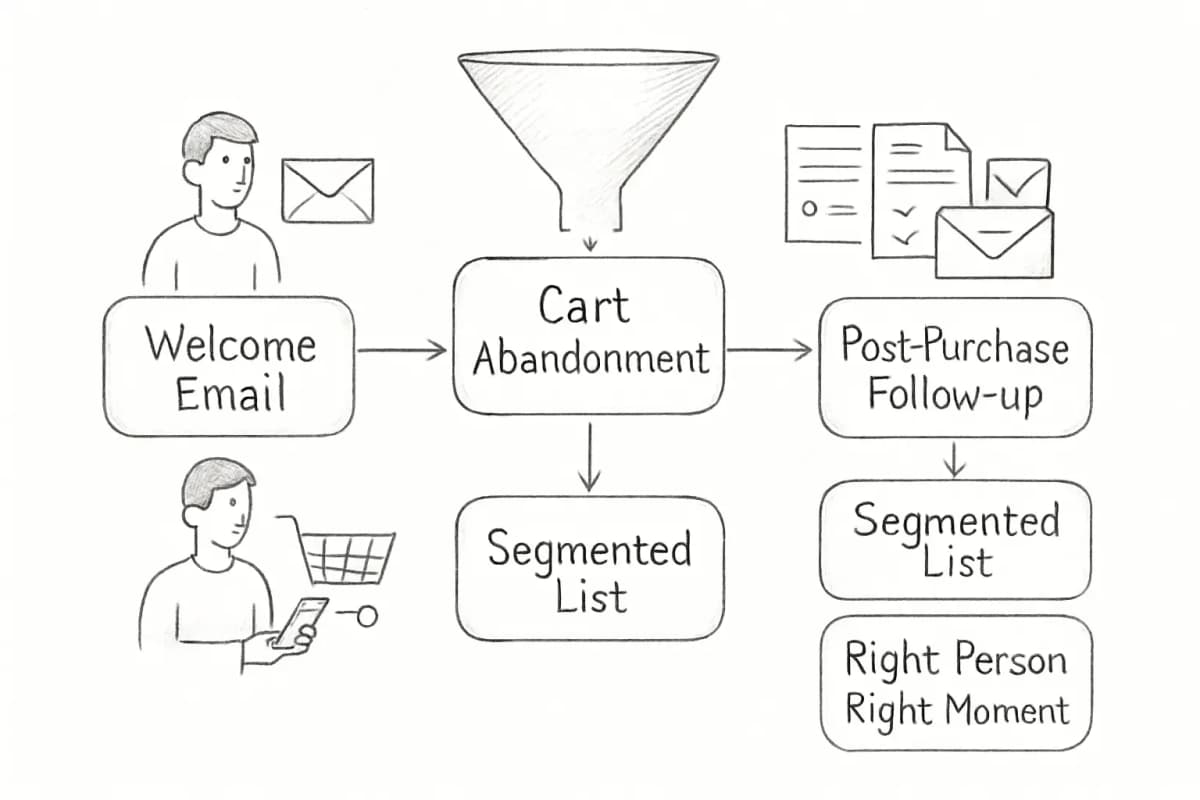
Automated flows are emails triggered by what a shopper does: signing up, leaving a cart, buying, going quiet. They run all the time, reach people at the moment they're most interested, and keep earning after you set them up.
The data backs this up. Omnisend's 2026 report, based on email sent by its customers during 2025, found that automations were 2% of all email sends but generated 30% of email-driven revenue. Each automated email earned $2.87 per send on average, against $0.18 for a scheduled campaign (Omnisend).
The core flows, in rough order of priority:
- Abandoned cart (covered in the next section)
- Welcome series: for new subscribers who haven't bought yet
- Post-purchase: order follow-up, product tips, review request, then a related product
- Browse abandonment: for people who viewed products but didn't add to cart
- Back in stock: Omnisend found these had the highest conversion rate of any automation type, at 6.46% (Omnisend)
- Win-back: for customers who haven't bought in a while
Most ecommerce email platforms include templates for all of these. If you're on Shopify, our Shopify email marketing setup guide walks through the basics.
2. Recover abandoned carts with a short sequence
Most carts are abandoned. Baymard Institute's average across 50 studies puts the rate at 70.22% (Baymard). Some of that is people browsing with no plan to buy, but some is recoverable.
Abandoned cart emails reach people who have already picked a product. In Klaviyo's analysis of more than 143,000 abandoned cart flows sent in 2023, these flows had the highest average revenue per recipient ($3.65) and the highest conversion rate (3.33%) of any flow type (Klaviyo).
A common three-email structure:
- A few hours after abandonment: a plain reminder with the product image, price and a "return to cart" button. No discount yet.
- About a day later: reviews, answers to common questions (sizing, delivery times, returns), or free shipping if your margins allow it.
- Two to three days later: a final nudge. If you use a discount, make it time-limited and use it here rather than in the first email, so you don't train customers to abandon carts on purpose.
Fix the reasons carts get abandoned too. In Baymard's research, the most common reason shoppers gave (excluding "just browsing") was extra costs such as shipping, tax and fees being too high, cited by 40% (Baymard). Showing the full price, shipping included, earlier in checkout will often recover more sales than any email.
3. Make the welcome series sell
Someone who just subscribed is paying more attention to you than they ever will again. Use a short series instead of a single email:
- Immediately: confirm the sign-up and deliver whatever you promised (a discount code, a guide, free shipping).
- Two or three days later: who you are, what makes your products different, and your bestsellers.
- Five to seven days later: reviews, user photos or a buying guide, plus a reminder if the code is about to expire.
Stop the series as soon as someone buys and move them into your post-purchase flow instead.
4. Segment by behavior, not just demographics
Location and age are a start, but purchase and browsing behavior tell you much more about what someone wants next. Useful segments for most stores:
| Segment | What they need |
|---|---|
| Subscribers who haven't bought | Reasons to trust you: reviews, guarantees, bestsellers |
| First-time buyers | A good experience with the first order, then a reason to come back |
| Repeat customers | New arrivals, early access, loyalty perks |
| High spenders or VIPs | Recognition and first access rather than discounts |
| Category browsers | Products from the category they looked at |
| Lapsed customers | A win-back offer or a "what's new since you last visited" email |
| Unengaged subscribers | Fewer emails, then a re-permission email, then removal |
Start with three or four segments and add more once you can see which ones earn their keep. Our guide to email segmentation best practices covers how to build them.
5. Personalize with data you already have
A first name in the subject line is the least useful kind of personalization. The kinds that sell use what the customer did:
- Product recommendations based on past purchases or viewed categories
- Replenishment reminders timed to how long a product usually lasts (a 30-day supply of supplements, a 3-month bag of pet food)
- Dynamic blocks that swap content by segment, such as men's or women's lines, or the nearest store
- Post-purchase content specific to what was bought: care instructions for a jacket, a recipe for a cookware set
For example, a coffee roaster could send a reorder reminder three weeks after each purchase of a 12-ounce bag, with the same roast pre-loaded in the cart.
6. Grow the list deliberately
Lists shrink as people change addresses, unsubscribe or stop reading, so a store that stops collecting sign-ups slowly loses its audience. The main ways to grow one:
- A pop-up or embedded form with a clear offer. A first-order discount or free shipping is the usual incentive. Test when the pop-up shows (on exit, after scrolling, after a few seconds) so it doesn't block people who came to buy.
- Checkout opt-in. Ask buyers if they want marketing email as part of checkout. Keep the box unticked where the law requires it.
- Offers matched to the page. A visitor on a running-shoe page responds better to a running guide than a generic 10% off.
- Quizzes. Product-finder quizzes work well in categories like skincare, coffee and supplements, where shoppers need help choosing.
Only add people who asked to hear from you. Bought lists hurt deliverability and break most email platforms' terms.
7. Protect your deliverability
An email that lands in spam earns nothing, and ecommerce senders are especially exposed because they send often and in volume.
The basics are now requirements. Gmail requires anyone sending 5,000 or more messages a day to Gmail accounts to authenticate with SPF, DKIM and DMARC, support one-click unsubscribe on marketing email, and keep the spam rate reported in Postmaster Tools below 0.3% (Google). Yahoo has matching rules and asks bulk senders to honor unsubscribes within 2 days (Yahoo).
Beyond authentication:
- Stop mailing people who never engage. Mailbox providers watch how recipients treat your mail. Send less often to unengaged subscribers, try one re-engagement email, then suppress them.
- Make unsubscribing easy. A frustrated subscriber who can't find the link will mark you as spam instead, which does far more damage.
- Keep volume steady. Large sudden jumps, like tripling your sends on Black Friday, can trigger filtering. Ramp up in the weeks before a big sale.
8. Measure revenue, not opens
Open rates are no longer reliable. Apple's Mail Privacy Protection "prevents senders from seeing if you've opened the email message they sent you" (Apple), so open data from Apple Mail users is unreliable. Opens still help as a rough trend, but don't make decisions on them.
Track these instead:
- Revenue per recipient for each campaign and flow: the clearest measure of what an email is worth
- Conversion rate by flow: how many people who entered a flow bought
- Click rate: a better engagement signal than opens, though security scanners that check links can inflate it
- Unsubscribe and spam complaint rates: your early warning system
- List growth: new subscribers minus those lost
Test one thing at a time (subject line, offer, send time, or number of emails in a flow) and give each test enough recipients to be sure the difference isn't noise. For more ecommerce benchmarks, see our ecommerce email marketing statistics.
Frequently asked questions
How often should an online store send campaigns?
There's no single right number. Many stores send one or two campaigns a week and let automated flows handle the rest. Watch unsubscribes and complaints as you add sends: if they rise, cut back or send the extra emails only to your most engaged segment.
Should every abandoned cart email include a discount?
No. Start with a plain reminder and add an incentive only in a later email, if at all. Discounting every abandoned cart teaches regular customers to wait for the code, which cuts into your margin on sales you would have made anyway.
What should I set up first if I'm starting from zero?
An abandoned cart flow and a welcome series, then a basic post-purchase flow. Those three cover the people most likely to buy. For a fuller plan, read our ecommerce email marketing guide, and check common ecommerce email mistakes before you launch.