
Most businesses using a CRM treat it as a contact database. The ones that actually grow revenue use it as the engine behind every email they send. Knowing how to use a CRM for email marketing is the difference between campaigns that feel generic and campaigns that convert, because the data your CRM holds determines who gets what message, when, and why.
A CRM centralizes contact data, engagement history, and lifecycle context in one place. When that data feeds directly into your email marketing, you stop guessing and start sending messages that reflect where each contact actually is in their relationship with your business.
This guide covers exactly how to make that work, from setup and segmentation to automation, lead scoring, and measurement.
Key Takeaways
- A CRM improves email marketing by centralizing contact data, engagement history, and lifecycle context, enabling more accurate segmentation, more relevant personalization, and more reliable automation than disconnected lists or spreadsheets.
- Automated email workflows generate 320% more revenue than standard promotional campaigns.
- Personalized email subject lines can increase open rates by 26%, and marketers using advanced segmentation see a 760% increase in revenue.
- Dirty CRM data costs companies 12% of revenue annually, making data hygiene a non-negotiable part of any CRM-driven email program.
- The key to knowing whether email campaigns have actually impacted revenue is the integration between CRM and email marketing software.
What a CRM Actually Does for Email Marketing
Most email platforms let you store a list and send campaigns. A CRM does something more useful: it tracks the full relationship history of every contact, so your email program can respond to behavior rather than just scheduling blasts.
CRM integration provides a unified view of customer data, enabling highly personalized email campaigns, improved segmentation, better lead nurturing, and a more consistent customer experience across sales and marketing. Benefits include centralized customer data, enhanced personalization, automated email workflows, improved lead scoring, detailed campaign analytics linked to customer profiles, and better sales-marketing alignment.
Without CRM integration, email marketing teams face a persistent problem: if your tools are separate, measuring the ROI of a marketing campaign is a guessing game. You can see that an email had a 30% open rate, but you cannot easily see if those opens turned into revenue.
That revenue visibility gap is why 89% of marketing organizations now use CRM software as a core part of how they manage customer communication.
Step 1: Structure Your CRM Data Before You Send Anything
The quality of your email output depends entirely on the quality of your CRM data going in. Contact data decays at 30% per year without active management. People change jobs, get new email addresses, and move between companies. A database that was clean in January is meaningfully degraded by Q4.
Poor data hygiene significantly impacts business performance by reducing email deliverability rates, lowering marketing ROI, and forcing sales teams to chase dead leads instead of building relationships.
Before building any email campaigns off your CRM, run these foundational checks:
- Deduplicate contacts. The same contact appearing as two or three records corrupts engagement scoring, distorts pipeline reporting, and confuses automated workflows. A typical B2B CRM has an 8 to 18% duplicate rate.
- Validate email addresses. Bounced and invalid emails drag down deliverability. Every B2B CRM should have continuous email validation running on every new record and a weekly re-validation of records older than 90 days.
- Standardize field formats. Inconsistent job titles, company names, and location data break segmentation logic and produce unreliable personalization tokens.
- Suppress inactive contacts. Contacts who have not opened an email or engaged with your website in a year should have their engagement score lowered or be paused from targeting. Excluding inactive leads enhances email deliverability and concentrates your efforts on high-value prospects.
Clean data is not a one-time project. Hygiene is a recurring process, and the teams with the best-performing email programs treat it that way.
Step 2: Build Segments Using CRM Properties and Behavior
Generic email blasts to your entire list are the fastest way to destroy your sender reputation and your open rates. The CRM data you have gives you a direct path to relevant, targeted sends.
A CRM improves segmentation because it stores structured data that can be used to build audiences based on real attributes and behaviors. Contact properties like industry, role, and lifecycle stage; activity history like form submissions and page views; and relationship context like deal stage and customer status all make it easier to send the right message to the right group.
The data supports investing in this work. Segmented campaigns can boost open rates by 14% and click rates by 28% compared to non-segmented campaigns. And at the more advanced end, marketers using advanced segmentation see a 760% increase in revenue.
Effective CRM-based segments to build:
- Lifecycle stage segments: New leads, active opportunities, customers, and churned accounts each need different messaging.
- Behavioral segments: Contacts who clicked a pricing page, downloaded a resource, or attended a webinar are showing different levels of intent.
- Firmographic segments (B2B): Industry, company size, and role determine what problems matter to a contact.
- Engagement tier segments: Separate your highly engaged subscribers from your dormant ones to protect deliverability.
For a deeper look at segmentation strategy, the guide on email list segmentation strategies that boost ROI by 760% covers the mechanics in detail.
Step 3: Set Up Behavior-Triggered Automations
Scheduled campaigns have their place, but the revenue in email marketing comes from automation tied to contact behavior. Marketing emails sent in response to behavioral triggers generate 10 times greater revenue than other marketing email types.
Batch sends, where the same email goes to your entire list regardless of behavior or preference, average a 14.5% open rate and 1.3% click-through rate. Automated sequences triggered by specific subscriber actions achieve a 42.1% open rate and 5.8% click-through rate, which is a 3x improvement in opens and a 4.5x improvement in clicks.
The automations that generate the most revenue in most programs, according to Omnisend's 2025 data:
- Welcome sequence: Welcome emails have an average open rate of 82% and an average click-through rate of 27%. More recent benchmarks show 83.6% open rates with a 16.60% click-through rate. See the guide on welcome email sequence best practices for how to structure this.
- Abandoned cart recovery: Sending three abandoned cart emails results in 69% more orders than just one email, and abandoned cart emails achieve a 23.33% average CTR, the highest of any email type.
- Post-purchase sequence: Triggered after a sale to drive repeat purchase, cross-sell, or review collection.
- Re-engagement sequence: Sent to subscribers who have gone dormant, with the goal of either re-activating them or removing them from your active list to protect deliverability.
To set these up correctly, your CRM must pass behavioral signals to your email platform in real time or near-real time. If your team needs to respond to customer behavior quickly, a near real-time sync every 5 to 10 minutes helps ensure contacts receive relevant messages when the moment matters.
For a complete setup walkthrough, the email marketing automation CRM setup guide covers the technical configuration step by step.
Step 4: Use Lead Scoring to Prioritize Your Best Contacts
Lead scoring turns CRM data into a ranking system that tells your sales and marketing teams which contacts deserve attention right now. Without it, every lead looks the same and follow-up is inconsistent.
Email-based lead scoring helps businesses rank prospects by analyzing their email interactions. By assigning scores to actions like opening emails, clicking links, or replying, you can prioritize leads more likely to convert.
A practical scoring model combines two signal types:
- Demographic signals: Job title, company size, industry, and geography. These tell you whether a contact fits your ideal customer profile.
- Behavioral signals: Email opens, link clicks, page visits, form submissions, and content downloads. These tell you whether a contact is actively considering a purchase.
When a lead matches your target industry and has also opened three emails and clicked a demo link, your scoring model captures all of that and reflects the full picture of readiness. Explicit signals tell you who is worth calling; behavioral signals tell you when to call them.
Companies using lead scoring see up to 77% higher lead-generation ROI by ensuring sales teams focus only on sales-ready prospects.
Once a contact crosses your score threshold, the CRM can trigger a handoff to sales or move them into a higher-intent email sequence automatically, without anyone having to check a spreadsheet.
Step 5: Personalize Using CRM Fields and Dynamic Content
Personalization in email is not about inserting a first name in the subject line. That is the floor, not the ceiling. The CRM data you have enables personalization that changes the entire message based on who is receiving it.
Segmented and personalized emails generate 58% of all revenue. Personalized emails deliver six times higher transaction rates than non-personalized ones.
CRM fields that power meaningful personalization:
- Lifecycle stage: Prospects get educational content; customers get product depth and expansion offers.
- Industry or role: Tailor the problem framing and the examples to match what actually matters to this contact's job.
- Last interaction date: Contacts who engaged recently get different messaging than those who have been dormant.
- Purchase or deal history: Reference what they have already bought to make cross-sell and upsell messaging feel relevant.
Emails with personalization achieve 29% higher open rates and 41% higher click-through rates compared to generic messages.
The 7 email personalization techniques that boost conversions 47% goes deeper on the specific tactics that produce measurable lifts.
Step 6: Measure What Actually Connects to Revenue
Open rates and click rates are useful signals. They are not your business outcomes. The point of connecting your CRM to your email marketing is to close the attribution gap between a campaign send and actual revenue.
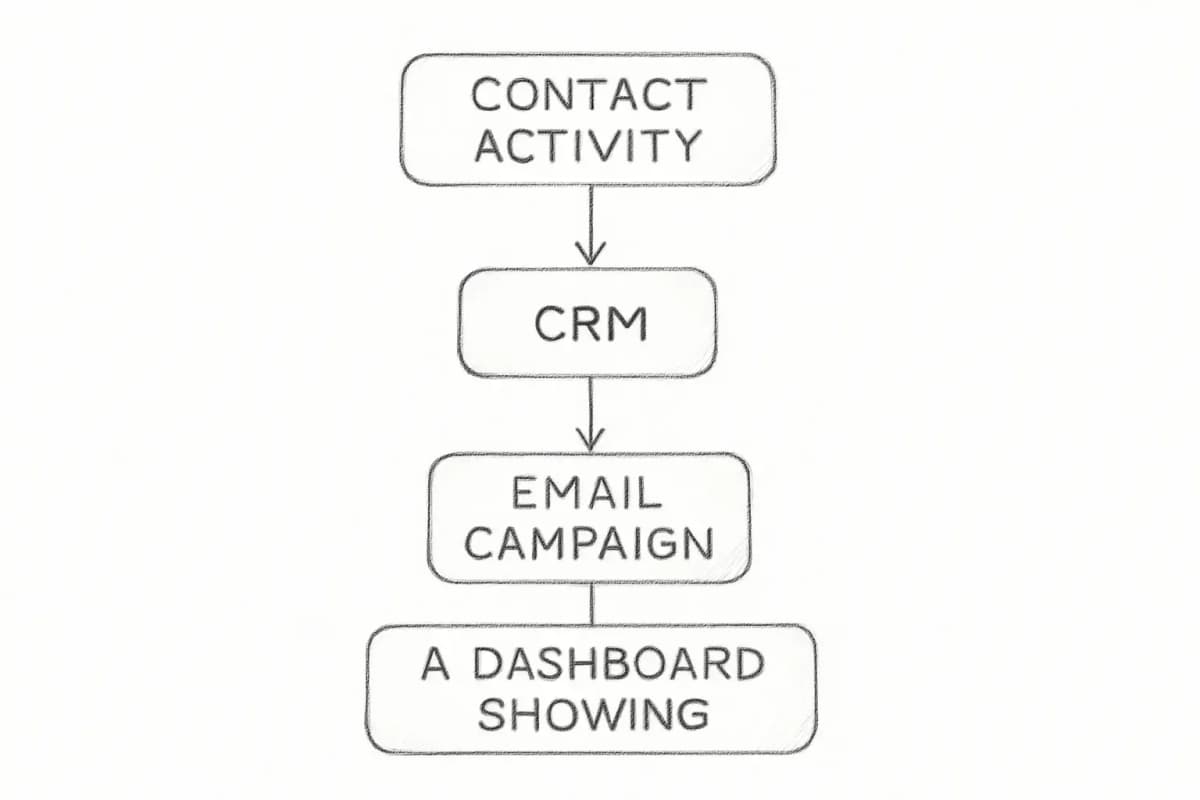
When you use an integrated CRM and email marketing solution, you can track a lead from the moment they click a link in a marketing email to the moment the sales rep marks the deal as "Won." This lets you see exactly which campaigns are driving dollars, not just clicks.
A simple way to report results is to break them into three tiers: engagement (opens, clicks), pipeline (email-to-lead rate, campaign-to-opportunity progression), and revenue (revenue per email, customer lifetime value). That structure gives each stakeholder, from marketing to the CFO, a number they can act on.
Metrics worth tracking in your integrated system:
- Revenue per email sent: The clearest indicator of overall program efficiency.
- Email-to-pipeline rate: What percentage of email-engaged contacts convert to active opportunities.
- Campaign-to-revenue attribution: Which specific campaigns contributed to closed deals.
- List health metrics: Bounce rate, unsubscribe rate, and spam complaint rate. These protect deliverability and indicate data quality issues.
For a full breakdown of how to track and report on email performance, the email marketing analytics best practices guide covers the measurement framework in detail.
Choosing the Right CRM and Email Stack
Not every CRM handles email marketing equally. To run CRM email marketing campaigns, you need a tool that manages contacts and sends targeted emails. Some platforms start as CRMs and add email features; others are email tools with built-in CRM functions.
Your choice depends on your business model and team size. Unified CRM and email marketing eliminate data silos, speed implementation, and deliver faster ROI. The cleaner path is to choose a platform that combines both rather than managing separate tools.
For teams evaluating cost, consolidating into one integrated CRM and email marketing platform can save small businesses between $450 and $1,100 per month by eliminating redundant subscriptions.
Key features to evaluate:
- Native behavioral triggers and automation workflows
- Bidirectional contact sync between CRM and email
- Dynamic content and segmentation based on CRM properties
- Revenue attribution reporting that ties email activity to closed deals
- List health management and deliverability monitoring
Frequently Asked Questions
What is the difference between a CRM and an email marketing platform?
A CRM manages the full relationship history of your contacts, including deal stages, call logs, support tickets, and purchase records. An email marketing platform manages campaign creation, delivery, and engagement tracking. A CRM system with email marketing functionality manages customer interactions and automates email campaigns effectively. Integration provides a unified view of customer data, enabling highly personalized email campaigns, improved segmentation, better lead nurturing, and a consistent customer experience across sales and marketing.
How does CRM data improve email open rates?
Emails with personalization derived from CRM data achieve 29% higher open rates and 41% higher click-through rates compared to generic messages. CRM data also lets you send to the right segment at the right time, which reduces the number of irrelevant emails hitting inboxes and improves your sender reputation over time.
How often should I clean my CRM data for email marketing?
Contact data decays at 30% per year without active management. At minimum, run a full audit quarterly. Every B2B CRM should also have continuous email validation running on every new record, with a weekly re-validation of records older than 90 days, to keep bounce rates low and deliverability protected.
Can a small business benefit from using a CRM for email marketing?
Yes. The returns are not limited to enterprise teams. Consolidating into one integrated CRM and email marketing platform can save small businesses between $450 and $1,100 per month in tool costs alone, before accounting for the revenue lift from better segmentation and automation. Many platforms offer free or low-cost tiers that include both CRM and email functionality, making it accessible for teams at any size.