
Email
Email

A modern blog built with Payload CMS, Next.js, and shadcn/ui.

RSS FeedSitemap

Explore

  • Blog
  • News
  • Statistics
  • Authors

Categories

  • Automation
  • Email Marketing Tools & Platforms
  • Email Marketing Training
  • Email Marketing Benchmarks
  • Email Automation & AI
  • Email Marketing Operations & Growth
  • Email Marketing Tools & Reviews
  • Email Marketing Technology

Latest articles

  • What Is AI Email Marketing? How It WorksJul 21, 2026
  • Leading Email Marketing Platforms With AutomationJul 21, 2026
  • Best AI Writing Tools for Email Marketing 2025Jul 21, 2026
  • Email Marketing Automation: Setup, Tools & Best PracticesJul 21, 2026

Popular topics

  • #SMB Marketing Data
  • #Small Business Email Marketing
  • #SaaS Tools
  • #financial services benchmarks
  • #fund manager email
  • #Omnisend
  • #Platform Reviews
  • #Wealth Management
  • #skill development
  • #email marketing courses
  • #outsourced email teams
  • #email team scaling
  • #email outsourcing
  • #offshore email marketing
  • #cybersecurity
  • #Postscript

Stay in the loop

Join 2,000+ readers. Unsubscribe anytime.

Subscribe
Email

© 2026 Email. All rights reserved.

SitemapRSS
HomeBlogEmail Marketing StrategyEmail Marketing Automation: Setup, Tools & Best Practices
Email Marketing Strategy

Email Marketing Automation: Setup, Tools & Best Practices

Learn how email marketing automation saves time, boosts conversions, and scales your outreach. See setup steps, top tools, and strategies that work.

P

Priya Kapoor

July 21, 2026

11 min read
Share:
#Automation#Email Workflows#Marketing Tools#Lead Nurturing
Illustration for email+marketing+automation

Stay in the loop

Get the latest posts delivered straight to your inbox. No spam, unsubscribe anytime.

Automated emails generate 320% more revenue than non-automated sends, and in 2024 they drove 37% of all email-generated sales despite accounting for just 2% of email volume. If those numbers don't make you rethink your current setup, nothing will. Email marketing automation is the single highest-leverage upgrade most marketing teams can make, yet a surprising number of businesses still rely on manual sends and batch-and-blast campaigns that leave serious revenue on the table.

This guide covers how email marketing automation works, which tools are worth your time, how to build your first workflows, and the best practices that separate high-performing programs from mediocre ones.

Key Takeaways

  • Email marketing delivers a return of between $36 and $42 for every $1 spent, the highest ROI of any digital marketing channel.
  • Automated emails drove 37% of all email-generated sales in 2024, despite accounting for just 2% of email volume.
  • Automated flows, including abandoned cart and post-purchase messages, generate up to 30 times more revenue per recipient compared to standard campaigns.
  • Brands using AI-driven personalization report up to 42% higher revenue, with click-through rates exceeding 13%.
  • Setting up automation is a one-time investment. Once built, workflows run continuously without manual intervention, freeing your team for higher-value work.

What Email Marketing Automation Actually Is

Email marketing automation is a strategic approach that uses software to create, deploy, and manage email campaigns automatically. It enables businesses to send targeted, timely, and personalized messages triggered by specific actions or behaviors. Once the system is set up and criteria are defined, emails go out without manual intervention.

The underlying logic is straightforward. Email automation follows a three-step pattern: trigger, condition, and action. First, an event happens that triggers the process to begin. Second, the system checks any rules you set. Third, it sends a message or adds the person to an email sequence.

This is fundamentally different from a standard newsletter blast. Unlike traditional email marketing software, which focuses on manual list sends, automation platforms deliver continuous, context-aware communication powered by workflows and integrations.


The Core Automation Workflows Every Business Needs

Not all workflows carry equal weight. These are the ones that move the needle most:

1. Welcome Series

Welcome emails achieve an 83.6% open rate in ecommerce, the highest of any automated email type. This is your best chance to set expectations, establish your brand voice, and guide new subscribers toward their first conversion. Treat it as a sequence of three to five emails, not a single message.

For deeper guidance on structuring this sequence, see our guide on welcome email sequence best practices.

2. Abandoned Cart Recovery

Abandoned cart emails achieve an average CTR of 23.33%, the single highest-performing email type by click engagement across all automation types. In an abandoned cart workflow, sending the first reminder an hour after the cart is left catches shoppers while intent is still high. A second email 24 hours later with an incentive provides the nudge needed to complete the purchase.

3. Post-Purchase Flows

Abandoned cart and post-purchase flows remain the strongest revenue drivers. Post-purchase sequences build loyalty, reduce refund rates, generate reviews, and set up repeat purchases without any additional acquisition cost.

4. Re-Engagement Campaigns

Subscribers who haven't opened, clicked, or bought in weeks hurt your deliverability and waste your marketing budget. A re-engagement workflow targets these contacts with behavior-based triggers before you suppress or remove them. Time it right, usually 30 to 90 days after inactivity, depending on your product lifecycle.

5. Lead Nurture Sequences

Lead nurture workflows guide prospects along the buyer's journey by providing relevant and valuable content. Automation tools help create and manage these workflows, with emails that build trust and credibility, gradually moving potential customers from awareness to the decision-making stage.


Choosing the Right Email Marketing Automation Tool

Selecting an email marketing automation platform goes far beyond choosing where you send emails. The right tool becomes the backbone of lifecycle marketing, powering personalized workflows and driving revenue.

Here is a breakdown of the leading platforms and their ideal use cases:

  • ActiveCampaign: ActiveCampaign's automation builder handles complex decision trees based on subscriber behavior, demographic data, and engagement history. The platform's CRM integration allows coordination between marketing and sales teams. Best for mid-market B2B and SaaS teams.
  • Klaviyo: Klaviyo offers deep integration with ecommerce platforms including Shopify and WooCommerce, and stands out for its advanced ecommerce segmentation and personalization features. Best for DTC and ecommerce brands.
  • GetResponse: GetResponse excels at combining email automation with webinar functionality, making it a fit for businesses that use educational content and live events to nurture leads. It is one of the few platforms where you can run a live event and automatically follow up with attendees in the same system.
  • HubSpot: Best for teams that want automation tied directly to a full CRM and need to coordinate across marketing, sales, and service. Today's teams using HubSpot benefit from predictive analytics, journey-based targeting, drag-and-drop journey builders, behavioral triggers, and AI-powered content features.
  • Omnisend: Purpose-built for ecommerce. Omnisend's US merchants see an average ROI of $76 for each dollar spent, approximately double the channel average.

To choose the best fit, map your needs by team size, use case, and required integrations.


How to Set Up Email Marketing Automation: A Step-by-Step Process

Start by defining your goals, mapping customer journeys, and choosing automation software that integrates with your existing tools. Begin with simple workflows like a welcome series before advancing to complex behavioral triggers.

Here is a practical setup sequence:

  1. Define your goal for each workflow. Before crafting any automated workflow, ask: What do I want to achieve? Different workflows serve different goals, from welcoming new subscribers, to nurturing leads, to re-engaging inactive customers.
  2. Map the subscriber journey. Think of your email automation as a journey. Where does it start? Where does it lead? Sketch out the steps subscribers will take, from the initial trigger to the final email. Without a roadmap, it is easy to create disjointed communications that confuse rather than convert.
  3. Set up your entry points. Automation starts the moment someone joins your email list. Common entry points include signup forms, popups, and opt-ins placed on key pages. Pop-up forms on your website capture visitors before they leave, while embedded forms on blog posts catch engaged readers.
  4. Build the workflow logic. Design your workflow by mapping out the sequence of emails triggered by user actions or time intervals. Once set up, run a test to ensure everything works as planned. This is crucial for spotting issues before going live.
  5. Set send timing carefully. Timing is everything in email automation. Send messages too soon and you risk annoying subscribers; wait too long and you lose momentum. Spacing emails strategically builds trust and keeps your audience engaged.
  6. Monitor and optimize. Start with open rates to gauge subject line performance, then move to click-through rates as your best indicator of whether body copy compelled action. Finally, track conversion rates for a clear picture of how many subscribers went from inbox to checkout or sign-up.

For help connecting your automation setup to a CRM, our Email Marketing Automation CRM Setup Guide covers the full integration process.


Best Practices That Drive Real Results

Personalize Beyond the First Name

Personalization is key to making your emails stand out. Go beyond using the recipient's name; tailor content based on their interests, past interactions, and behavior. Use data from your CRM and website analytics to create emails that resonate personally with each recipient.

Behavior-based personalization using purchase history data boosts CTR by up to 39%. That is not a marginal gain.

Segment Your List

Poor segmentation is one of the fastest ways to kill deliverability and engagement. Segment your email list into smaller, focused groups based on demographics, purchase history, engagement level, or position in the sales funnel. For a deep look at how segmentation compounds over time, see our article on email list segmentation strategies that boost ROI.

A/B Test Continuously

Email marketing automation provides valuable data and insights that help you optimize over time. Regularly test different elements, such as subject lines, call-to-action buttons, and email design, to identify what resonates best. A/B testing allows you to compare different versions of your emails and determine which performs better.

For more on what to test in your subject lines specifically, see our guide on email subject line best practices that boost open rates.

Keep Your List Clean

Maintaining a clean email list is crucial for deliverability and engagement. The people you send to need to be willing recipients. Always provide a way to unsubscribe, and if someone becomes inactive, take action. Combing your lists for spam or undeliverable addresses on a regular basis is the best way to maintain good email hygiene.

Integrate Across Channels

Integrate your email marketing automation with other marketing channels for a cohesive strategy. Ensure your messaging is consistent across platforms, including social media and your website. Use insights from social media interactions to inform email content, or integrate email with your CRM for a more comprehensive view of customer interactions.


Measuring Email Marketing Automation Performance

The metrics you track should map directly to your workflow goals. Define SMART goals, meaning Specific, Measurable, Achievable, Relevant, and Time-bound, to keep campaigns focused and effective. Having clear goals also helps determine which metrics to track. If your goal is lead nurturing, prioritize open and click-through rates. If the focus is conversion, watch revenue per email or conversion rate.

Key metrics to monitor:

  • Open rate: A directional signal for subject line performance. Note that Apple Mail Privacy Protection now affects roughly 50 to 60% of recorded email opens, automatically downloading tracking pixels before a recipient views the email. This inflates open rate data. Use open rates as a directional signal and lean on click rate and email-attributed revenue as your primary benchmarks.
  • Click-through rate (CTR): Indicates whether your content and CTA are landing.
  • Conversion rate: The clearest measure of whether your automation drives business outcomes.
  • Revenue per email: Especially useful for ecommerce flows where you can tie revenue directly to specific sequences.
  • Unsubscribe and spam complaint rates: Health signals for list quality and content relevance.
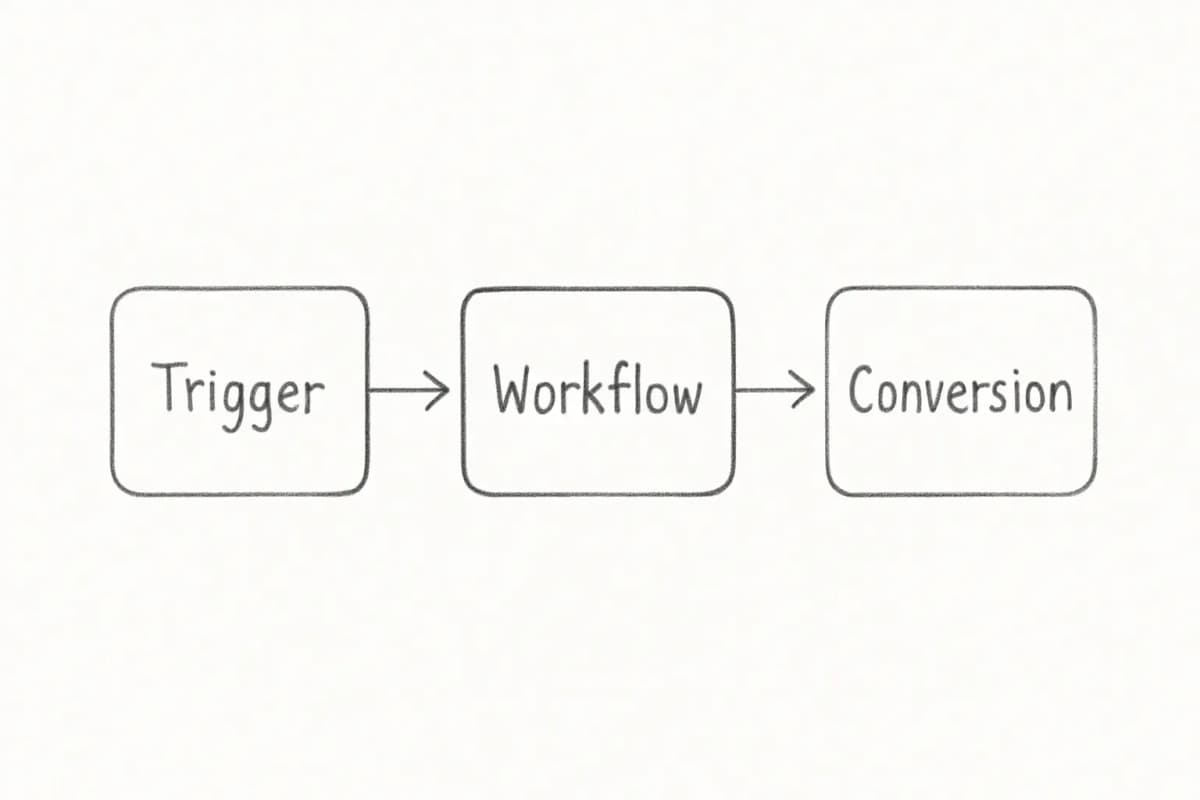
Email marketing automation funnel diagram showing the three core stages of automated workflows. The diagram flows left to right with three connected boxes: first box labeled 'Trigger' showing an entry point (subscriber action or time-based event), middle box labeled 'Workflow' showing the automated sequence of emails and decision points, final box labeled 'Conversion' showing the desired business outcome. Include arrows connecting each stage to show the flow direction. Use a clean, professional design with a blue and white color scheme typical of marketing automation platforms.


AI's Growing Role in Email Automation

AI is changing what automation can do, not just how fast you can build it. 39% of email marketing professionals believe AI-driven hyperpersonalization will have the biggest effect on email automation campaigns in the coming years. AI has already improved production speed: 76% of marketing teams now produce and send a marketing email within three days.

Companies using AI-driven email strategies see up to 41% more revenue than those using traditional batch-and-blast sends. Predictive recommendations increase revenue per email by an average of 41%.

AI tools today can handle send-time optimization, subject line generation, audience segmentation, and dynamic content personalization at a scale that manual processes cannot match. The teams that treat automation as a system, not just a feature, will consistently outperform those that don't.


Frequently Asked Questions

What is email marketing automation?

Email marketing automation uses automated workflows and triggers to send targeted and personalized emails to subscribers based on specific actions or events. It allows businesses to scale their email campaigns, save time, and deliver timely and relevant content to their audience.

What are the most important email automation workflows to set up first?

Top automation triggers include welcome sequences after signup, abandoned cart reminders, post-purchase follow-ups, re-engagement campaigns for inactive users, and birthday or anniversary emails. Start with a welcome series and an abandoned cart flow; those two alone will deliver the fastest return.

How does email automation affect deliverability?

Inbox placement is harder than it used to be. Roughly 7% of emails now land in spam, directly reducing ROI. Automation helps by ensuring you only message engaged segments, suppress inactive contacts at the right time, and maintain consistent sending patterns, all of which inbox providers reward with better placement.

How long does it take to set up email marketing automation?

A basic welcome series can be live in a few hours. A full lifecycle system with abandoned cart, post-purchase, lead nurture, and re-engagement flows typically takes two to four weeks to build, test, and launch properly. Start by defining your goals, mapping customer journeys, and choosing automation software that integrates with your existing tools. Begin with simple workflows before advancing to complex behavioral triggers.


No comments yet. Be the first!

Leave a comment

Comments are reviewed before publishing.

More from

Related posts

Illustration for what is ai email marketing?
Email Marketing StrategyJul 21, 2026 14 min

What Is AI Email Marketing? How It Works

AI email marketing uses machine learning to automate campaigns, personalize content, and optimize send times. Learn how it boosts ROI and engagement.

JJames Chen
Illustration for saas email marketing automation
Email Marketing StrategyJul 21, 2026 2 min

SaaS Email Marketing Automation: Tools, Setup, ROI

Learn how SaaS email marketing automation saves time, improves deliverability, and increases conversions. Setup guide and platform comparison included.

MMarcus Webb
Illustration for learn email marketing automation
Email Marketing StrategyJul 21, 2026 12 min

Learn Email Marketing Automation: A Practical Guide

Master email marketing automation from basics to advanced workflows. Step-by-step guidance to save time, boost conversions, and scale your business.

JJames Chen
HomeBlogEmail Marketing StrategyEmail Marketing Automation: Setup, Tools & Best Practices
Email Marketing Strategy

Email Marketing Automation: Setup, Tools & Best Practices

Learn how email marketing automation saves time, boosts conversions, and scales your outreach. See setup steps, top tools, and strategies that work.

P

Priya Kapoor

July 21, 2026

11 min read
Share:
#Automation#Email Workflows#Marketing Tools#Lead Nurturing
Illustration for email+marketing+automation

Stay in the loop

Get the latest posts delivered straight to your inbox. No spam, unsubscribe anytime.

Automated emails generate 320% more revenue than non-automated sends, and in 2024 they drove 37% of all email-generated sales despite accounting for just 2% of email volume. If those numbers don't make you rethink your current setup, nothing will. Email marketing automation is the single highest-leverage upgrade most marketing teams can make, yet a surprising number of businesses still rely on manual sends and batch-and-blast campaigns that leave serious revenue on the table.

This guide covers how email marketing automation works, which tools are worth your time, how to build your first workflows, and the best practices that separate high-performing programs from mediocre ones.

Key Takeaways

  • Email marketing delivers a return of between $36 and $42 for every $1 spent, the highest ROI of any digital marketing channel.
  • Automated emails drove 37% of all email-generated sales in 2024, despite accounting for just 2% of email volume.
  • Automated flows, including abandoned cart and post-purchase messages, generate up to 30 times more revenue per recipient compared to standard campaigns.
  • Brands using AI-driven personalization report up to 42% higher revenue, with click-through rates exceeding 13%.
  • Setting up automation is a one-time investment. Once built, workflows run continuously without manual intervention, freeing your team for higher-value work.

What Email Marketing Automation Actually Is

Email marketing automation is a strategic approach that uses software to create, deploy, and manage email campaigns automatically. It enables businesses to send targeted, timely, and personalized messages triggered by specific actions or behaviors. Once the system is set up and criteria are defined, emails go out without manual intervention.

The underlying logic is straightforward. Email automation follows a three-step pattern: trigger, condition, and action. First, an event happens that triggers the process to begin. Second, the system checks any rules you set. Third, it sends a message or adds the person to an email sequence.

This is fundamentally different from a standard newsletter blast. Unlike traditional email marketing software, which focuses on manual list sends, automation platforms deliver continuous, context-aware communication powered by workflows and integrations.


The Core Automation Workflows Every Business Needs

Not all workflows carry equal weight. These are the ones that move the needle most:

1. Welcome Series

Welcome emails achieve an 83.6% open rate in ecommerce, the highest of any automated email type. This is your best chance to set expectations, establish your brand voice, and guide new subscribers toward their first conversion. Treat it as a sequence of three to five emails, not a single message.

For deeper guidance on structuring this sequence, see our guide on welcome email sequence best practices.

2. Abandoned Cart Recovery

Abandoned cart emails achieve an average CTR of 23.33%, the single highest-performing email type by click engagement across all automation types. In an abandoned cart workflow, sending the first reminder an hour after the cart is left catches shoppers while intent is still high. A second email 24 hours later with an incentive provides the nudge needed to complete the purchase.

3. Post-Purchase Flows

Abandoned cart and post-purchase flows remain the strongest revenue drivers. Post-purchase sequences build loyalty, reduce refund rates, generate reviews, and set up repeat purchases without any additional acquisition cost.

4. Re-Engagement Campaigns

Subscribers who haven't opened, clicked, or bought in weeks hurt your deliverability and waste your marketing budget. A re-engagement workflow targets these contacts with behavior-based triggers before you suppress or remove them. Time it right, usually 30 to 90 days after inactivity, depending on your product lifecycle.

5. Lead Nurture Sequences

Lead nurture workflows guide prospects along the buyer's journey by providing relevant and valuable content. Automation tools help create and manage these workflows, with emails that build trust and credibility, gradually moving potential customers from awareness to the decision-making stage.


Choosing the Right Email Marketing Automation Tool

Selecting an email marketing automation platform goes far beyond choosing where you send emails. The right tool becomes the backbone of lifecycle marketing, powering personalized workflows and driving revenue.

Here is a breakdown of the leading platforms and their ideal use cases:

  • ActiveCampaign: ActiveCampaign's automation builder handles complex decision trees based on subscriber behavior, demographic data, and engagement history. The platform's CRM integration allows coordination between marketing and sales teams. Best for mid-market B2B and SaaS teams.
  • Klaviyo: Klaviyo offers deep integration with ecommerce platforms including Shopify and WooCommerce, and stands out for its advanced ecommerce segmentation and personalization features. Best for DTC and ecommerce brands.
  • GetResponse: GetResponse excels at combining email automation with webinar functionality, making it a fit for businesses that use educational content and live events to nurture leads. It is one of the few platforms where you can run a live event and automatically follow up with attendees in the same system.
  • HubSpot: Best for teams that want automation tied directly to a full CRM and need to coordinate across marketing, sales, and service. Today's teams using HubSpot benefit from predictive analytics, journey-based targeting, drag-and-drop journey builders, behavioral triggers, and AI-powered content features.
  • Omnisend: Purpose-built for ecommerce. Omnisend's US merchants see an average ROI of $76 for each dollar spent, approximately double the channel average.

To choose the best fit, map your needs by team size, use case, and required integrations.


How to Set Up Email Marketing Automation: A Step-by-Step Process

Start by defining your goals, mapping customer journeys, and choosing automation software that integrates with your existing tools. Begin with simple workflows like a welcome series before advancing to complex behavioral triggers.

Here is a practical setup sequence:

  1. Define your goal for each workflow. Before crafting any automated workflow, ask: What do I want to achieve? Different workflows serve different goals, from welcoming new subscribers, to nurturing leads, to re-engaging inactive customers.
  2. Map the subscriber journey. Think of your email automation as a journey. Where does it start? Where does it lead? Sketch out the steps subscribers will take, from the initial trigger to the final email. Without a roadmap, it is easy to create disjointed communications that confuse rather than convert.
  3. Set up your entry points. Automation starts the moment someone joins your email list. Common entry points include signup forms, popups, and opt-ins placed on key pages. Pop-up forms on your website capture visitors before they leave, while embedded forms on blog posts catch engaged readers.
  4. Build the workflow logic. Design your workflow by mapping out the sequence of emails triggered by user actions or time intervals. Once set up, run a test to ensure everything works as planned. This is crucial for spotting issues before going live.
  5. Set send timing carefully. Timing is everything in email automation. Send messages too soon and you risk annoying subscribers; wait too long and you lose momentum. Spacing emails strategically builds trust and keeps your audience engaged.
  6. Monitor and optimize. Start with open rates to gauge subject line performance, then move to click-through rates as your best indicator of whether body copy compelled action. Finally, track conversion rates for a clear picture of how many subscribers went from inbox to checkout or sign-up.

For help connecting your automation setup to a CRM, our Email Marketing Automation CRM Setup Guide covers the full integration process.


Best Practices That Drive Real Results

Personalize Beyond the First Name

Personalization is key to making your emails stand out. Go beyond using the recipient's name; tailor content based on their interests, past interactions, and behavior. Use data from your CRM and website analytics to create emails that resonate personally with each recipient.

Behavior-based personalization using purchase history data boosts CTR by up to 39%. That is not a marginal gain.

Segment Your List

Poor segmentation is one of the fastest ways to kill deliverability and engagement. Segment your email list into smaller, focused groups based on demographics, purchase history, engagement level, or position in the sales funnel. For a deep look at how segmentation compounds over time, see our article on email list segmentation strategies that boost ROI.

A/B Test Continuously

Email marketing automation provides valuable data and insights that help you optimize over time. Regularly test different elements, such as subject lines, call-to-action buttons, and email design, to identify what resonates best. A/B testing allows you to compare different versions of your emails and determine which performs better.

For more on what to test in your subject lines specifically, see our guide on email subject line best practices that boost open rates.

Keep Your List Clean

Maintaining a clean email list is crucial for deliverability and engagement. The people you send to need to be willing recipients. Always provide a way to unsubscribe, and if someone becomes inactive, take action. Combing your lists for spam or undeliverable addresses on a regular basis is the best way to maintain good email hygiene.

Integrate Across Channels

Integrate your email marketing automation with other marketing channels for a cohesive strategy. Ensure your messaging is consistent across platforms, including social media and your website. Use insights from social media interactions to inform email content, or integrate email with your CRM for a more comprehensive view of customer interactions.


Measuring Email Marketing Automation Performance

The metrics you track should map directly to your workflow goals. Define SMART goals, meaning Specific, Measurable, Achievable, Relevant, and Time-bound, to keep campaigns focused and effective. Having clear goals also helps determine which metrics to track. If your goal is lead nurturing, prioritize open and click-through rates. If the focus is conversion, watch revenue per email or conversion rate.

Key metrics to monitor:

  • Open rate: A directional signal for subject line performance. Note that Apple Mail Privacy Protection now affects roughly 50 to 60% of recorded email opens, automatically downloading tracking pixels before a recipient views the email. This inflates open rate data. Use open rates as a directional signal and lean on click rate and email-attributed revenue as your primary benchmarks.
  • Click-through rate (CTR): Indicates whether your content and CTA are landing.
  • Conversion rate: The clearest measure of whether your automation drives business outcomes.
  • Revenue per email: Especially useful for ecommerce flows where you can tie revenue directly to specific sequences.
  • Unsubscribe and spam complaint rates: Health signals for list quality and content relevance.

Email marketing automation funnel diagram showing the three core stages of automated workflows. The diagram flows left to right with three connected boxes: first box labeled 'Trigger' showing an entry point (subscriber action or time-based event), middle box labeled 'Workflow' showing the automated sequence of emails and decision points, final box labeled 'Conversion' showing the desired business outcome. Include arrows connecting each stage to show the flow direction. Use a clean, professional design with a blue and white color scheme typical of marketing automation platforms.


AI's Growing Role in Email Automation

AI is changing what automation can do, not just how fast you can build it. 39% of email marketing professionals believe AI-driven hyperpersonalization will have the biggest effect on email automation campaigns in the coming years. AI has already improved production speed: 76% of marketing teams now produce and send a marketing email within three days.

Companies using AI-driven email strategies see up to 41% more revenue than those using traditional batch-and-blast sends. Predictive recommendations increase revenue per email by an average of 41%.

AI tools today can handle send-time optimization, subject line generation, audience segmentation, and dynamic content personalization at a scale that manual processes cannot match. The teams that treat automation as a system, not just a feature, will consistently outperform those that don't.


Frequently Asked Questions

What is email marketing automation?

Email marketing automation uses automated workflows and triggers to send targeted and personalized emails to subscribers based on specific actions or events. It allows businesses to scale their email campaigns, save time, and deliver timely and relevant content to their audience.

What are the most important email automation workflows to set up first?

Top automation triggers include welcome sequences after signup, abandoned cart reminders, post-purchase follow-ups, re-engagement campaigns for inactive users, and birthday or anniversary emails. Start with a welcome series and an abandoned cart flow; those two alone will deliver the fastest return.

How does email automation affect deliverability?

Inbox placement is harder than it used to be. Roughly 7% of emails now land in spam, directly reducing ROI. Automation helps by ensuring you only message engaged segments, suppress inactive contacts at the right time, and maintain consistent sending patterns, all of which inbox providers reward with better placement.

How long does it take to set up email marketing automation?

A basic welcome series can be live in a few hours. A full lifecycle system with abandoned cart, post-purchase, lead nurture, and re-engagement flows typically takes two to four weeks to build, test, and launch properly. Start by defining your goals, mapping customer journeys, and choosing automation software that integrates with your existing tools. Begin with simple workflows before advancing to complex behavioral triggers.

No comments yet. Be the first!

Leave a comment

Comments are reviewed before publishing.

More from

Related posts

Illustration for what is ai email marketing?
Email Marketing StrategyJul 21, 2026 14 min

What Is AI Email Marketing? How It Works

AI email marketing uses machine learning to automate campaigns, personalize content, and optimize send times. Learn how it boosts ROI and engagement.

JJames Chen
Illustration for saas email marketing automation
Email Marketing StrategyJul 21, 2026 2 min

SaaS Email Marketing Automation: Tools, Setup, ROI

Learn how SaaS email marketing automation saves time, improves deliverability, and increases conversions. Setup guide and platform comparison included.

MMarcus Webb
Illustration for learn email marketing automation
Email Marketing StrategyJul 21, 2026 12 min

Learn Email Marketing Automation: A Practical Guide

Master email marketing automation from basics to advanced workflows. Step-by-step guidance to save time, boost conversions, and scale your business.

JJames Chen