Most businesses that struggle with email marketing share one problem: they're doing too much manually. Writing, scheduling, and sending individual campaigns takes hours every week, and the results rarely justify the effort. Learning how to automate email marketing campaigns changes that equation fundamentally. Done right, automation delivers the right message to the right person at the right moment, without requiring your team to be in the room.
The payoff is real. Automated emails drive 37% of all email-generated sales, despite making up only 2% of email volume. That asymmetry is the core argument for automation: a small slice of your total send volume generates a disproportionately large share of revenue.
This guide walks you through how to set up, run, and improve automated email campaigns, from choosing a platform to building your first workflow and measuring what matters.
Key Takeaways
- Automated emails generate 320% more revenue than non-automated emails.
- 82% of marketers use automation to create triggered emails, which result in 8 times more opens than typical bulk emails.
- The core automation types every business needs are: welcome sequences, abandoned cart flows, lead nurture drips, post-purchase follow-ups, and re-engagement campaigns.
- Segmented email campaigns result in a 760% increase in revenue, according to the Data and Marketing Association.
- Automation only works well when paired with clean list hygiene, ongoing A/B testing, and regular performance reviews.
What Email Marketing Automation Actually Means
Email automation refers to software that sends targeted messages to contacts automatically based on specific triggers, schedules, or behaviors. Instead of manually crafting and sending individual emails, businesses create workflows that respond to customer actions like website visits, form submissions, or purchase activity.
The practical result: email marketing automation is the process of using software to automate repetitive tasks in your email campaigns. This allows you to send messages to your subscribers based on their behavior and preferences, ultimately saving time and increasing efficiency. With automation, you can make personalized and targeted email campaigns that deploy instantly to speak directly to the needs and wants of your audience.
This is not just about convenience. Triggered emails average 70.5% higher open rates and 152% higher click-through rates than standard bulk emails, according to MarketingProfs. Relevance and timing, driven by subscriber behavior, explain that gap.
Step 1: Choose the Right Automation Platform
Your platform determines what you can build. The wrong choice leads to workarounds, missed triggers, and capped growth. Before committing, evaluate tools on four criteria: automation depth, segmentation capability, CRM integrations, and pricing at your current list size.
Here are the strongest options across different use cases:
- ActiveCampaign: For businesses requiring sophisticated marketing automation, ActiveCampaign delivers enterprise-level capabilities. Their platform excels at complex workflows and detailed customer journey mapping.
- Klaviyo: Built for ecommerce. Every click, browse, and purchase feeds into Klaviyo's automation engine, helping you create flows that feel highly personalized even with large lists. In one instance, you can set up a post-purchase flow that changes based on cart value and purchase history, with customers who bought once receiving a reorder incentive and repeat buyers being nudged toward a subscription.
- HubSpot: The best all-in-one solution, with unified marketing, sales, and service tools and comprehensive reporting dashboards.
- MailerLite: Despite its simple appearance, MailerLite supports complex automation workflows with multiple triggers and conditions. The platform's automation tools stand out particularly for their price point.
- Brevo: Combines email automation with integrated SMS marketing capabilities. You can create workflows that automatically send follow-up text messages when emails aren't opened, ensuring important messages reach your audience through their preferred channel.
- Omnisend: Best for omnichannel campaigns, with seamless email, SMS, and push notifications plus pre-built ecommerce workflows.
When evaluating tools, also consider scalability: no matter if you're sending to 500 people or 500,000, the tool should grow with you. That means flexible pricing, features that expand as your needs evolve, and the ability to plug into your broader tech stack.
Step 2: Map Your Automation Triggers
A trigger is the event that starts an automated workflow. Getting your triggers right is what separates relevant, timely emails from noise.
The three main trigger types are behavioral triggers (actions like signing up, downloading a guide, making a purchase, or leaving items in a cart), date-based triggers (birthdays, anniversaries, or subscription renewal reminders), and status-based triggers (becoming a new customer, a VIP shopper, or someone who hasn't engaged in a while).
The most impactful automation workflows to build first:
- Welcome series: A welcome email is the first email you send to a subscriber and one of the most important messages you'll send in your marketing campaigns. Benchmarks show these emails have 3x more opens and click-throughs than regular newsletters. For a deeper look at structuring these, see our guide on welcome email sequence best practices.
- Abandoned cart flow: 70% of online shopping carts are abandoned, according to a meta-analysis by the Baymard Institute. According to Klaviyo's 2024 Benchmark Report, abandoned cart flow drives the highest revenue and conversion rates out of all automated flows and high engagement across ecommerce industries. Omnisend found that merchants who sent just one cart abandonment email got 14.76 orders, while those who used a three-email strategy achieved 24.94 orders in total.
- Lead nurture drip: Educational nurture campaigns teach leads about your product before pitching, while product launch announcements create buzz with a series of timed emails.
- Post-purchase follow-up: After a purchase, send emails suggesting complementary products or upgrades. You can also recognize and reward customers on their milestones with your brand, such as their one-year purchase anniversary.
- Re-engagement campaign: Re-engagement emails get triggered when regular customers stop interacting with your product or service. Dormant accounts represent lost opportunities, and reactivation campaigns remind users about unused value and encourage renewed engagement.
Step 3: Segment Your List Before You Automate
Automation without segmentation is just automated spam. Sending the same workflow to your entire list wastes budget and damages deliverability.
Not everyone should receive the same message at the same time. By grouping subscribers based on behavior, demographics, interests, or lifecycle stage, you can deliver emails that feel handcrafted.
Practical segmentation approaches for automation:
- By engagement: active openers versus subscribers who haven't opened in 60 to 90 days
- By purchase history: first-time buyers versus repeat customers versus high-value customers
- By lifecycle stage: new leads, prospects in evaluation, paying customers, and lapsed customers
- By behavior: link clicks, product pages visited, downloads completed
One example: Submission Technology, a lead generation agency, segments its customers and consistently gets high engagement rates from its emails. In one campaign, the brand grouped its customers by gender and saw unique open rates of 27.58% for females and 23.49% for males, which is 50% higher than the industry standard for females and 28% higher for males.
For a full breakdown of segmentation strategies and the data behind them, read our guide on email list segmentation strategies that boost ROI by 760%.
Step 4: Build and Write Your Workflows
With your platform chosen, triggers mapped, and segments defined, you're ready to build. Each workflow needs a clear structure: a trigger, a sequence of emails, wait delays between sends, and exit conditions for subscribers who convert.
Writing for automation
The biggest mistake in automated campaigns is writing emails that feel automated. While automation ensures your emails go out at exactly the right moment, there's a risk that the more you automate, the more robotic your emails can feel. No one wants to open an email that reads like it was written by a toaster.
Write each email as if it's going to one person. Use conversational language. Reference what the subscriber actually did to trigger the email: "You downloaded our guide" lands differently than "We noticed you expressed interest in our content."
Subject lines matter more in automated emails
Because automated emails arrive based on behavior, subscribers are primed to engage. Capitalize on that attention with specific, benefit-forward subject lines. Personalized subject lines can increase open rates by 20 to 26%. See email subject line best practices that boost open rates by 27% for detailed guidance on what works.
Set exit conditions
Remove subscribers from automation when they take desired actions or show disengagement signals. This prevents over-messaging and maintains list quality. If someone buys after receiving your first abandoned cart email, they should immediately exit the remaining sequence.
Step 5: Maintain List Hygiene for Deliverability
Your automation is only as effective as your list is clean. Email marketing automation tools are only effective if your emails reach your customers' inboxes. That's why maintaining a clean email list is crucial for deliverability and engagement.
Specific hygiene standards to enforce:
- Keep bounce rates below 2% and spam complaint rates below 0.1%, as recommended by AWS email deliverability guidelines. Email providers use these metrics to determine whether your messages reach inboxes or get filtered to spam folders.
- One of the most crucial actions influencing your delivery rates is how well you remove unengaged users from your email list. A good rule of thumb is to remove a user when 3 months go by without them opening your email. But before removing unengaged users, consider an automated campaign that asks recipients if they would prefer to receive email at a different cadence before you remove them for good.
Regularly suppressing non-openers and hard bounces is not just good practice; it directly protects your sender reputation and inbox placement rates.
Step 6: Test, Measure, and Improve
It is good practice to continuously track how your automated marketing emails are performing. Tracking performance provides a treasure trove of data you can rely on when planning future campaigns. One way to track performance is to run A/B tests on the various elements of your emails regularly.
What to test in automated workflows:
- Subject lines: personalized versus generic, question versus statement, with and without the subscriber's name
- Send timing: how many hours after the trigger fires
- Email body length: short and direct versus detailed with supporting content
- CTA placement and copy
- Number of emails in the sequence
Start by analyzing performance data regularly to understand what is working and what isn't. Look beyond open and click-through rates and examine deeper metrics like conversion rates and campaign ROI.
The one rule experienced email marketers consistently cite: don't set it and forget it. Long, complex automations involving many emails over months can go unmonitored, and when people stop engaging while messages continue to get sent, ISPs may start sending those messages to spam, preventing other emails from getting delivered.
Schedule a monthly review of your core workflows. Check conversion rates, unsubscribe rates, and spam complaints. Adjust timing, copy, or segmentation based on what the data shows. 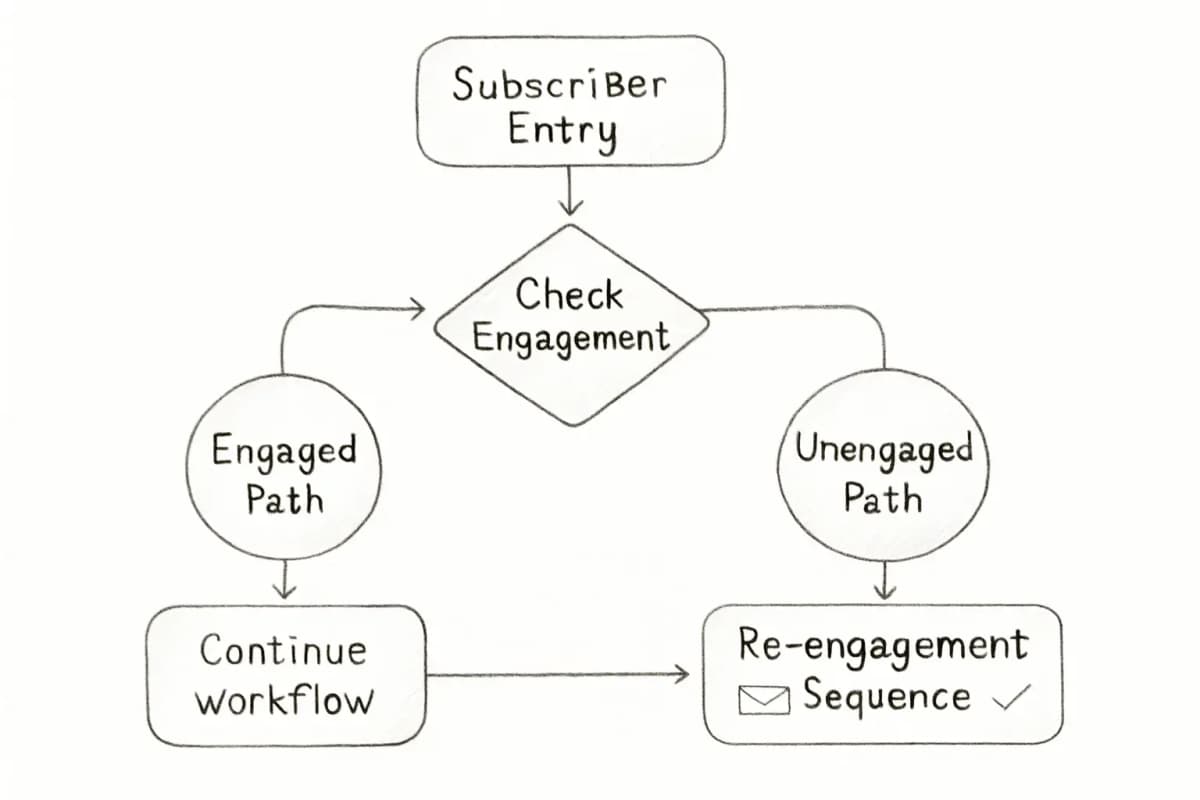
Common Mistakes That Kill Automation Performance
Even well-intentioned automations can underperform. The most common problems:
- Sending the same workflow to everyone: Ignoring segmentation collapses relevance. Different subscriber types need different sequences.
- No exit conditions: Continuing to send after a subscriber converts damages trust and inflates unsubscribes.
- Over-messaging: Receiving too many emails is one of the most common reasons users unsubscribe from mailing lists.
- Neglecting mobile: Over 60% of emails are opened on mobile. Any workflow that renders poorly on a phone is leaving conversions on the table.
- Skipping performance reviews: Automation is not a one-time setup. Markets change, subscriber behavior shifts, and what worked last quarter may not work this one.
Frequently Asked Questions
What is email marketing automation and how does it work?
Email automation is software that sends targeted messages to contacts automatically based on specific triggers, schedules, or behaviors. Instead of manually crafting and sending individual emails, businesses create workflows that respond to customer actions like website visits, form submissions, or purchase activity. The system operates through conditional logic and data integration, where customer information and behavior patterns determine which messages get delivered and when.
Which automated email campaigns generate the most revenue?
Looking at specific automation types, back-in-stock emails deliver the highest conversion rate at 6.46%, while birthday messages produce an average order value more than four times higher than average. For ecommerce specifically, according to Klaviyo's 2024 Benchmark Report, abandoned cart flows drive the highest revenue and conversion rates out of all automated flows.
How often should I review my automated email workflows?
At minimum, review your core workflows monthly. Continuous optimization of email marketing automations is vital for staying relevant and maintaining high engagement rates. Start by analyzing performance data regularly to understand what is working and what isn't. Flag any workflow with declining open rates, rising unsubscribes, or flat conversion rates for revision.
How do I avoid my automated emails going to spam?
Focus on three areas: list hygiene, consent, and engagement signals. The people you send marketing emails to need to be willing recipients of your campaigns. You always need to provide a way to unsubscribe, and if someone does click unsubscribe or becomes inactive, it's crucial that you take action, both as a marketing best practice and to comply with anti-spam regulations. Keep bounce rates below 2% and spam complaint rates below 0.1% to protect your sender reputation.